Receive a Report via Email
3 mins read - Created on Dec 19, 2025Receiving a report via email allows you to access your analysis results without downloading files manually or opening the dashboard. When you choose the email export option, Kimola sends a complete snapshot of your report directly to your inbox, including attachments and a structured summary of key insights.
This option is especially useful when you want to quickly review results, share insights with stakeholders, or keep a record of completed analyses.
Sign in to your Kimola account and open the Reports section from the left menu.
Step 1: Open the Report
From the Reports page, locate the report you want to receive via email and open it by clicking the report name or selecting View.
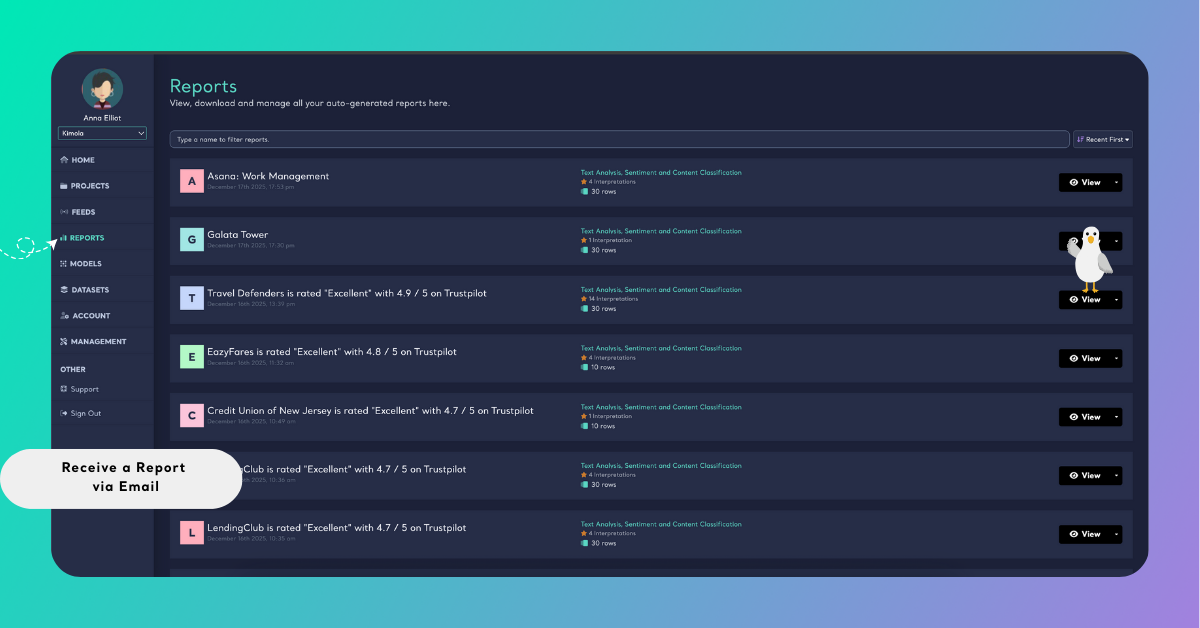
Step 2: Access the Full Analysis View
To include all available insights in the email, make sure the report is opened in Full Analysis view.
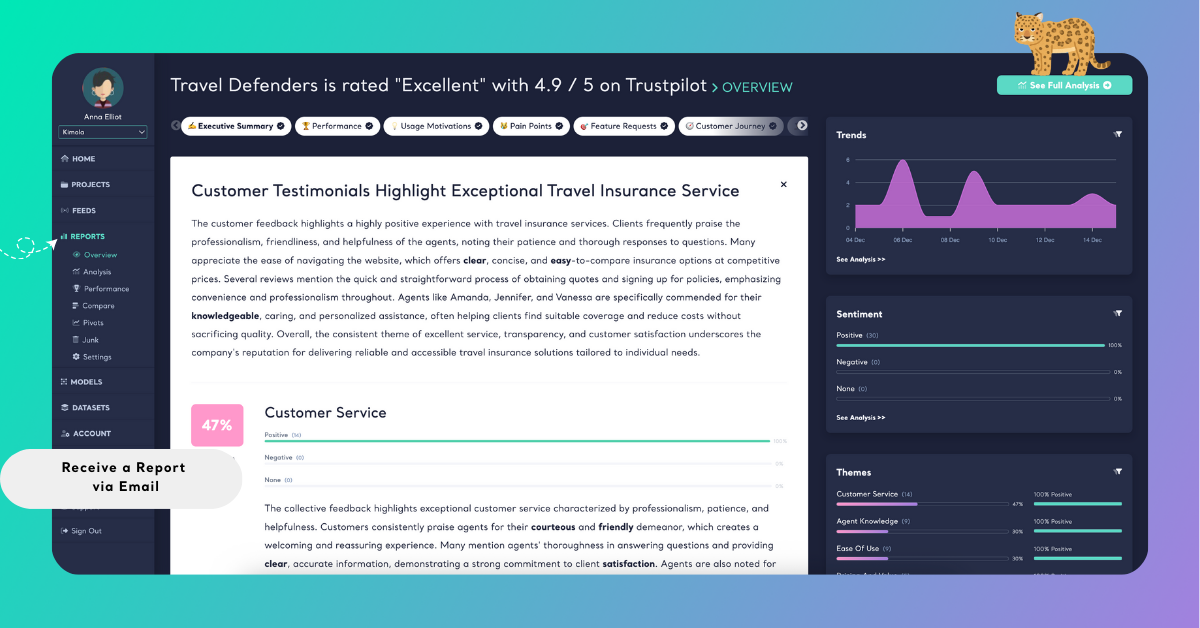
You can do this by:
- Clicking See Full Analysis in the top-right corner of the report, or
- Navigating to the analysis view using the left panel inside the report
Step 3: Send the Report via Email
While viewing the full analysis:
- Click the Export button in the top-right corner
- Select Email from the export options
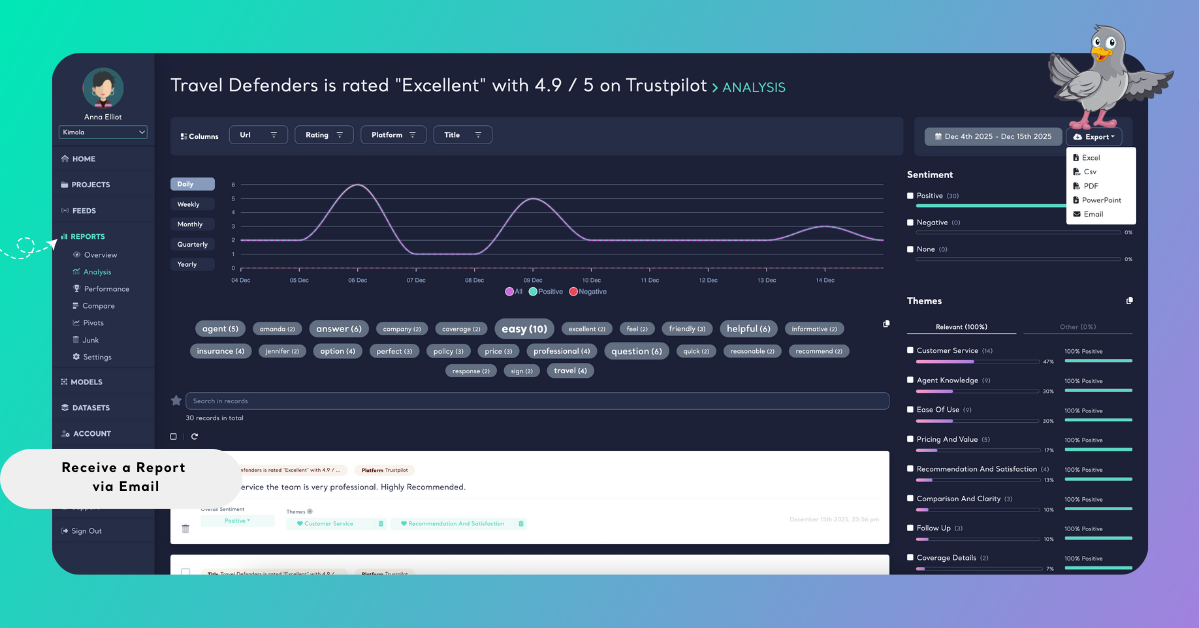
Kimola prepares the email automatically and sends it to the email address associated with your account.
When receiving a report via email, filters are not applied. The email always includes insights and summaries based on the entire dataset, ensuring a complete and consistent overview of the report.
What’s Included in the Email
When a report is delivered via email, Kimola provides a summarized view of the analysis along with ready-to-use report files.
The email includes the full report as PDF and PowerPoint attachments, so you can download, share, or present the results immediately without exporting them separately.
In the email body, you’ll see a brief overview of the report status and context, followed by a quick summary that highlights the main findings in a clear, easy-to-read format. This section is designed to help you understand the overall results at a glance.
The email also presents a high-level snapshot of the analysis, such as overall sentiment, key themes, detected languages, and commonly mentioned terms. These indicators provide a fast way to assess the general direction of the feedback.
If dimension outputs are included in the report, the email references these sections to give visibility into the types of insights available.
By clicking the “View Full Report” button, you can open the full report in Kimola for deeper analysis and further interaction.