Departments: Every Team's Share
of Customer Feedback
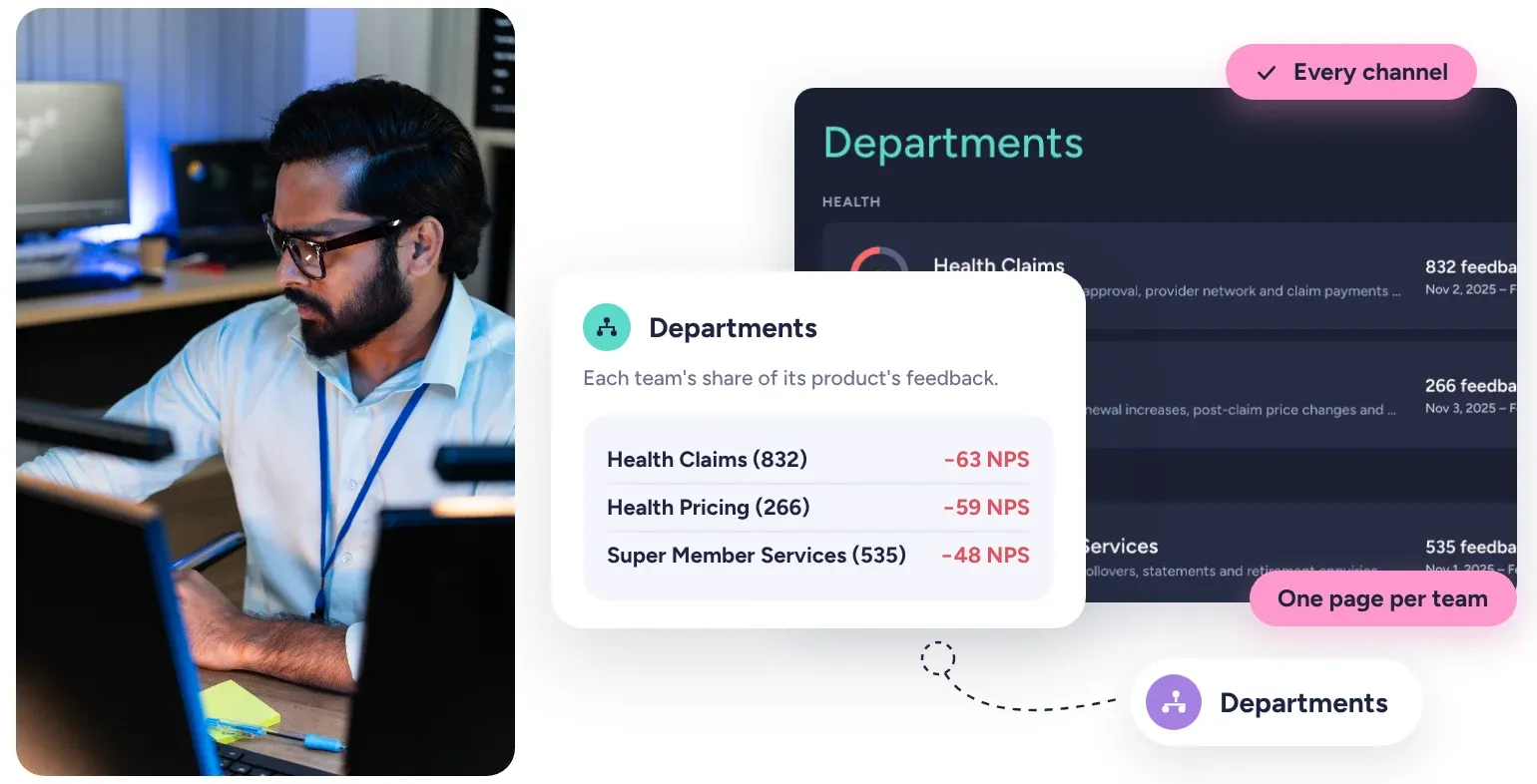
Kimola gives every team the part of the feedback it owns, from every channel at once, on a page of its own with its NPS, themes and trends.















3,000+ teams in more than 90 countries use Kimola.
Teams Don't Work Channel by Channel
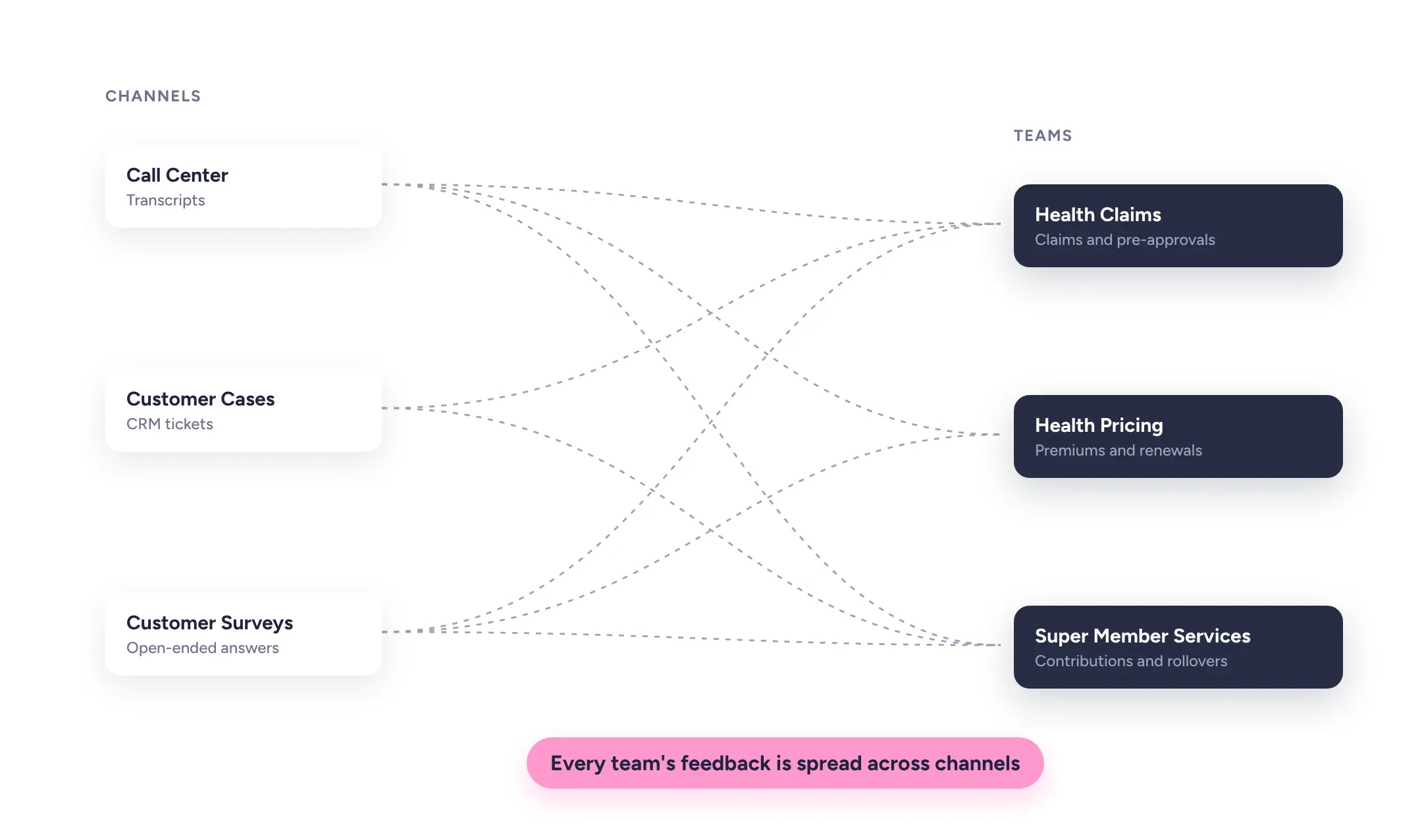
Feedback arrives channel by channel: the call center, surveys, app reviews, social media. Teams are organized by subject. The billing team or the installation team owns one part of the experience, and the feedback on it arrives through every channel at once.
Without Departments, every team opens each channel, filters it to its own subject and puts the pieces together by hand, again and again. A Department does that work once and keeps it current.
A Page for Every Team
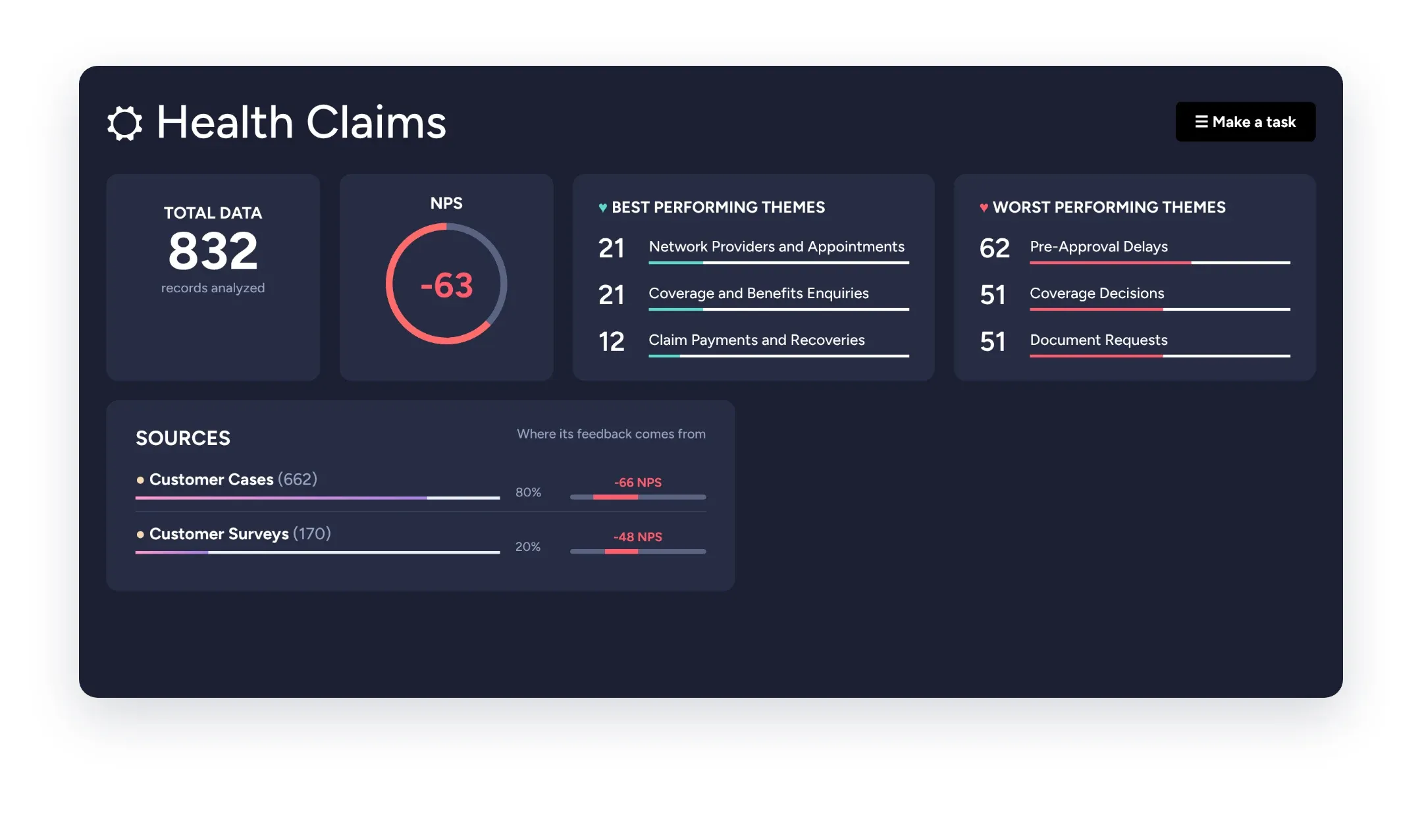
The installation team opens one page and sees only the feedback it owns, from every channel that holds some: its NPS, its best and worst themes, the answers it gives to your Dimensions, how it moved over time and every word customers wrote.
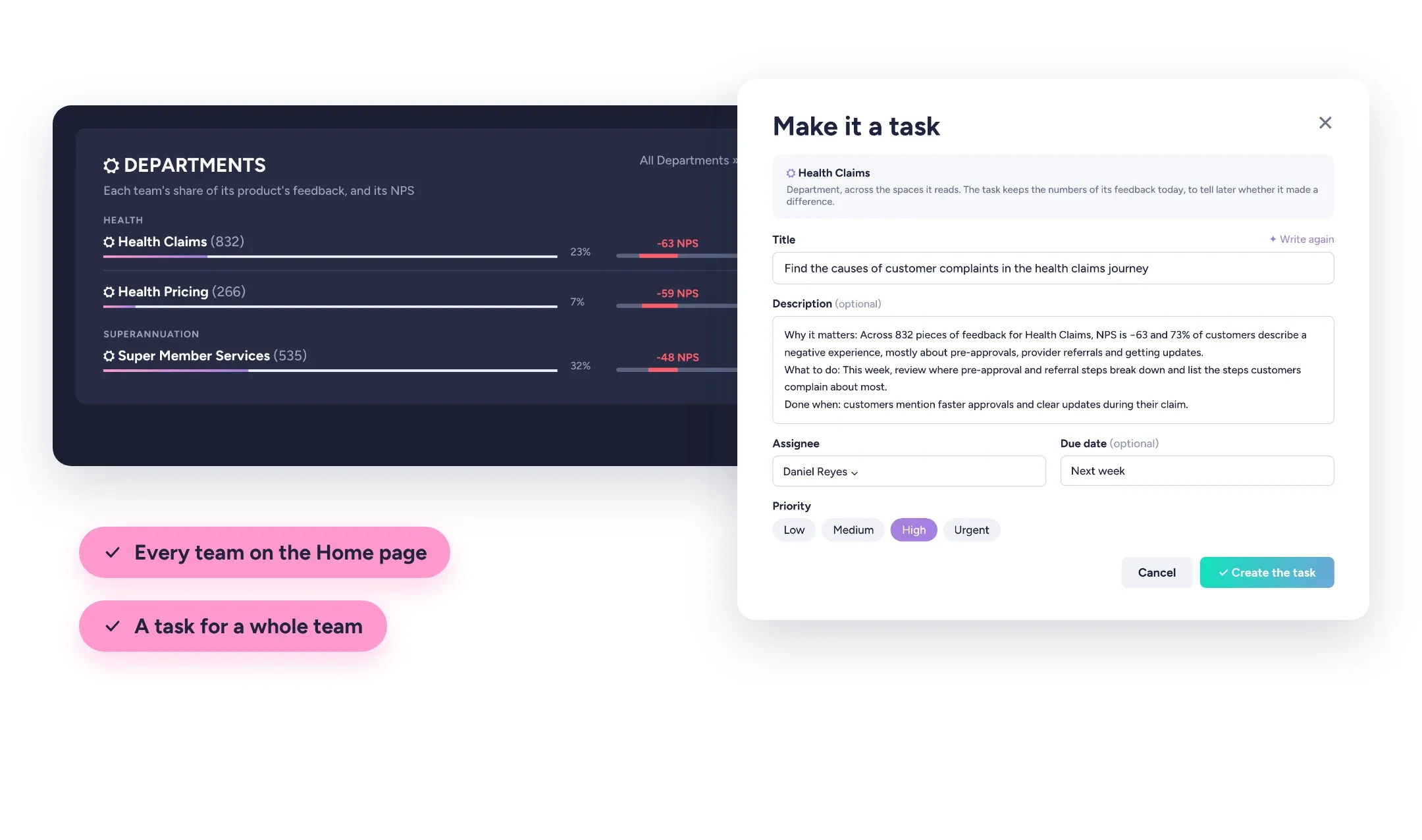
The page also shows the team's NPS in each channel, so it knows where its customers are least satisfied. When it is time to act, the page becomes a Task in one click.
Built From What You Already Classify
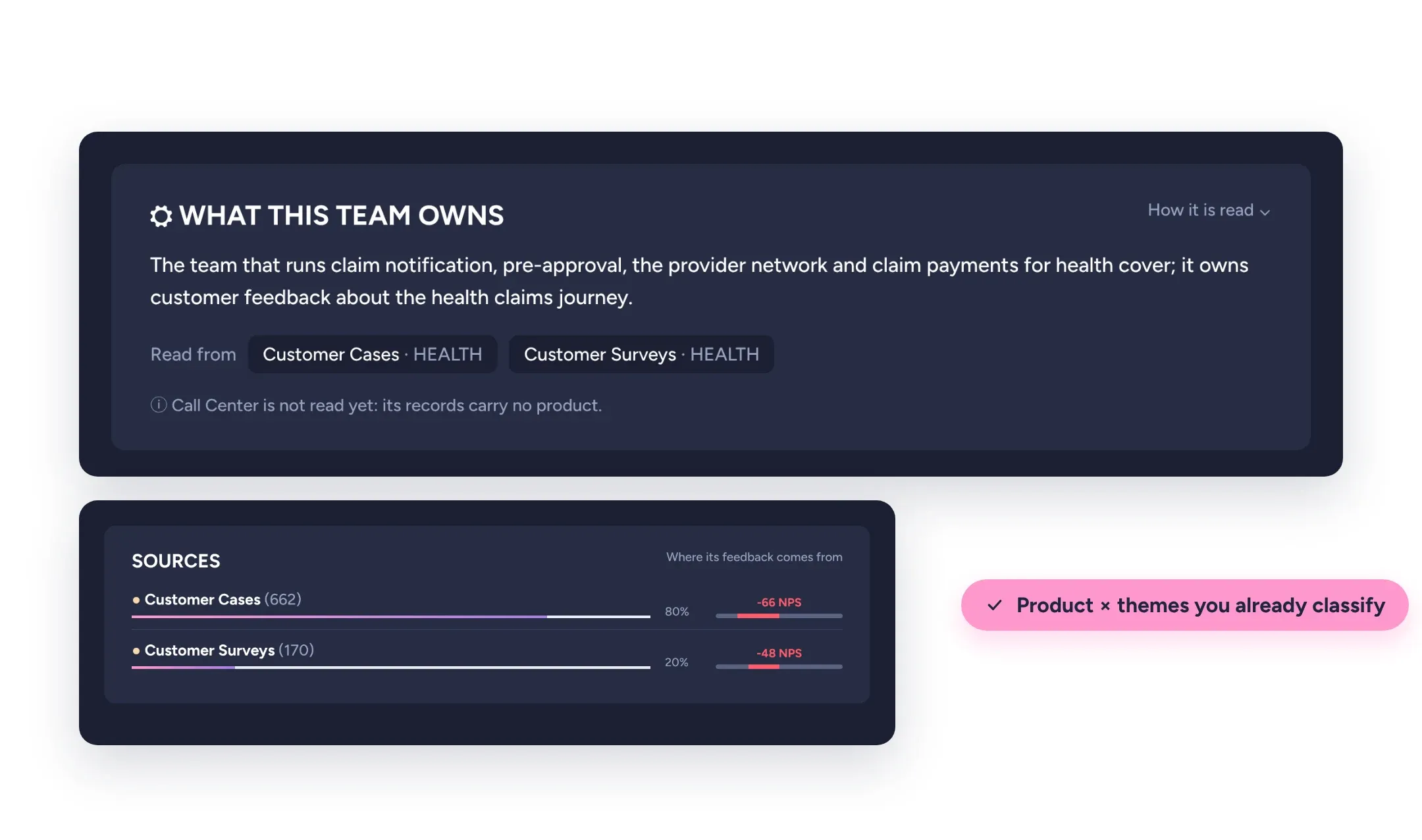
A Department reads chosen Spaces, whole or only where a column such as product holds certain values, and tells the team's feedback apart by labels your Funnel already assigns. Nothing is classified again, nothing is copied, and a new file counts as soon as it is classified in its Space.
Because every Department reads the same labels, the billing team and the installation team look at different parts of the feedback in the same terms.
Set Up With You, Checked on Real Feedback
Which teams you have and what each one owns is your organization's knowledge. Kimola's team works out with you how it maps onto your feedback, so your teams only read their Departments and never have to build or maintain them.
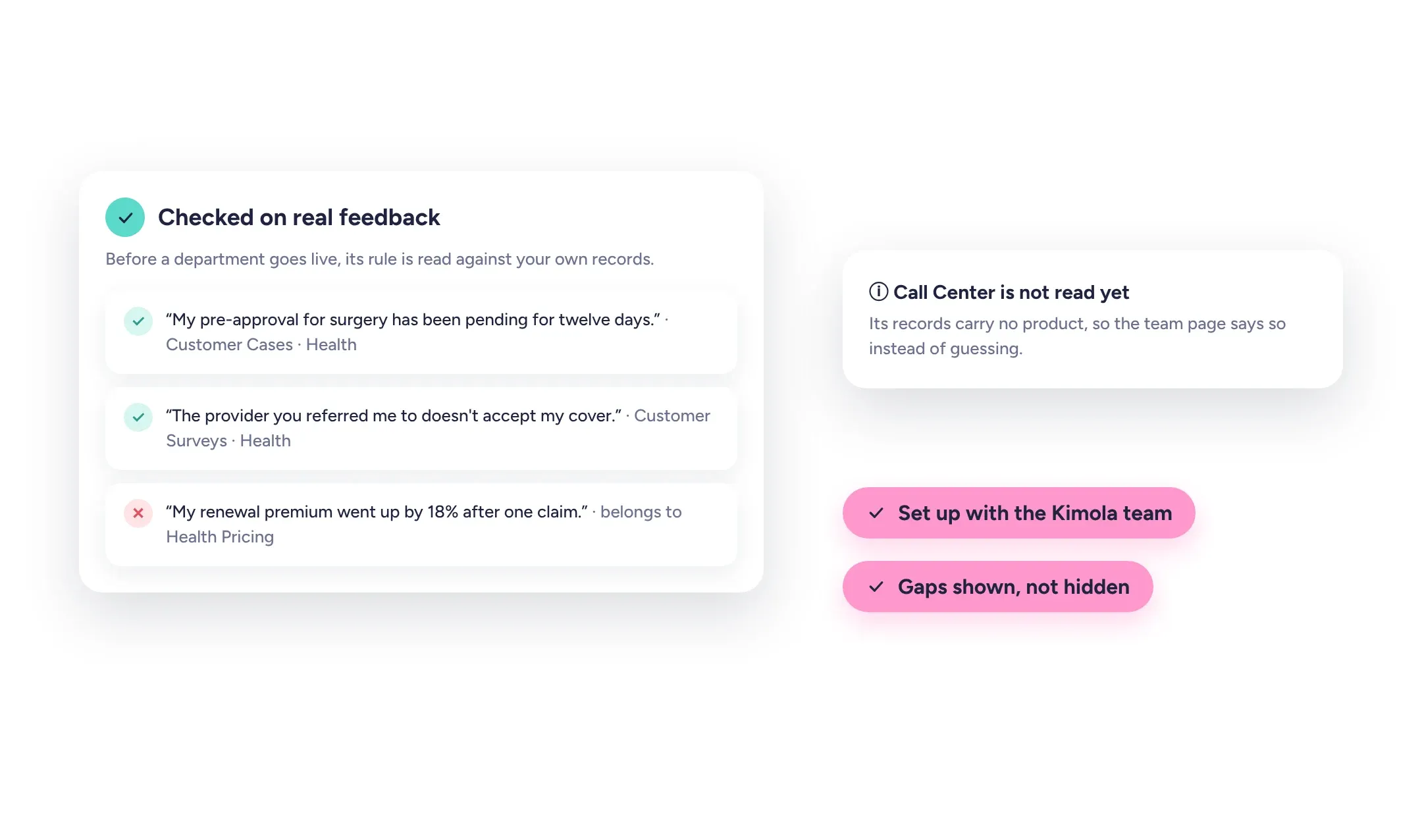
Every Department is checked on your real feedback before your team sees it: what it includes is confirmed, and what it leaves out is looked at too. When a channel can't be read yet, for example because its records don't say which product they are about, the page says so.
One View Across the Organization
Home shows every Department grouped by product, each with its NPS and its share of that product's feedback. Because a share is always of its own product, the installation and billing teams of one product compare directly, and leadership sees which team's part of the experience needs attention without opening a single channel.
Departments are part of the Enterprise package and Kimola On-Premises.
Bring the feedback you already have.
Organize feedback like a research team.
See the people behind the feedback.
See how teams turn different kinds of feedback into research.






Frequently Asked Questions
About Departments
-
How is a Department different from a Space or a Customer?
-
Can we create Departments ourselves?
Departments are set up together with the Kimola team, from the themes and Dimensions your feedback is already classified with. To add, change or remove one, contact your Account Manager.
-
Does a Department copy or reclassify our feedback?
No. A Department is a view of your Spaces. Each time it opens, Kimola finds its feedback from the classification that feedback already has, so nothing is classified twice and the Department always reads your feedback as it is now.
-
What if a channel doesn't say which product a record is about?
Then a product's Department can't pick its feedback out of that channel yet. The Department says so in a note on its page, so its numbers are always read with what they include in mind.
-
Can different teams' NPS be compared?
Yes. Every Department's NPS follows the same rule and reads the same labels of your Funnel. Its share is always of its own product's feedback, so the teams of one product sit side by side.
-
How do Departments relate to Tasks?
A team can turn its Department's page into a Task. The Task reads all of your Spaces for its evidence, and once it is done, Kimola reads them again to tell whether customers noticed.
Turn customer feedback into structured market research in 30+ languages—no AI training needed.
Create a Free Account No credit card · No commitment