Customers: Every Channel's Feedback
on One Customer's Page
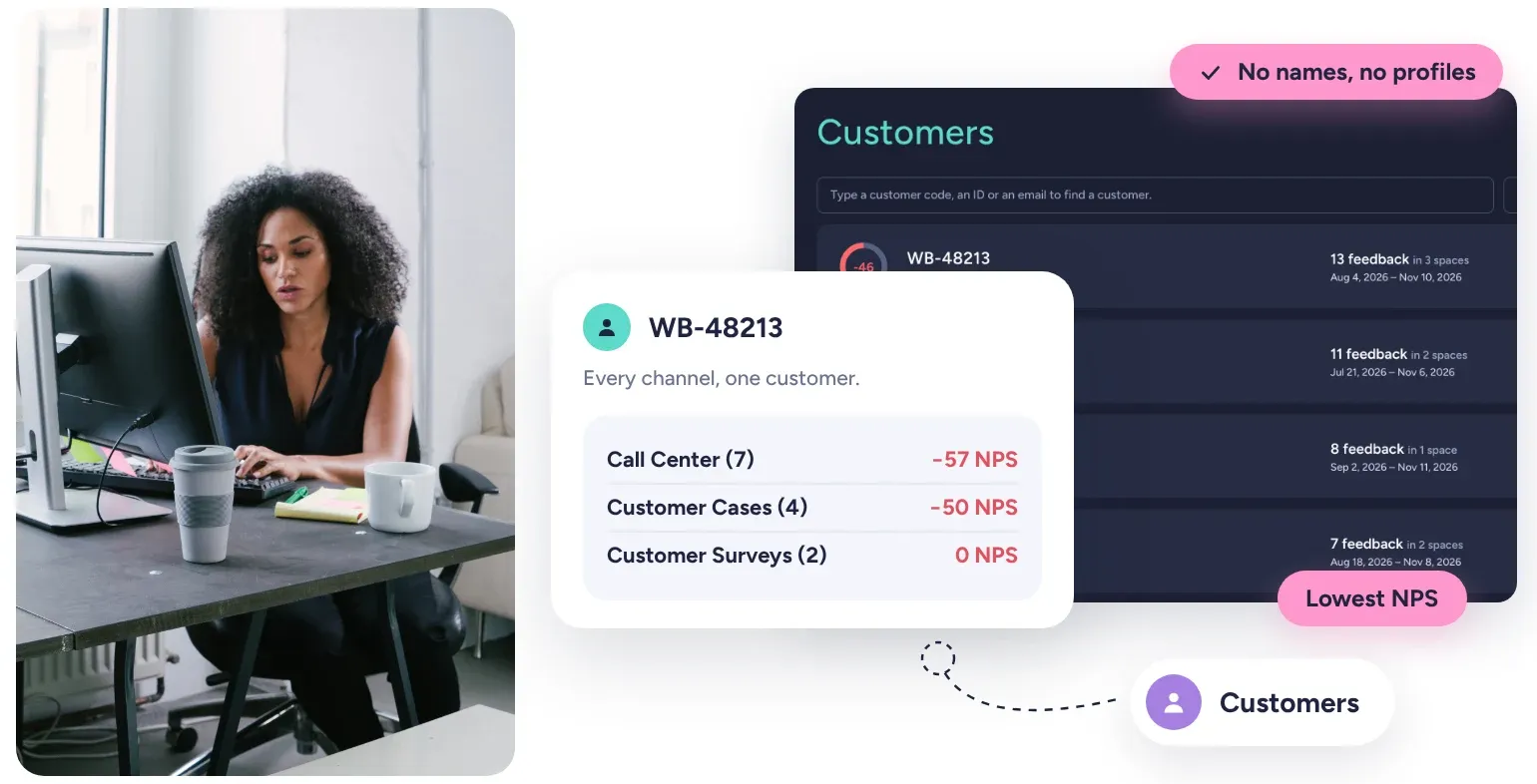
Kimola recognizes the same customer in every channel by a key you already use, and brings all of their feedback together on one page.















3,000+ teams in more than 90 countries use Kimola.
One Customer, Three Unrelated Records
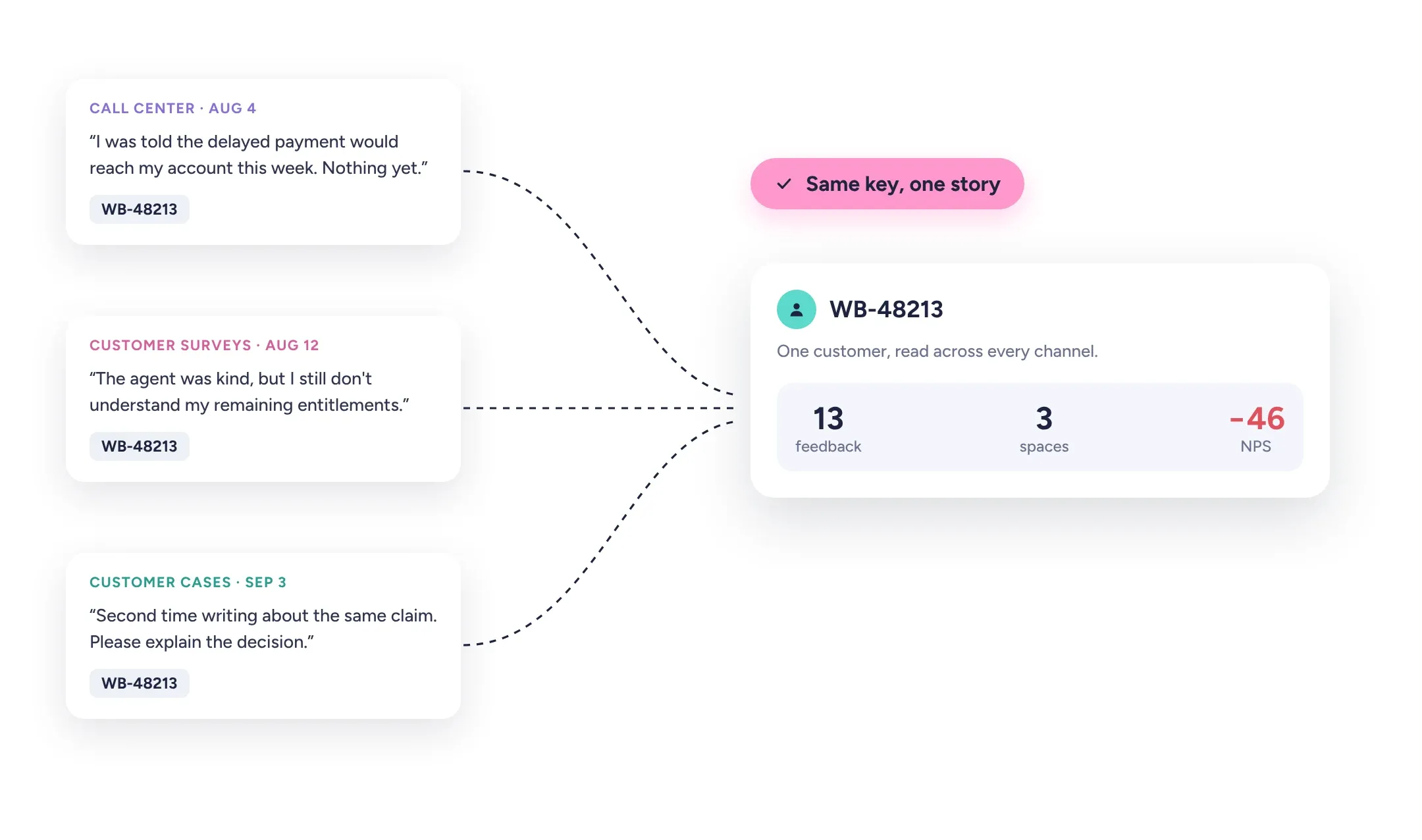
A customer calls about a delayed payment, answers a satisfaction survey a week later and writes to you again the next month. Read channel by channel, these are three unrelated records in three places, and nobody sees that they are one person's story.
Kimola recognizes the same customer in every Space and brings their feedback onto one page, whatever channel it arrived through.
A Key You Already Have
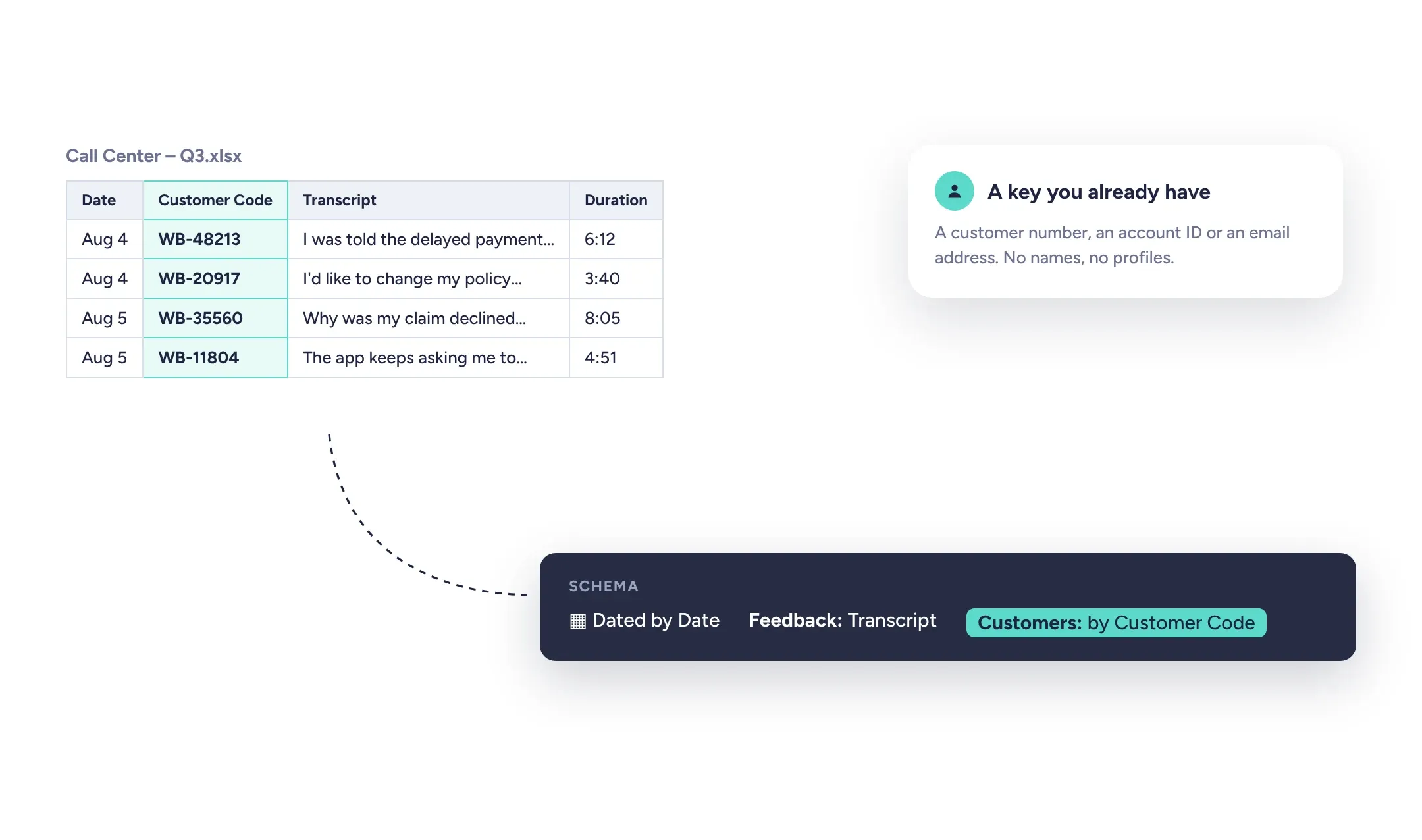
Kimola reads customers from one column of your files: a customer code, an account number, an ID or an email your organization already uses. No names and no profiles are needed, and keys are matched across Spaces regardless of upper and lower case.
A Space that started without a customer key can get one later. The records already in it get their customers from the values they kept, without being classified again, so your history joins the customer view at once.
A Single Customer View
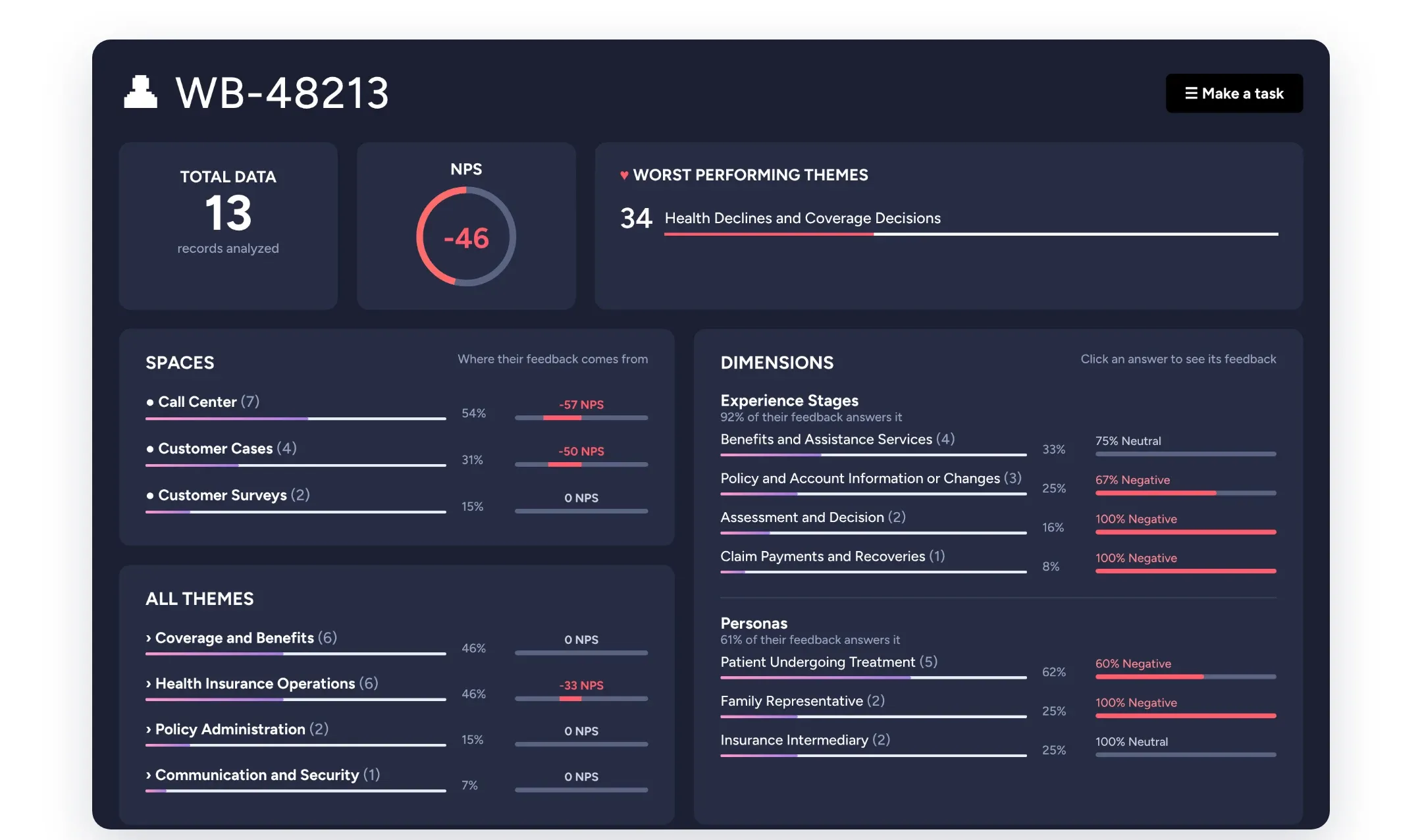
A customer's page reads all of your Spaces as one, for that customer only: their NPS, the themes they are most and least satisfied with, the answers their feedback gives to your Dimensions, how their feedback moved over time and every word they wrote.
It also shows where their feedback comes from, with their NPS in each channel, so you can tell whether their experience is worse on the phone or in the app. When your Spaces share a Funnel, their themes mean the same thing in every channel.
Who Needs Attention, and What to Do
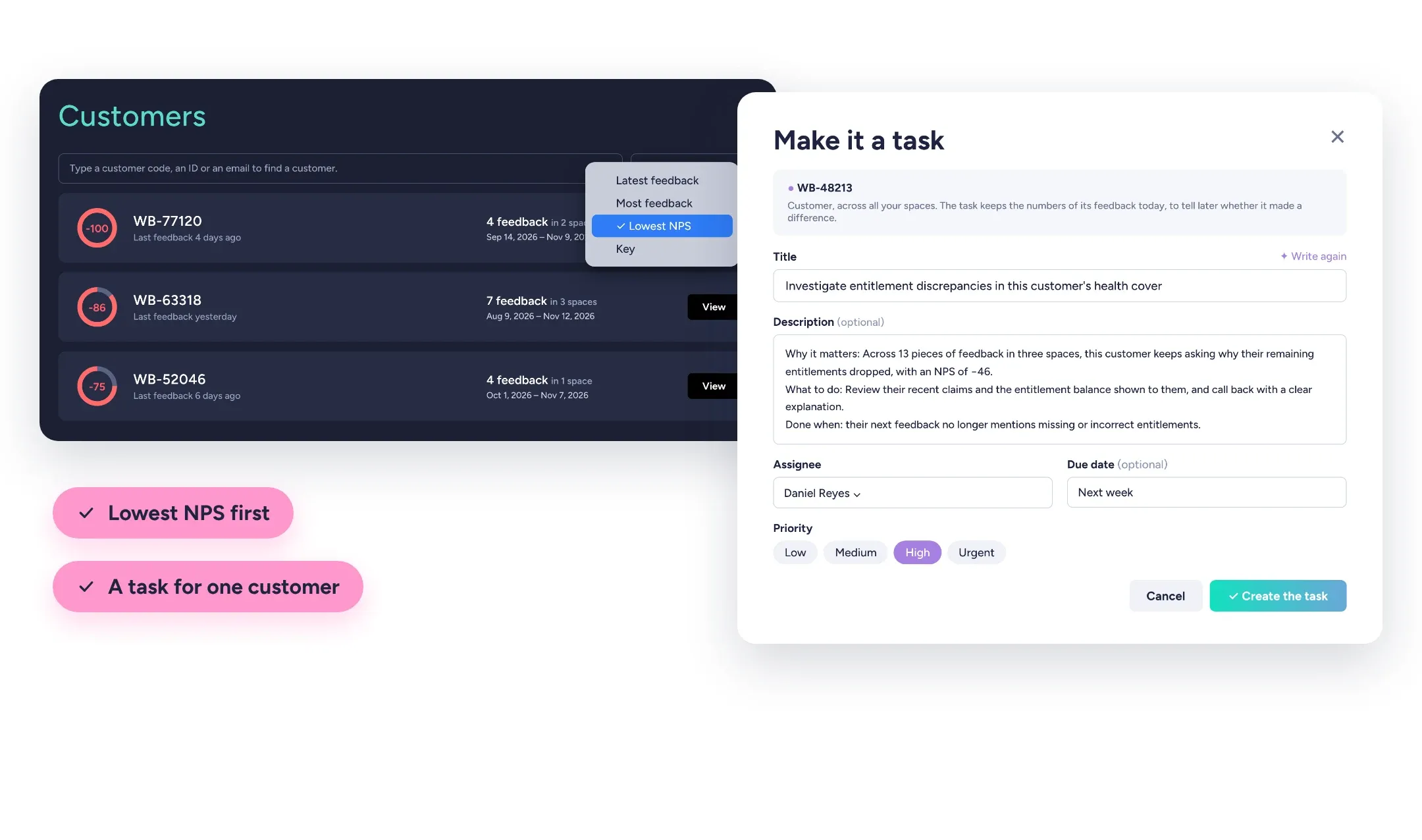
Sort every customer by their latest feedback, by how often they come back or by the lowest NPS, and find anyone by part of their key. A key account manager prepares for a meeting from one page, and a customer experience team follows the customer who keeps coming back with the same problem. One click turns a customer's feedback into a Task, measured across all of your Spaces.
Customers are part of the Enterprise package and Kimola On-Premises.
Bring the feedback you already have.
Organize feedback like a research team.
See the people behind the feedback.
See how teams turn different kinds of feedback into research.






Frequently Asked Questions
About Customers
-
What does Kimola need to recognize a customer?
Only a key in one column of your files, such as a customer number in a call center export or the email of a survey respondent. Kimola keeps no names or profiles for customers.
-
What if two channels use different keys for the same customer?
Customers are matched by the key alone, so a customer known by their email in one Space and by an account number in another appears as two customers. Use the same identifier in every Space you want to see together.
-
Can I add customer keys to feedback I already uploaded?
Yes, if the key was part of the files. Choose the Customer Column on the Space's Files page, and the records already in the Space get their customers without being classified again.
-
Is a customer's NPS the score they gave in a survey?
No. It is calculated from what they wrote: the share of their positive feedback minus the share of their negative feedback, from −100 to 100. For a customer with only a few records, read it together with how much feedback they gave.
-
Can I search what a customer wrote?
Yes. A customer's page has its own search box for their feedback, across every Space it came from. The Customers list itself is searched by key, so you can find a customer by part of their code or email.
-
How do Customers relate to Tasks?
Any customer's feedback can become a Task with its evidence attached. A customer belongs to no single Space, so once the Task is done, Kimola reads the feedback of all your Spaces again to tell whether things changed.
Turn customer feedback into structured market research in 30+ languages—no AI training needed.
Create a Free Account No credit card · No commitment