On-Premises: Customer Research
That Never Leaves Your Network
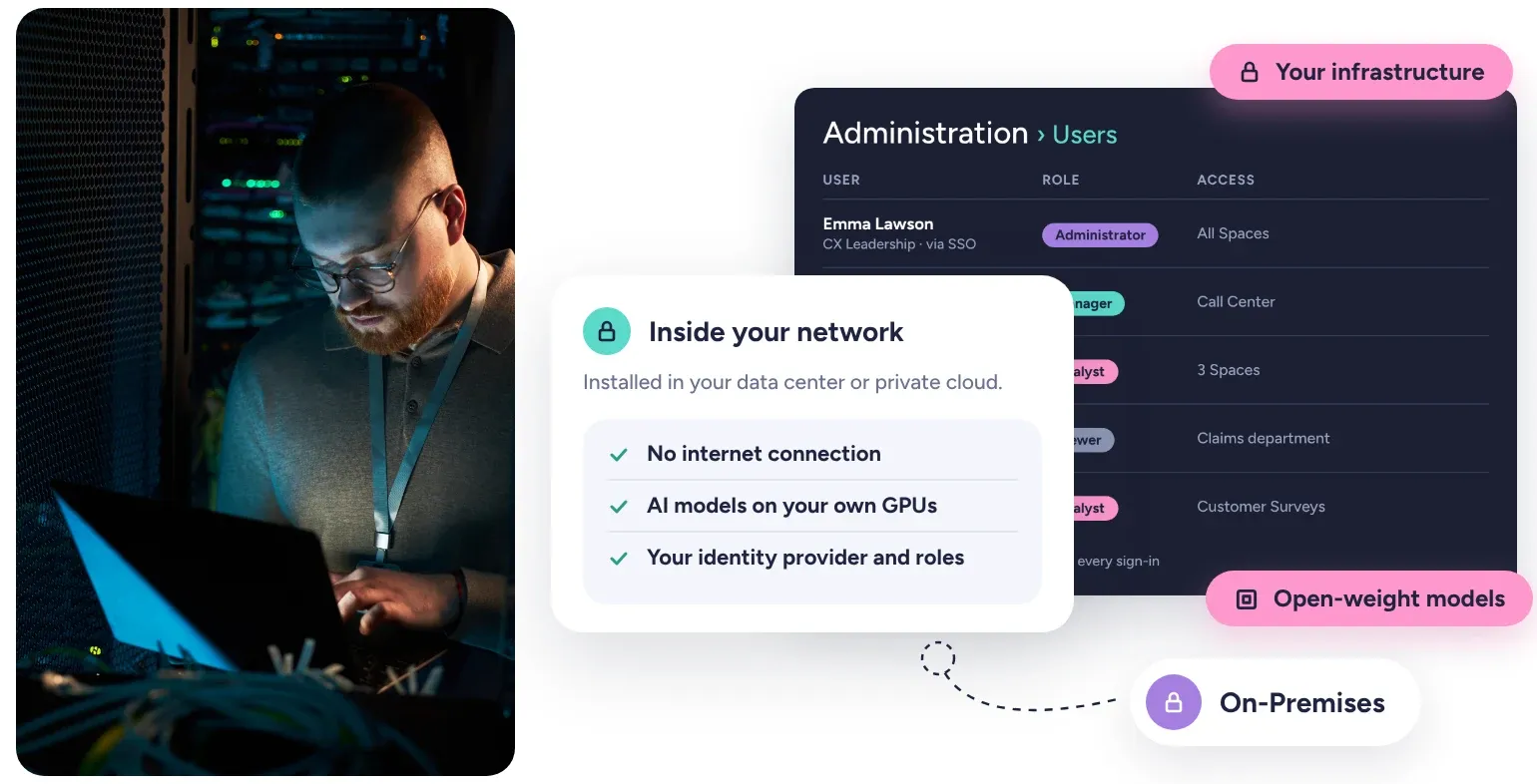
Run Kimola inside your own infrastructure: open-weight AI models on your GPUs, your identity provider, and no customer data leaving your network.















3,000+ teams in more than 90 countries use Kimola.
The Same Kimola, Inside Your Walls
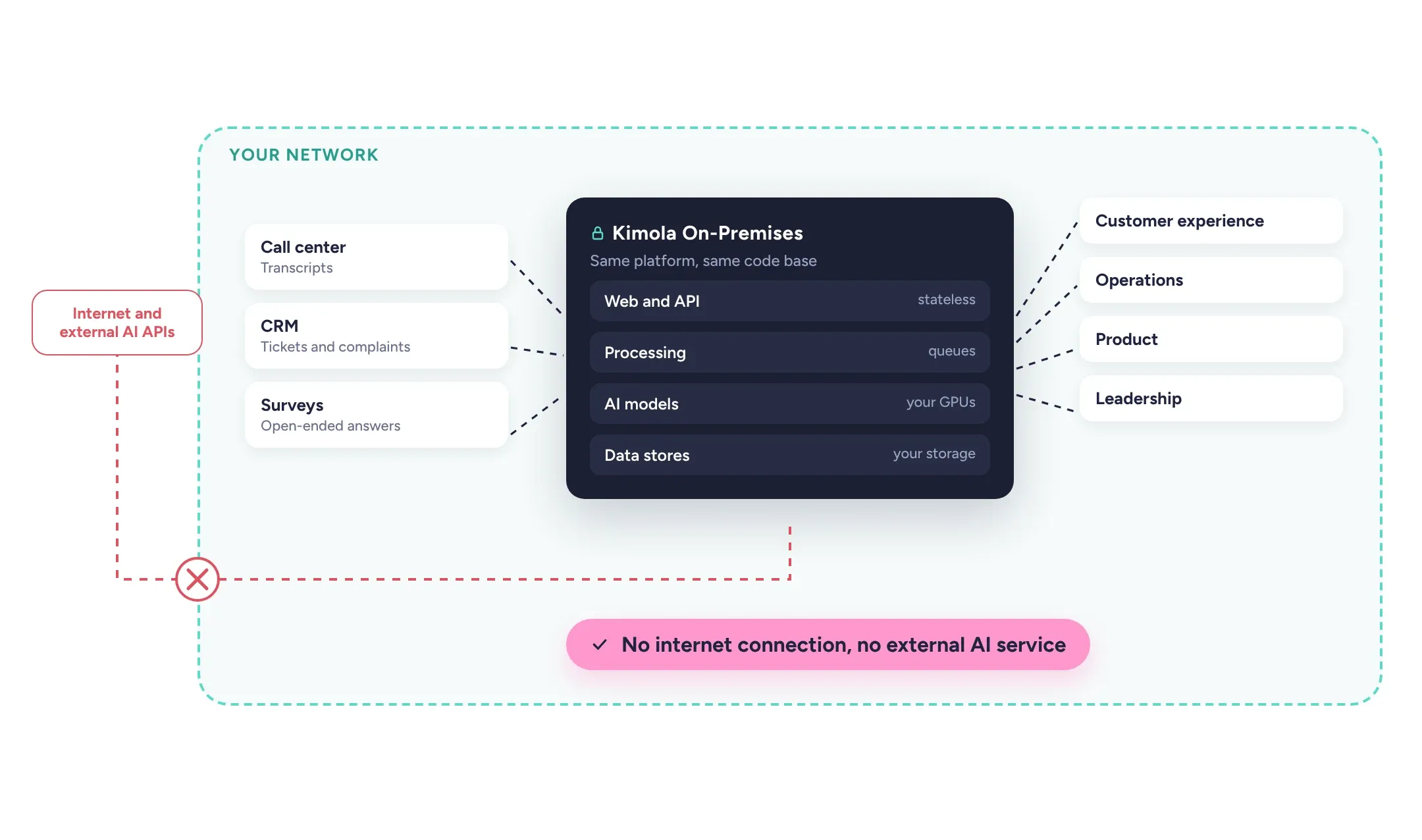
Banks, insurers, telecom operators and public institutions often hold their richest customer feedback where it cannot leave their network: call center transcripts, complaint records and CRM tickets. Sending them to a cloud service or an external AI API is not an option, however useful the analysis would be.
Kimola On-Premises is the same platform, built from the same code base, installed entirely in your data center or private cloud. It needs no internet connection and no external AI service. The language models are open-weight and run on your own GPUs, so feedback, trained models and every result stay where your data already lives. Your teams work with the same Spaces, Signals, Action Plans and Tasks as cloud customers.
An Architecture Your Team Can Review
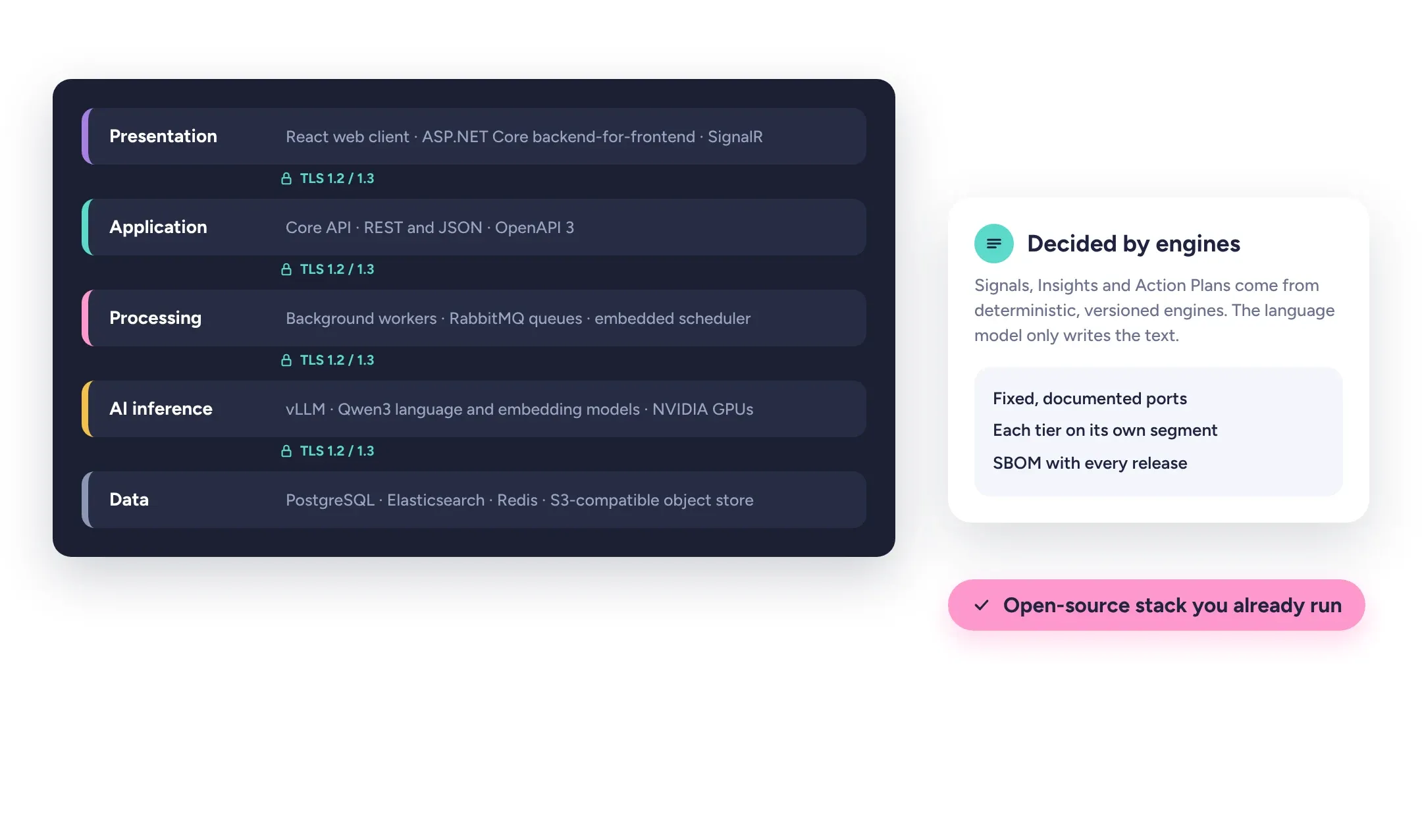
Kimola On-Premises is a multi-tier application with separate presentation, application, processing, AI inference and data tiers. Each can run on its own servers and network segment, with firewall rules allowing only fixed, documented ports, and every connection, including those between internal services, is encrypted with TLS 1.2 or 1.3.
The stack is deliberately conventional: services in C# on .NET 10, a React web client, PostgreSQL, Elasticsearch, Redis, RabbitMQ and an S3-compatible object store, with vLLM serving the models. Web and API tiers are stateless, and heavy work runs from durable queues. The statistical engines behind Signals, Insights and Action Plans are deterministic and versioned; the language model only writes the text for findings the engines have already decided. A software bill of materials comes with every release.
Security That Follows Your Policies
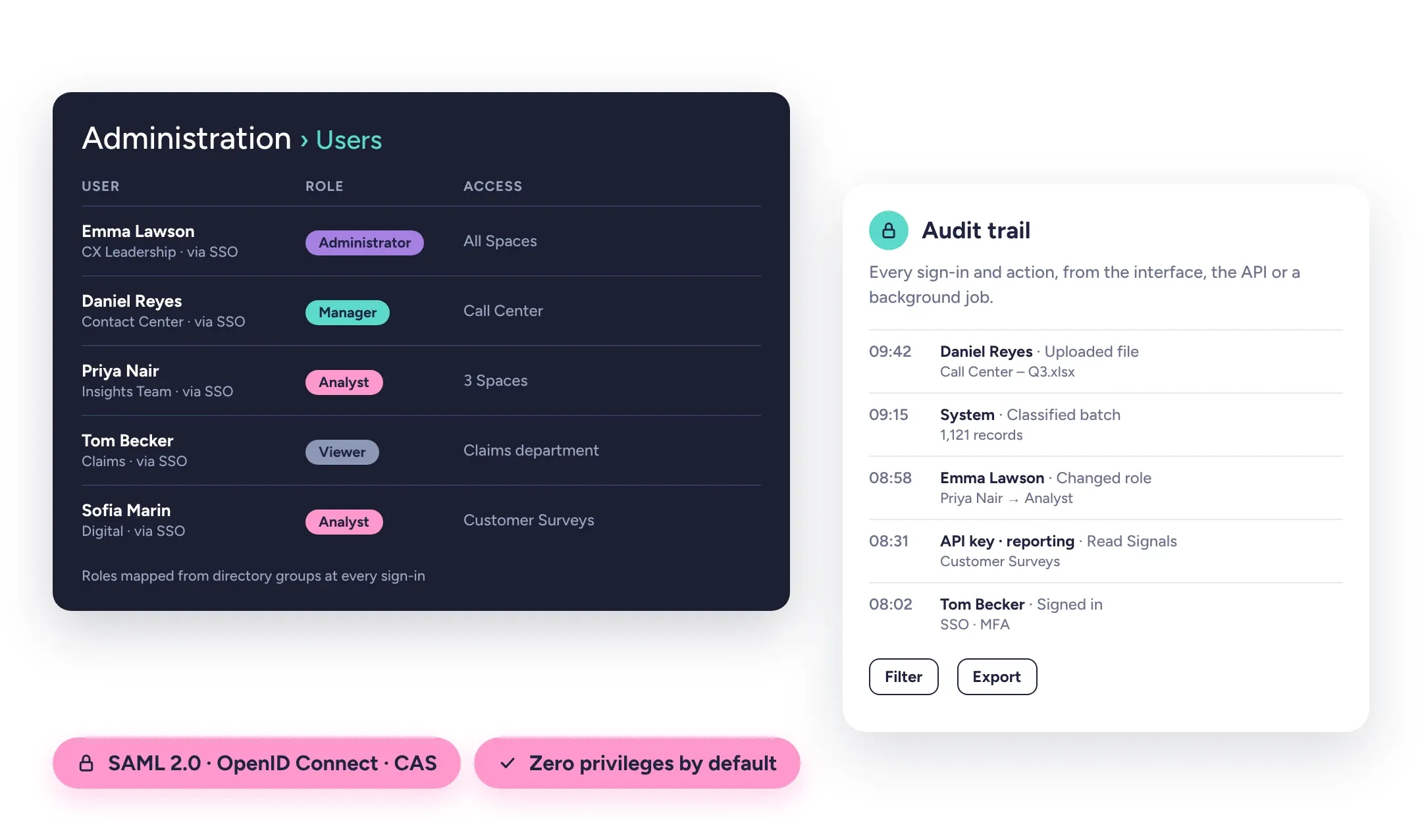
Users sign in through your identity provider with SAML 2.0, OpenID Connect or CAS, and your multi-factor authentication applies. Roles (Administrator, Manager, Analyst and Viewer) are mapped from your directory groups at every sign-in, and access can be limited by Space and by Department, so each team sees only the feedback it owns. New users start with zero privileges.
Every sign-in and every business action, whether from the interface, the API or a background job, is written to an immutable audit trail that administrators can filter and export. Secrets are injected from Kubernetes Secrets or your vault and are never stored in clear text. No accounts are owned by Kimola: administrator access is handed over at installation, and test environments can run on masked copies of your data.
Built to Run Without Interruption
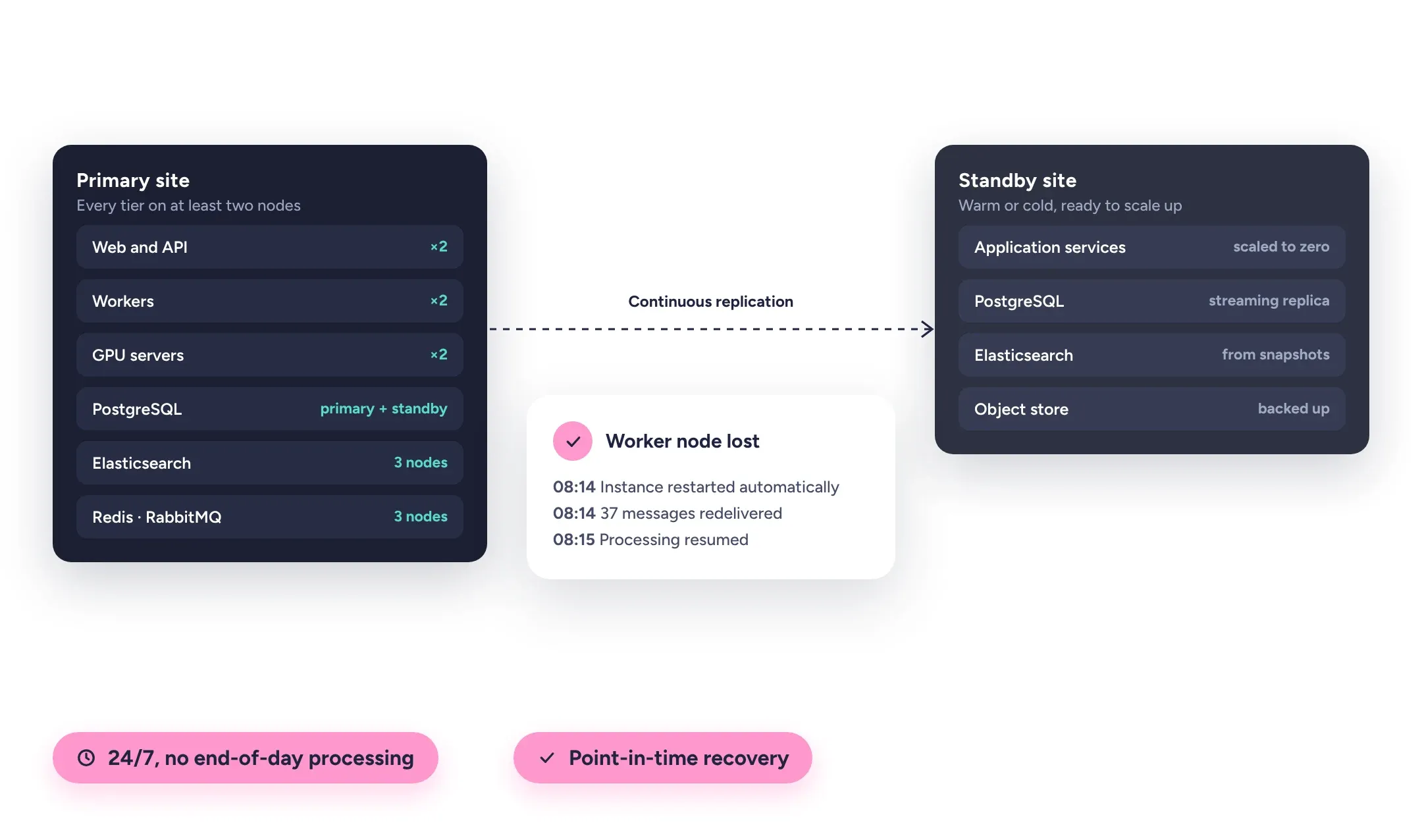
In a high-availability setup every tier runs on at least two nodes. Failed instances are restarted automatically, PostgreSQL fails over to a synchronous standby, and Elasticsearch, Redis and RabbitMQ run as replicated clusters. Interrupted work is redelivered to another worker, so nothing you upload is lost. A warm or cold standby site covers disaster recovery, with recovery objectives agreed with you.
Kimola runs 24 hours a day with no end-of-day processing. Backups are automated, with point-in-time recovery for the database and scripted, tested restores, and retention can be set per Space, with archived records restorable later. Services expose health endpoints, Prometheus metrics and OpenTelemetry traces, and an operations guide describes what to monitor and how to respond to each alert.
Fits the Way You Run Software
Kimola is delivered as container images with Helm charts for Kubernetes or Red Hat OpenShift, running as non-root under restricted security constraints, or installed on virtual machines with Red Hat Enterprise Linux or Ubuntu. The AI tier needs NVIDIA data center GPUs, physical or assigned to virtual machines. Existing database platforms can be reused, and the configuration is sized to your feedback volume, from a single instance for testing to a fully redundant production cluster.
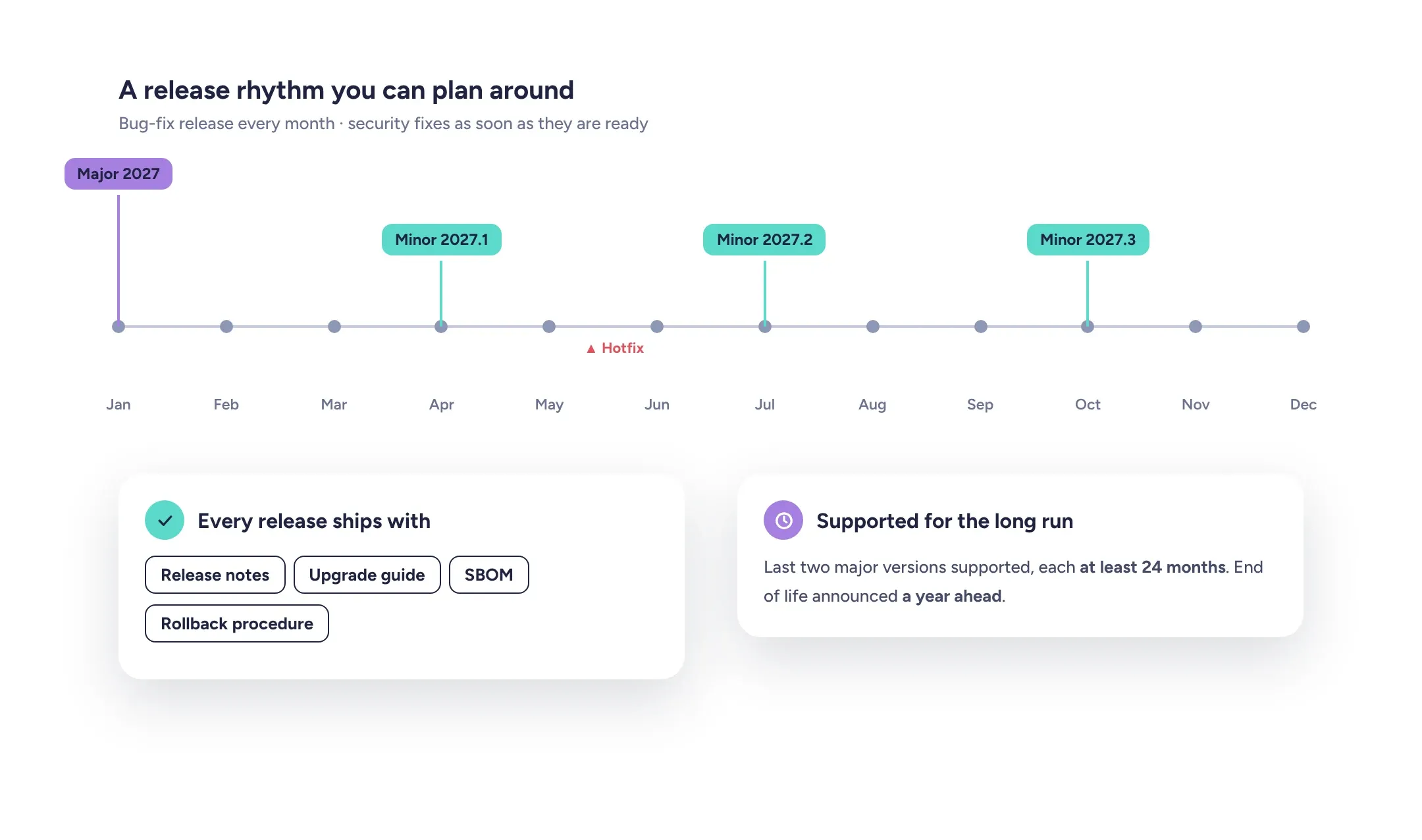
Feedback arrives as file uploads or through a documented REST API with an OpenAPI 3 specification. Webhooks notify your systems of new results, Tasks can sync with your own Jira, and Kimola screens can be embedded in internal portals and branded with your logo and colors. Cloud connectors such as Zendesk or Intercom are not part of the on-premises version.
Related: Kimola On-Premises
Releases, Licensing and Support
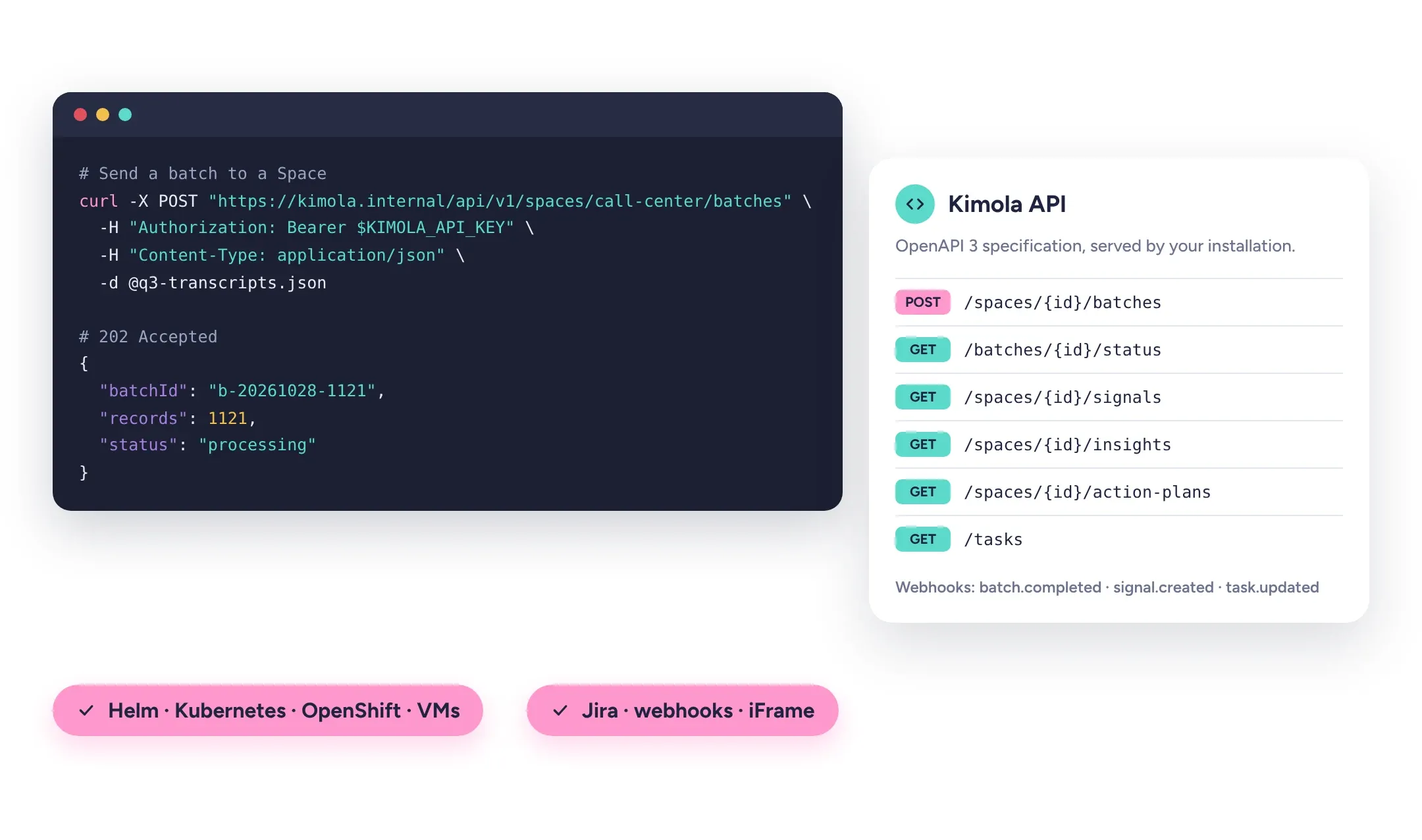
Releases follow a predictable rhythm: a major version each year, a minor version each quarter and bug fixes every month, with security fixes delivered as soon as they are ready. Each release ships with release notes, upgrade instructions, a software bill of materials and a rollback procedure. The last two major versions are supported, each for at least 24 months, and end of life is announced a year ahead.
Licenses for development, test and pre-production environments come at no extra cost. Critical incidents are covered around the clock, response and resolution targets are set for every severity, and source code escrow with an independent agent is available. End users, administrators and your IT team are trained on the platform, and support is given in English and Turkish.
Bring the feedback you already have.
Organize feedback like a research team.
See the people behind the feedback.
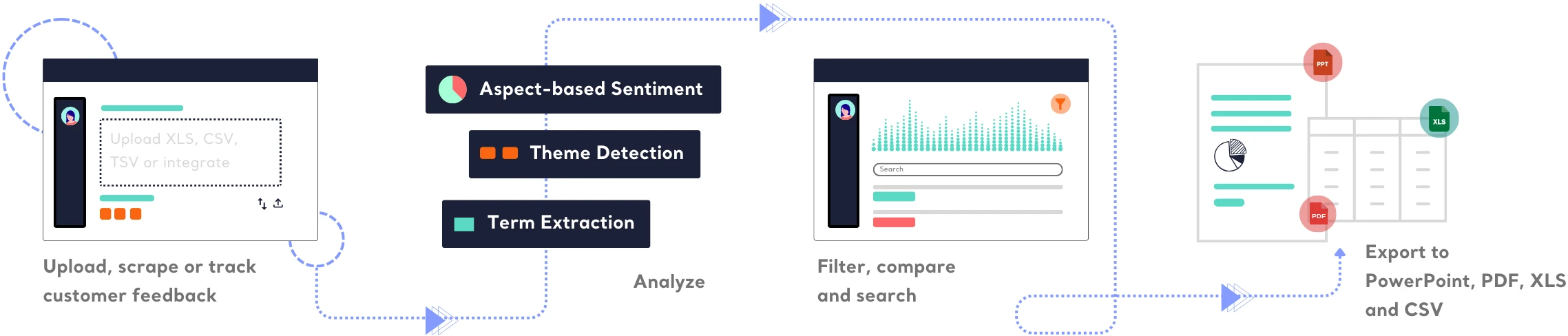
See how teams turn different kinds of feedback into research.






Frequently Asked Questions
About On-Premises
-
Does any data leave our network?
No. Kimola On-Premises runs without an internet connection and calls no external AI service. Feedback, trained models, results and logs stay inside your infrastructure.
-
Which AI models does it use?
Open-weight models from the Qwen3 family, a large language model and an embedding model, both under the Apache 2.0 license. They are served by vLLM on your GPUs. The custom models your teams train are built and stored inside your installation too.
-
Is it the same product as the cloud version?
It is built from the same code base and has the same analysis. The difference is connectivity: Feeds and cloud integrations such as Zendesk, Intercom or Google Sheets are not available, so data arrives as files or through the REST API. Kimola On-Premises lists the differences.
-
What hardware do we need?
x86-64 servers with Red Hat Enterprise Linux 9 or Ubuntu 22.04/24.04, or a Kubernetes or OpenShift cluster, and NVIDIA data center GPUs such as the H100 or H200 for the AI tier. Test environments can run on a smaller GPU. Kimola sizes the configuration from your expected feedback volume and retention.
-
Does it run on OpenShift?
Yes. The images run as non-root users with arbitrary user IDs, comply with OpenShift's restricted security context constraints, and the Helm charts include OpenShift Routes. Deployments can be managed with Helm, Argo CD or OpenShift GitOps.
-
Which identity providers can we use?
Any provider that speaks SAML 2.0, OpenID Connect or CAS, including Microsoft Entra ID, Active Directory Federation Services, Okta and Apereo CAS. Local accounts are also possible, with time-based one-time passwords and a configurable password policy.
-
Does Kimola keep administrator access to our installation?
No. All administrator accounts are handed over at installation. When Kimola's team calibrates models or helps with support, it works through named accounts and access channels you provide and control, and every action is recorded in the audit trail.
-
How are upgrades applied?
As rolling updates without service interruption, with database migrations run automatically and rollback to the previous release available. Only major upgrades that change the database schema may need a short, planned maintenance window.
-
Are test and pre-production environments licensed separately?
No. Development, test and pre-production licenses are included at no extra cost for as long as the production license runs. A masking tool creates copies of your data with personal details replaced, so test environments behave realistically.
-
What protects us if a version or the vendor is no longer supported?
Each major version is supported for at least 24 months, end of life is announced a year in advance, and extended support can be agreed. Source code escrow with an independent agent keeps your installation maintainable under standard release conditions.
-
Can Kimola be embedded in our internal systems?
Yes. Screens can be embedded in your portals for domains your administrators allow, working with single sign-on, and the installation can carry your logo, colors and fonts. The REST API and webhooks connect Kimola to BPM tools and other systems.
-
Is there an option between public cloud and on-premises?
Yes. Kimola can run as a dedicated, single-tenant instance managed by Kimola in a private cloud, in the region your data needs to stay in. The public cloud version runs on Microsoft Azure.
Turn customer feedback into structured market research in 30+ languages—no AI training needed.
Create a Free Account No credit card · No commitment