Scrape Customer Feedback
with Kimola
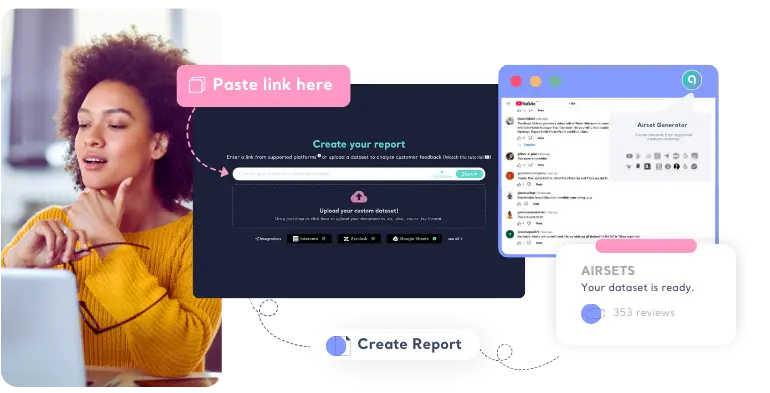
Kimola offers a search bar to paste links from integrated channels and a browser extension that scrapes customer feedback from 30+ sources.















3,000+ growth-obsessed teams from 90+ countries
create 5 reports in every 30 minutes at Kimola.
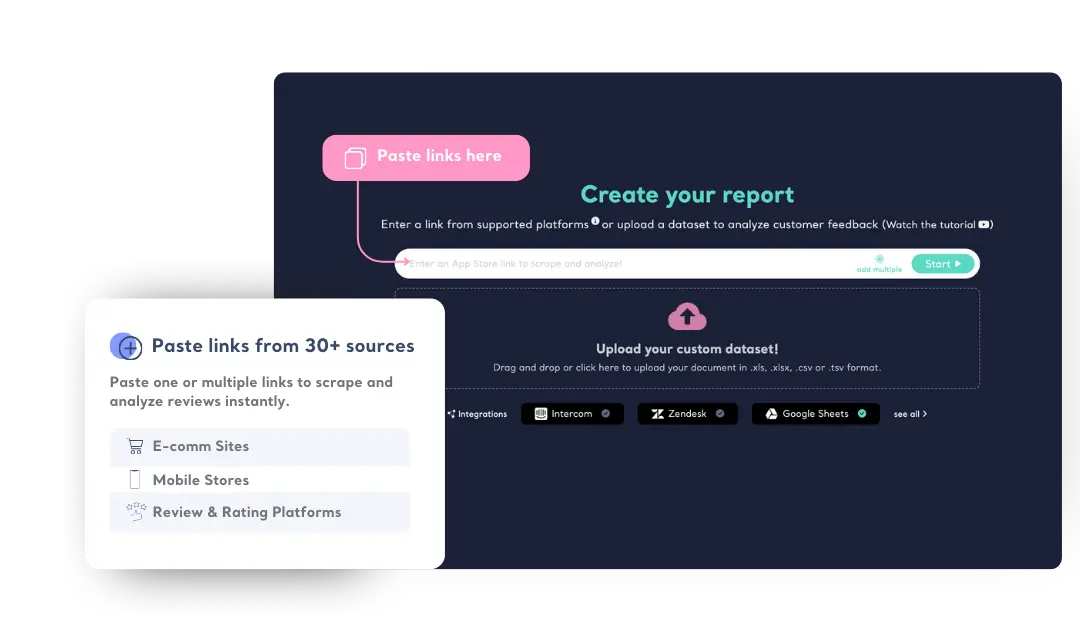
Scrape Reviews by Pasting Links
Paste links from 30+ channels such as Trustpilot, Amazon, Tripadvisor, Walmart, App Store, Play Store and many more to scrape and analyze reviews instantly.
Scrape Product Attributes Automatically
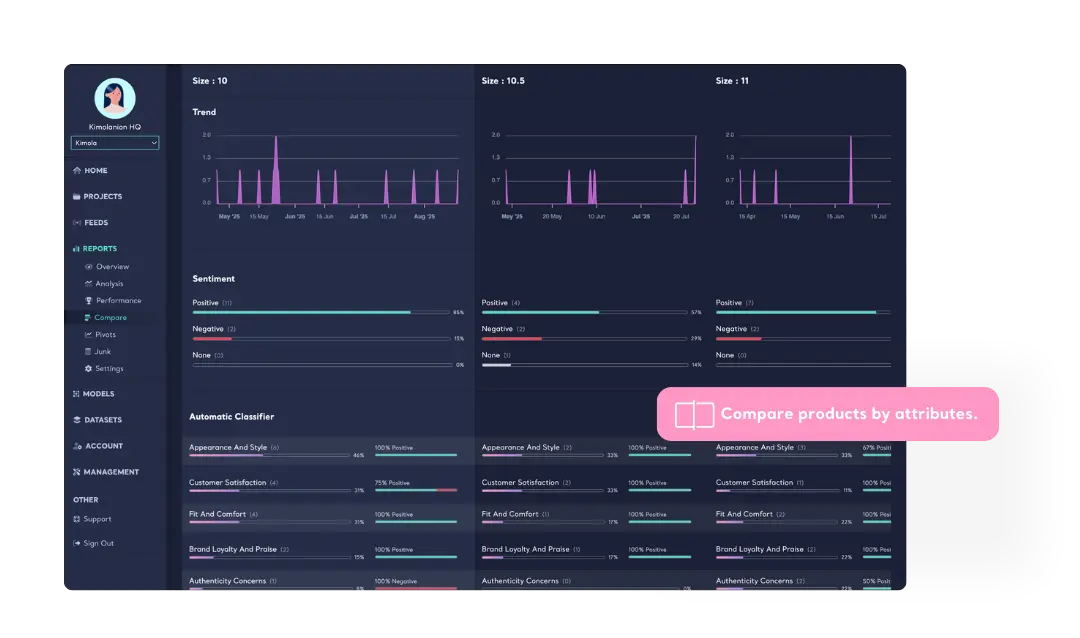
Kimola scrapes attributes of products in reviews from channels like Amazon, Walmart, JC Penney and more. Compare attributes to understand how themes differ from one to another.
Scrape Reviews with Browser Extension
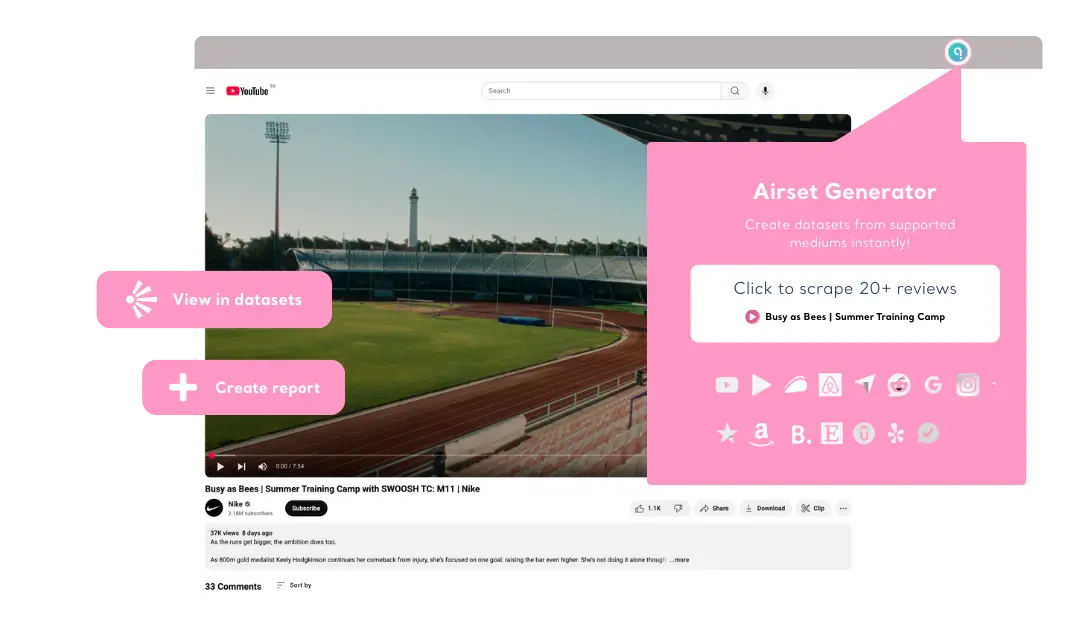
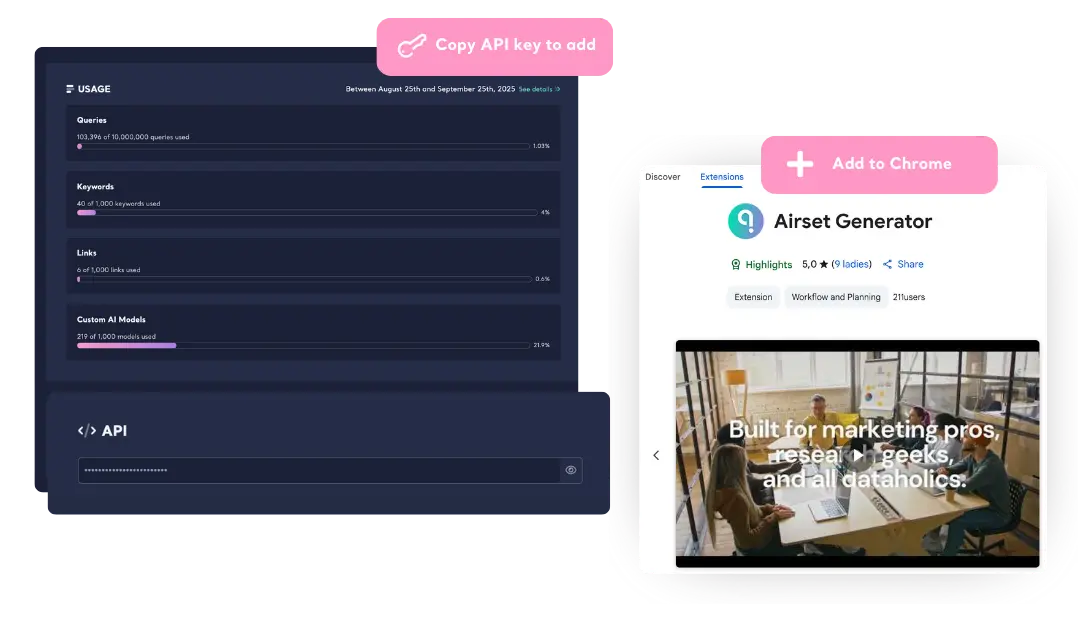
Collect reviews from G2, Reddit, Youtube, Booking.com, Etsy and more with Kimola’s browser extension; Airset Generator. A single click lets you capture valuable customer insights directly into your Kimola account, transforming them into actionable data from 30+ sources.
Quick and Easy Setup
Get started with your browser extension in minutes. Install the extension from the Chrome Web Store, enter your API key, and start scraping. No complicated configurations—just seamless data collection.
Learn with Video Tutorials
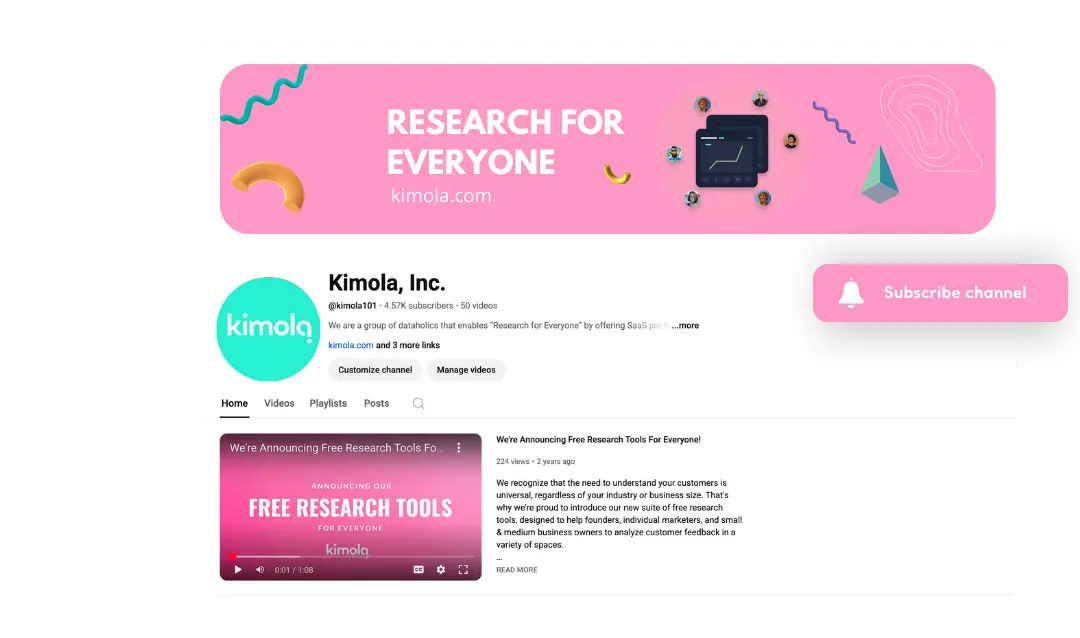
Need guidance? Our YouTube tutorials walk you through every feature, making it easy to master customer feedback scraping. Watch step-by-step videos to scrape reviews with Airset Generator or scrape by pasting links.

Amazon
Paste links of products from Amazon to scrape and analyze reviews and product attributes, with up to 500 reviews per product and alerts for new feedback — perfect for e-commerce optimization teams.

Walmart.com
Paste Walmart product links to scrape and analyze reviews easily, track trends, and get notified when new feedback appears — ideal for retail performance analysts.

Wildberries
Paste Wildberries product links to scrape and analyze reviews, generate English reports, and get email alerts when new feedback appears — great for global brand and localization teams.

Trustpilot
Paste Trustpilot business profile links to scrape and analyze reviews effortlessly and receive email alerts for new feedback — perfect for CX and reputation management teams.

Tripadvisor
Paste profile links of hotels, restaurants, airlines, and other places to scrape and analyze traveler reviews easily — ideal for brand teams in hospitality.

App Store
Paste any App Store link to scrape and analyze up to 500 reviews, get alerts, and track user sentiment — perfect for mobile product and UX teams.

Play Store
Paste Google Play Store links to scrape and analyze up to 5,000 reviews, receive alerts, and get daily insights — great for mobile analytics and product teams.

Google Business
Paste shared Google Maps place links to scrape and analyze reviews and get alerts for new feedback — ideal for local operations and franchise teams.

Ozon.ru
Paste Ozon.ru product links to scrape and analyze reviews, generate English reports, and get alerts for new comments — perfect for international e-commerce insights teams.

Detsky Mir
Paste Detsky Mir product links to scrape and analyze parent reviews, generate English reports, and receive alerts — great for global e-commerce teams.

Trendyol
Paste Trendyol product links to scrape and analyze reviews and get alerts when new feedback appears — ideal for e-commerce teams.

Trendyolmilla
Paste Trendyolmilla product links to scrape and analyze reviews and receive alerts for new feedback — perfect for fashion category managers.

Hepsiburada
Paste Hepsiburada product links to scrape and analyze reviews instantly and track sentiment changes — great for omni-channel product teams.

Sikayetvar
Paste Sikayetvar brand profile links to scrape and analyze complaints and get alerts for new cases — ideal for brand complaint and customer experience teams.
Airlinequality.com
Paste links of airports and airlines to scrape traveler reviews, analyze themes, and filter by sentiment — perfect for aviation and airport CX teams.

Costco
Paste Costco product links to scrape reviews, monitor sentiment, and receive alerts for new feedback — great for global e-commerce teams.

JC Penney
Paste JC Penney product links to scrape reviews instantly, track performance, and get daily summaries — ideal for merchandising and category teams.

Kohl’s
Paste Kohl’s product links to scrape reviews instantly, get daily reports, and monitor sentiment — perfect for daily performance monitoring teams and e-commerce teams.

Macy’s
Paste Macy’s product links to scrape and analyze reviews instantly and track feedback across categories — great for fashion and home goods analysts.
-
Track & Analyze
Customer Feedback -
TRACK
Collect and centralize feedback.
ANALYZEMake sense of large-scale feedback.
INSIGHTSTurn data into meaningful insights.
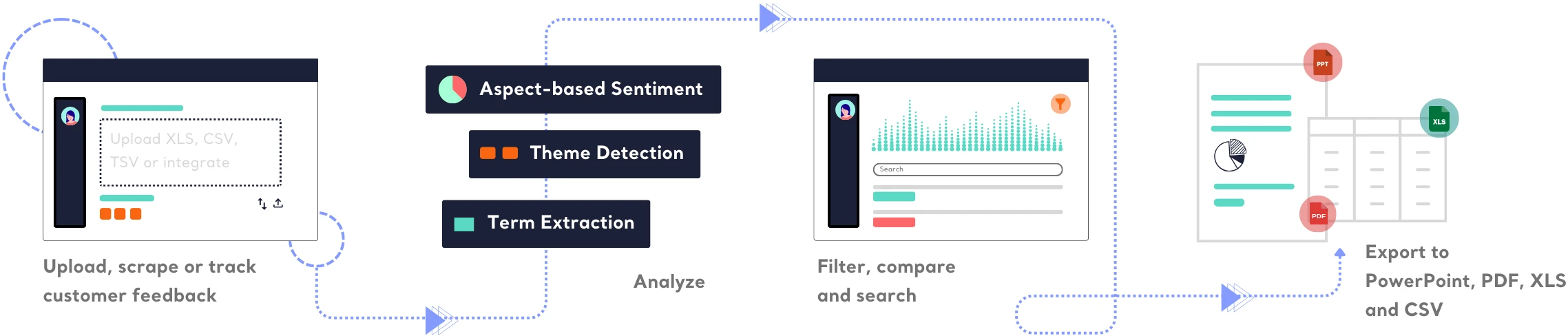
Find out how Kimola can improve your feedback analysis process.
-
![Kimola for Product Feedback Analysis]() Product Feedback Analysis
Product Feedback Analysis
Uncover customer needs, likes, and dislikes from product reviews and feedback.
-
![Kimola for E-commerce Feedback Analysis]() E-commerce Feedback Analysis
E-commerce Feedback Analysis
Analyze customer reviews and ratings to optimize online shopping experiences.
-
![Kimola for Social Feedback Analysis]() Social Feedback Analysis
Social Feedback Analysis
Extract insights from social media conversations and online discussions.



-
![Kimola for Open-ended Survey Analysis]() Open-ended Survey Analysis
Open-ended Survey Analysis
Make sense of free-text survey responses with AI-powered analysis.
-
![Kimola for Conversational Analysis]() Chatbot and Call Center Conversational Analysis
Chatbot and Call Center Conversational Analysis
Understand customer sentiment and concerns from chat and call transcripts.
-
![Kimola for Employee Feedback Analysis]() Employee Feedback Analysis
Employee Feedback Analysis
Identify workplace trends and employee sentiment from internal feedback and reviews.



Frequently Asked Questions
About Scraping Customer Feedback
-
What is web scraping?
Web scraping is the process of automatically extracting data from websites. It allows users to collect and analyze information such as customer reviews, prices, or other publicly available content.
-
Why use a browser extension for web scraping?
A browser extension makes web scraping more accessible, eliminating the need for coding. With Kimola's Airset Generator, you can collect customer feedback with a single click, without dealing with complex setups.
-
Which platforms can I scrape?
Kimola’s official extension supports more than 30 platforms, including Amazon, Trustpilot, Tripadvisor, and G2. The supported platforms may change over time, and you can check the updated list within the extension.
-
How much customer feedback can I scrape?
The amount of data you can collect depends on your subscription plan. Check our Plans and Pricing page for storage options and limitations.
-
Do I need coding skills to use Kimola’s browser extension?
No, Kimola’s Airset Generator is designed for everyone. Simply install the extension, follow the easy setup, and start scraping data with one click.
-
Is the scraped data stored on my computer?
No, all scraped data is securely stored in your Kimola account, making it accessible anytime without cluttering your local storage.
-
Can I analyze the scraped customer feedback?
Yes! Once collected, customer feedback can be analyzed within Kimola. You can analyze a single dataset or merge multiple datasets to extract deeper insights at once.
Turn customer feedback into structured market research in 30+ languages—no AI training needed.
Create a Free Account No credit card · No commitment