Spaces: Every Feedback Channel,
One Growing Analysis
Kimola keeps each feedback channel in one Space that grows file by file, with the same models, so every upload adds to the picture.
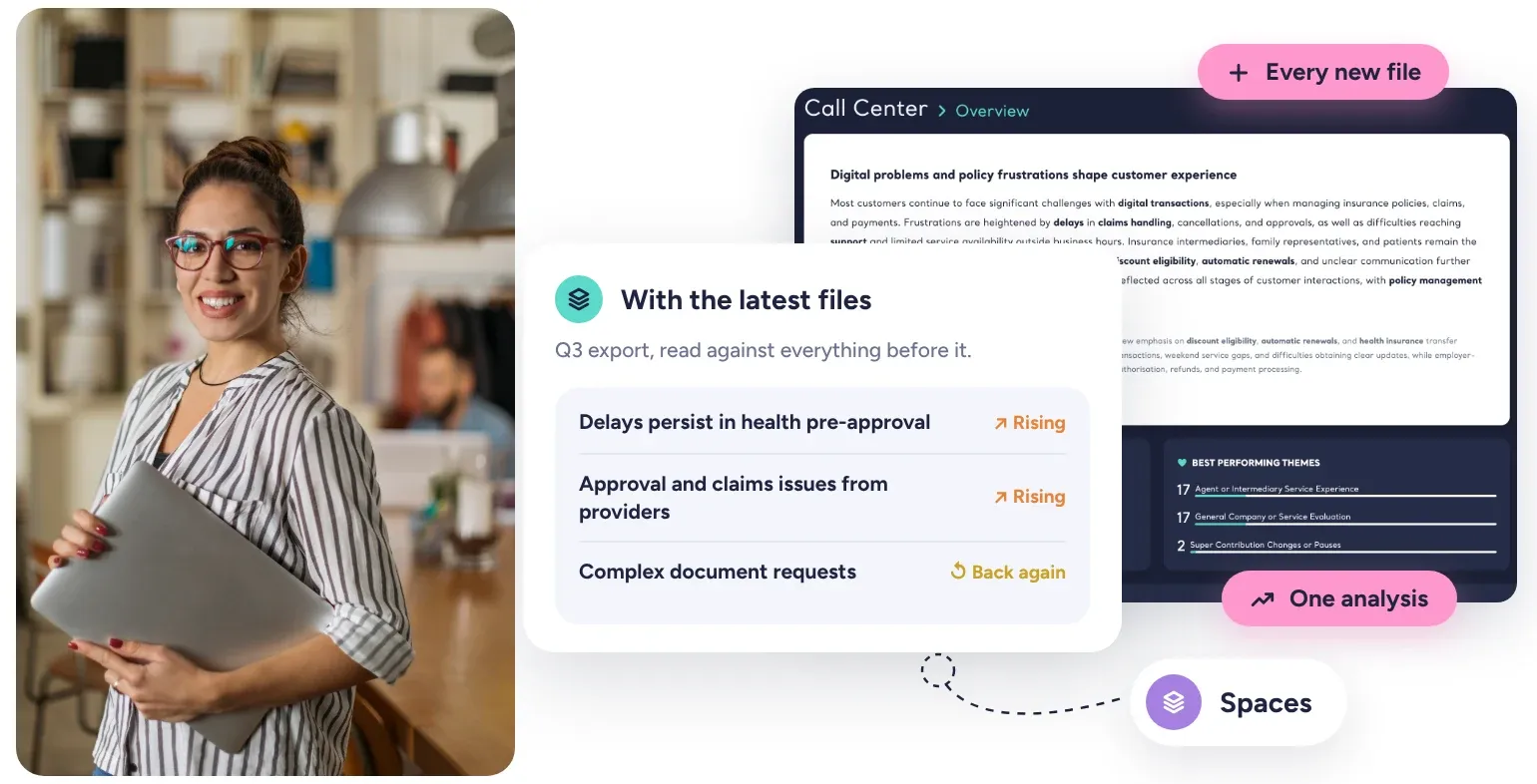















3,000+ teams in more than 90 countries use Kimola.
Every Export Is Another Snapshot
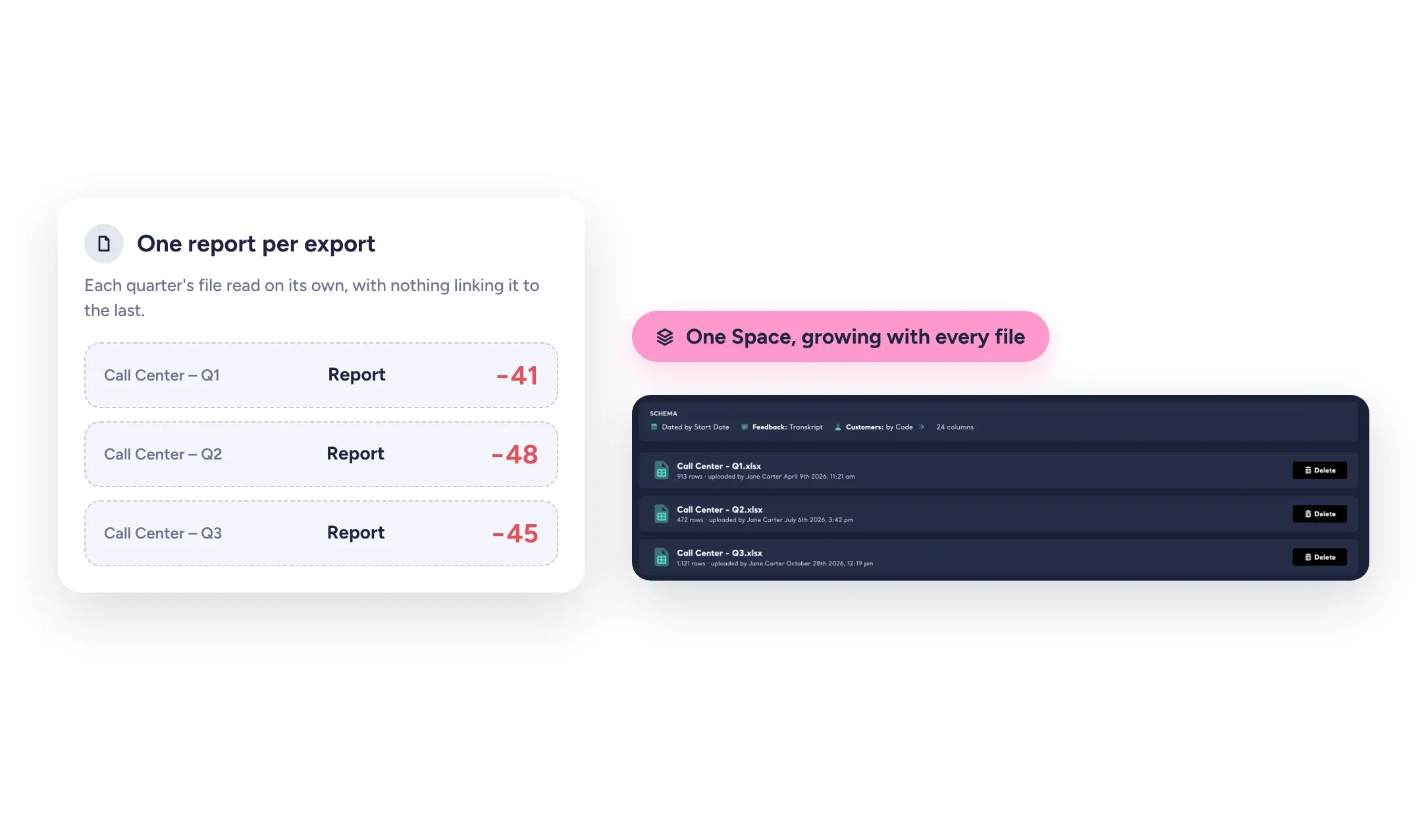
Feedback keeps coming. The call center records conversations every day, surveys keep collecting answers, customers keep writing. When every export is analyzed on its own, each one gets its own themes, and following a channel over months means lining up snapshots by hand.
A Space keeps one channel in one place. Every new file joins the ones before it and is classified as soon as it arrives, so the picture gets wider with every upload instead of starting over.
Related: Reports vs. Spaces
One Language for Every Channel
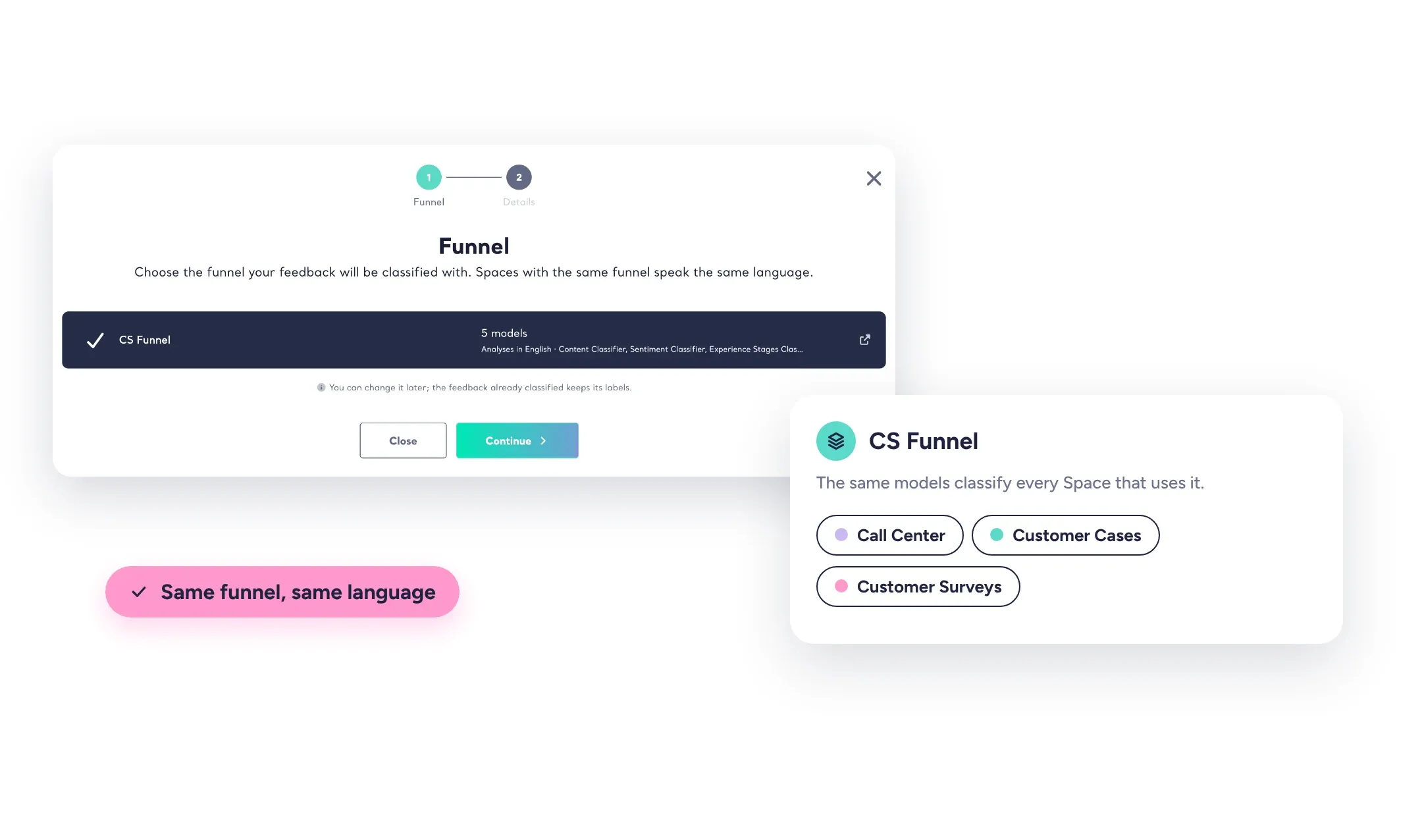
One analysis says "Billing", another says "Invoices and Payments", and nobody can tell whether a problem is bigger in the call center or on social media. A Funnel closes that gap: your own content classifier, sentiment classifier and Dimensions, applied to every Space that uses it.
A theme then means the same thing in every channel and every file. The labels are your organization's own taxonomy, so every team works from a common insight language and results compare side by side.
Related: What is a Funnel?
What Changed With the Latest Files
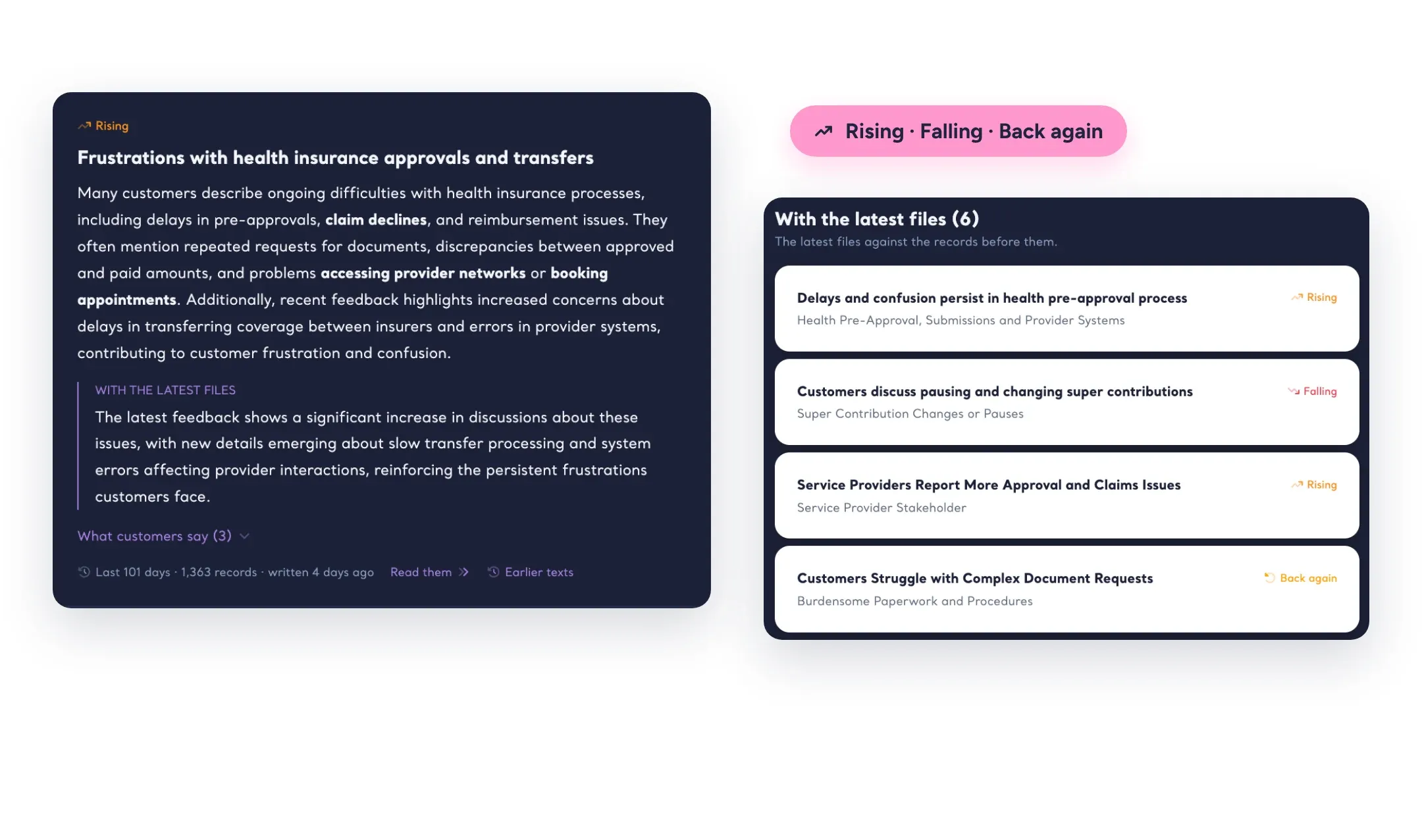
After every file, Kimola updates the whole Space: its NPS is calculated again, its Signals run again, and its Insights are rewritten wherever the evidence moved. The Space opens with what your feedback says now, next to the themes and answers that rose with the latest files and the ones fading lately.
Fixed rules decide what each text is about and which records it reads. An AI model only writes the words, so the numbers next to every Insight come from the data.
Related: What is an Insight?
Scores You Can Compare
Every Space, theme and category gets an NPS calculated from what customers write: the share of positive feedback minus the share of negative. Because it follows one rule and one Funnel, your call center's NPS can sit next to your social media's.
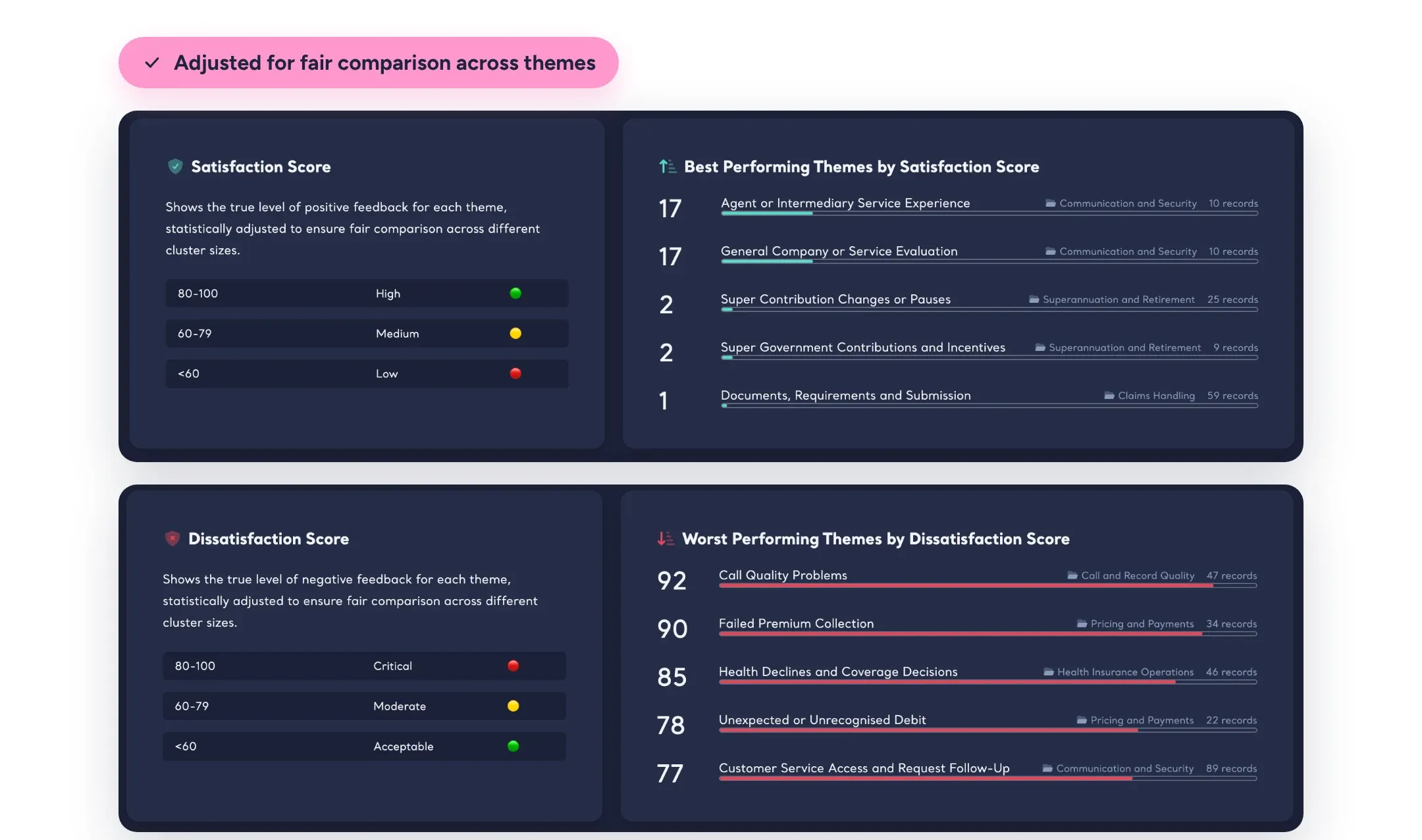
Satisfaction and Dissatisfaction Scores rank themes by how clearly customers feel about them, adjusted for size, so a theme with three glowing comments doesn't outrank one with hundreds. Your team can follow the themes it is working on, and Kimola writes them after every file.
Related: How NPS Is Calculated in Spaces · Performance in Spaces
The Base of an Organization-Wide Insight Hub
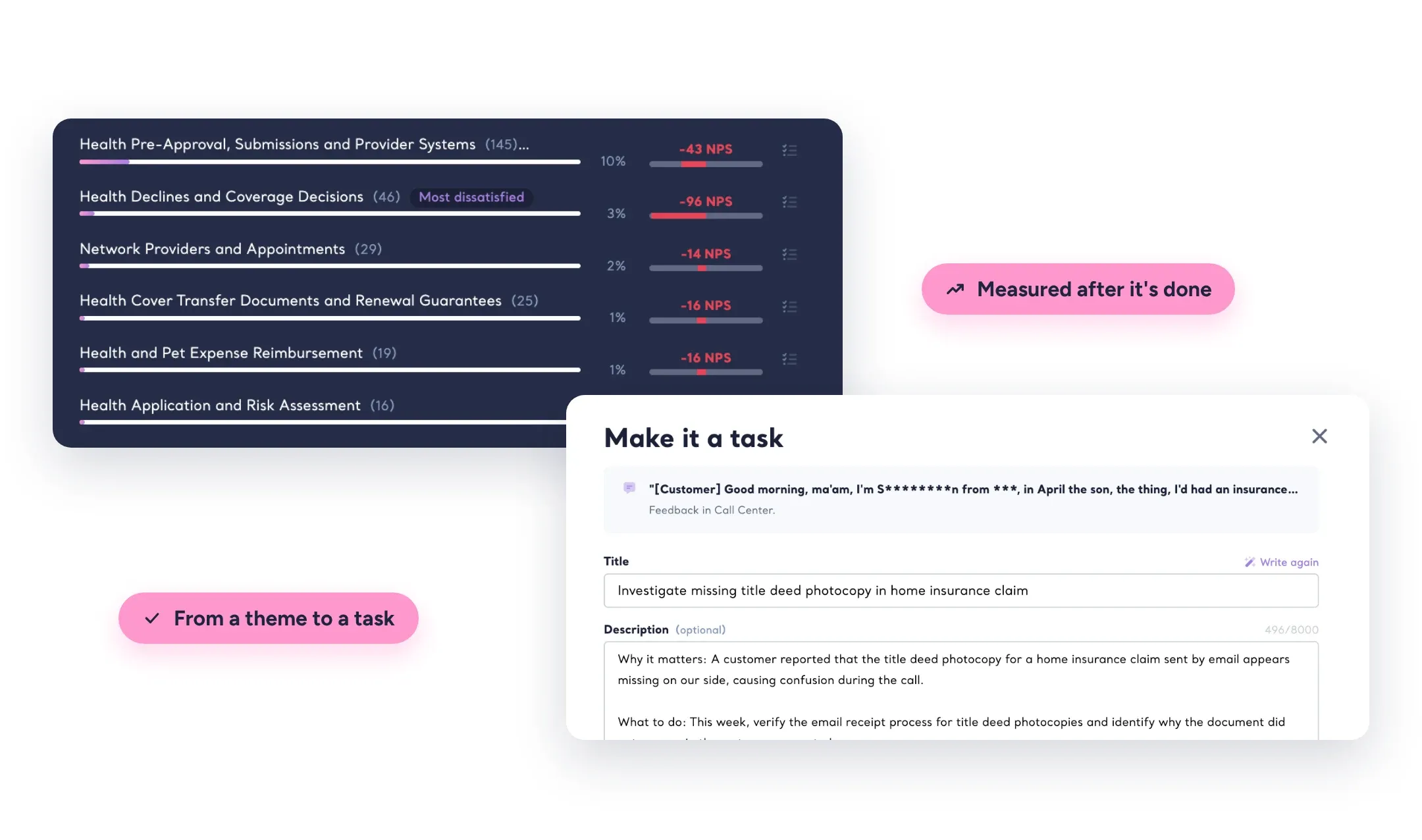
Spaces are where Kimola's enterprise features come together. Customers bring one person's feedback from every Space onto one page, Departments give each team the part of the feedback it owns, and Tasks turn findings into measured work. Action Plans read the whole Space, and Compare puts one quarter's file next to the last.
Spaces are part of the Enterprise package and Kimola On-Premises, set up together with a dedicated Account Manager.
Related: What is a Space?
Bring the feedback you already have.
Organize feedback like a research team.
See the people behind the feedback.
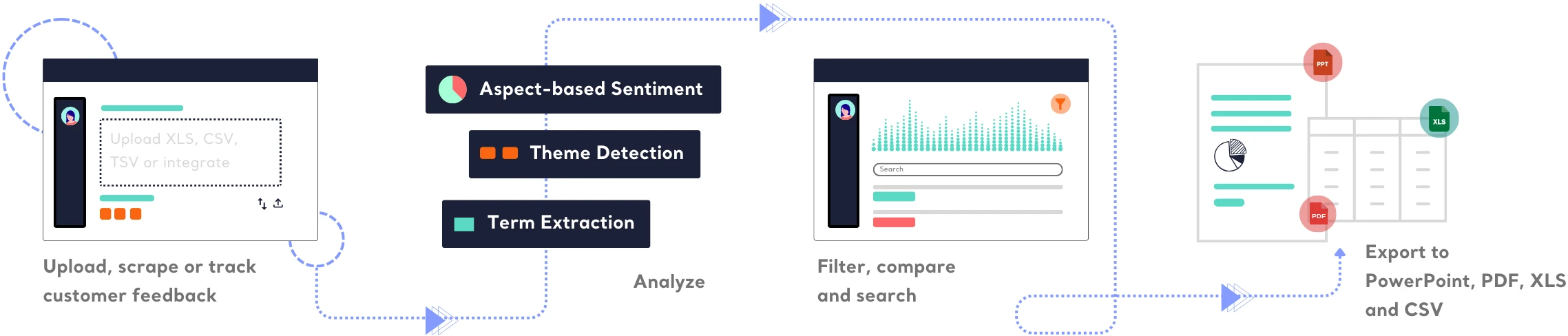
See how teams turn different kinds of feedback into research.






Frequently Asked Questions
About Spaces
-
How is a Space different from a Report?
A Report analyzes one dataset once. A Space keeps growing: every new file joins the ones before it, is classified with the same models and updates the Space's NPS, Signals and Insights. Use a Report for a one-time study and a Space for a channel you follow over time.
-
What kind of feedback can a Space hold?
Any channel your organization collects feedback from: call center transcripts, support chats, NPS or open-ended survey answers, app reviews or social media posts. A Space is named after its channel, and a file can hold more than one text field, such as the answers to two survey questions.
-
Do later files need the same columns as the first one?
No. The first file sets the Space's structure, and when you upload a later file, Kimola shows the Space's columns next to the file's columns so you can match them, even when their names differ.
-
What if the wrong file gets into a Space?
Take it back. Kimola removes the file with all of its records, recalculates the Space's counts and NPS, and runs its Signals and Insights again. Kimola also warns you before you upload a file with the same name twice.
-
Is the NPS of a Space the same as a survey NPS?
No. It is calculated from what customers write, not from a 0–10 score: the share of positive feedback minus the share of negative feedback, from −100 to 100. That lets every channel, theme, Department and Customer be measured the same way, even where no survey was asked.
-
How do Spaces relate to Signals and Action Plans?
In a Space, Signals run again after every file, and the file itself becomes a group, so what stands apart in the latest delivery surfaces at once. Action Plans read every file of the Space, and any action or Signal can become a Task.
Turn customer feedback into structured market research in 30+ languages—no AI training needed.
Create a Free Account No credit card · No commitment