Export Links
1 min read - Updated on Oct 09, 2025Exporting links in Kimola lets you download all tracked URLs in Excel format.
Why Export Links
With exporting links, you can always:
- Keep a backup of your sources
- Share them easily with your team
- Maintain a transparent record of the domains you track
Getting Ready
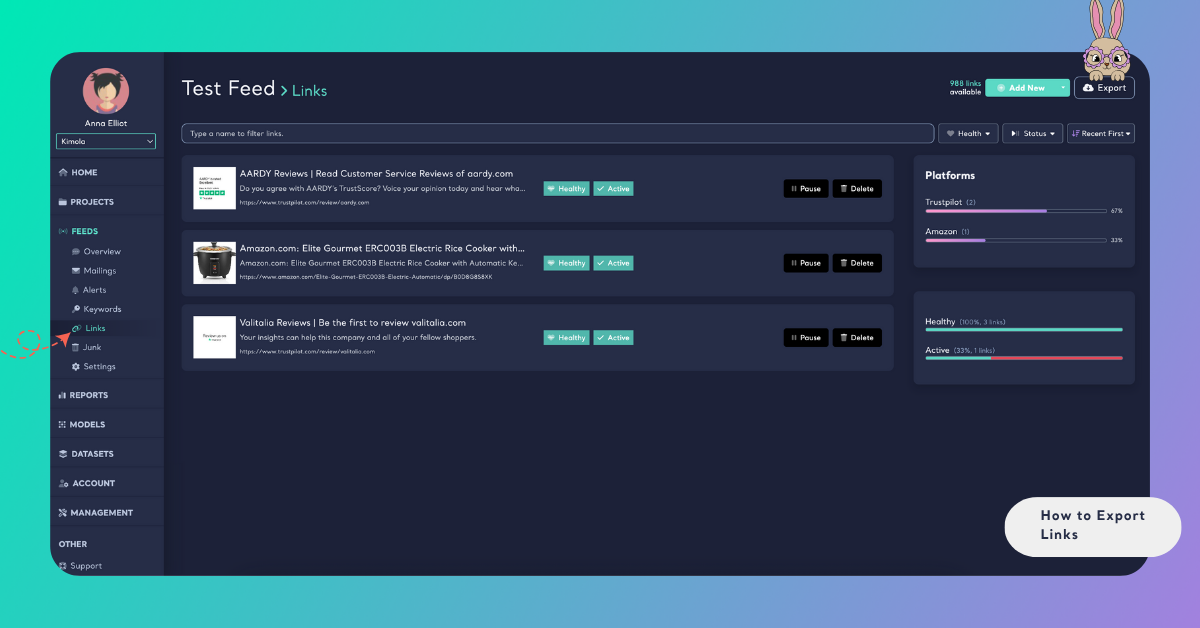
After signing in, open the Feeds menu, select your feed, and go to Links. Click Export in the upper right to download all links as Excel.
What’s in the Exported File
The exported Excel file contains one sheet (Links) with three columns:
- Link: The full URL of each tracked source.
- Title: The title of the linked page or product, when available.
- Description: A short summary describing the content of the link.
Exporting links keeps your sources organized, easy to share, and always available when you need them.