What is an Alert?
3 mins read - Created on Oct 07, 2025An Alert is an automated notification that triggers when conditions you define occur in your feeds—e.g., a keyword match, a volume spike, or an influencer mention.
Alerts notify you by email and on your dashboard when critical terms or trends appear.
Why Alerts Matter
Conversations about your brand can change quickly — from a single complaint to a viral post or a sudden spike in mentions. Alerts notify you the moment these changes happen, so you can act before issues grow.
They’re especially useful when:
- A spike in mentions may signal a potential PR issue or trending discussion.
- You want to track specific keywords related to a campaign, event, or product launch.
- A high-reach social media user engages with your brand or a competitor.
- You need to maintain real-time visibility on brand health, consumer sentiment, or influencer involvement.
By reacting instantly to these alerts, you can protect your brand reputation, capitalize on emerging opportunities, and ensure your strategy remains proactive rather than reactive.
Alerts Types
Kimola currently supports three types of alerts that help you stay informed about critical activity in your feeds:
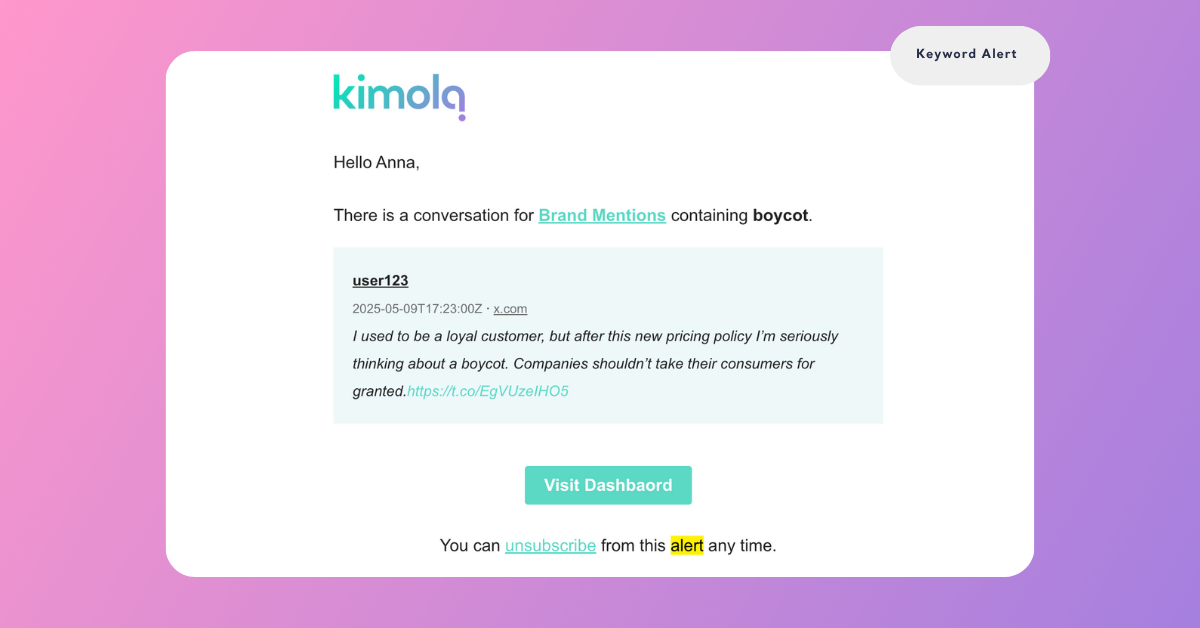
1. Keyword Alerts
Triggered when new mentions in your feeds contain any of the specified keywords. Use this alert to flag business-critical terms tailored to your industry so you can act immediately.
- Food & Beverage: spoiled, expired, contaminated
- Fashion/Retail: return, defective, refund
- SaaS/Tech: downtime, outage, bug
- Travel/Logistics: delay, cancellation
When any of these terms (or your own custom list) appears, Kimola notifies you by email and on your dashboard. You can also include campaign or event terms (e.g., specific hashtags) when needed.
2. Volume Spike Alerts
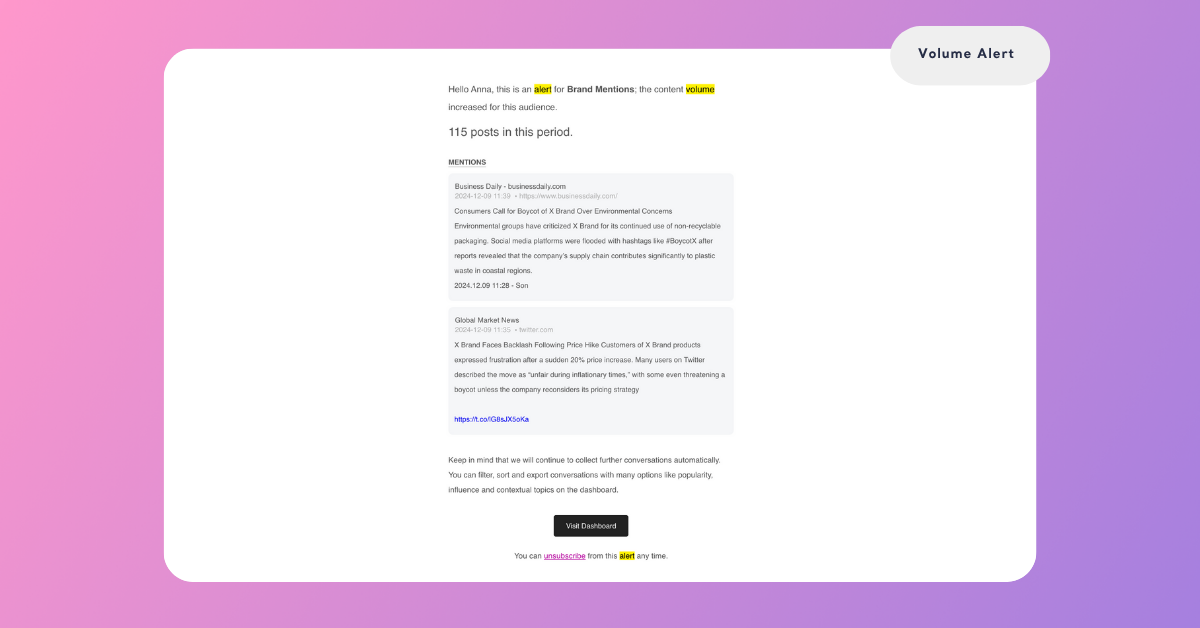
Triggered when the total number of mentions in a feed exceeds the threshold you define within a 20-minute window. This is ideal for identifying sudden spikes in activity — such as viral posts, media attention, or potential PR crises.
3. Influencer Alerts
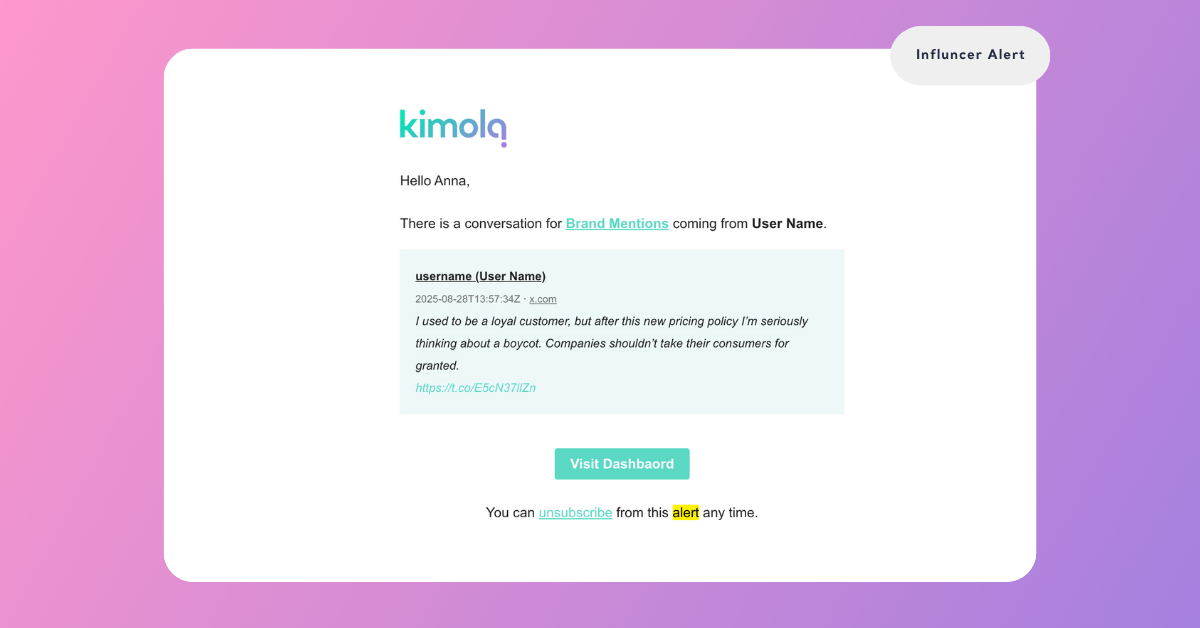
Triggered when a social media user with more than a defined follower count mentions your brand, product, or keyword. You decide the threshold by entering a number.
You can start with 10,000 followers to capture mid-tier influencers. As your monitoring strategy matures, you can increase this limit (e.g., 50,000 or 100,000) to focus only on high-reach accounts.
This type of alert helps your team quickly detect and engage with influential voices that shape the conversation around your brand.
You can use these alert types across same feeds to maintain both real-time awareness and strategic focus on the conversations that matter most.
How Alerts Work
- Define Alert Type and Conditions: Specify whether the alert should trigger when mentions contain certain keywords, when total mention volume increases, or when an influencer engages.
- Set Thresholds: For example, decide how many mentions in 20 minutes should trigger a notification, or how many followers qualify as an “influencer.”
- Automatic Monitoring: Kimola checks your feeds at regular intervals to detect these triggers.
- Instant Notification: When your defined conditions are met, Kimola sends an alert via email and displays it on your dashboard.
You don’t need to watch feeds constantly—Kimola alerts you only when it matters.