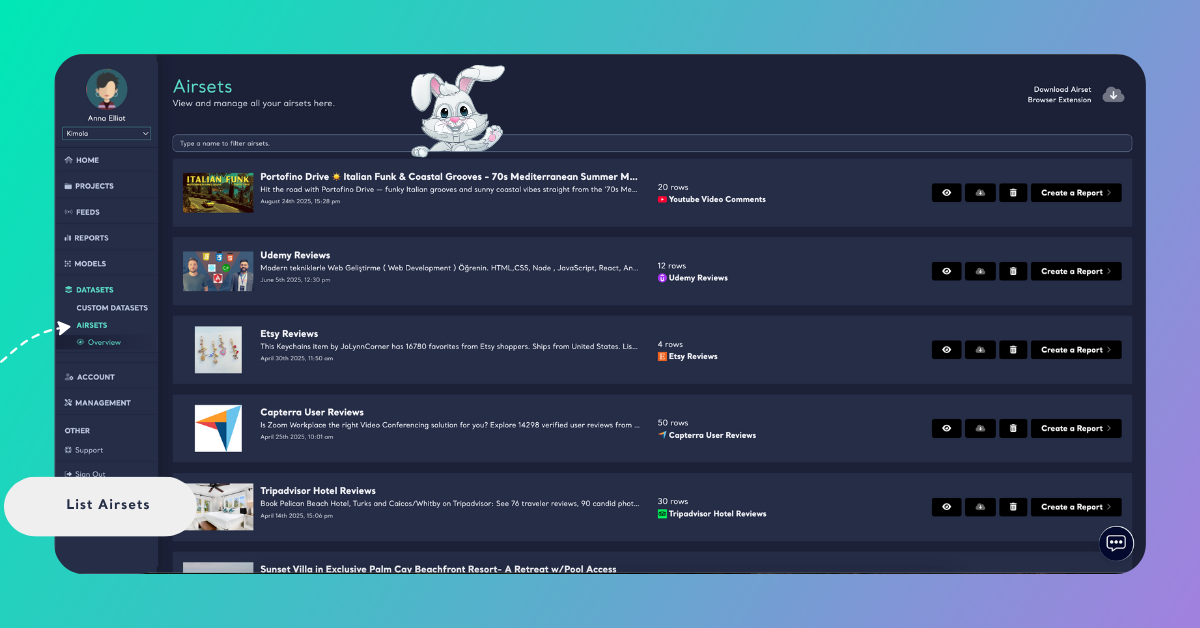
List Airsets
2 mins read - Created on Oct 31, 2025The Airsets section in Kimola allows you to view all datasets collected through the Airset Browser Extension. Each Airset represents raw data scraped from supported platforms such as Amazon, Tripadvisor, or Instagram. From this section, you can easily browse, preview, and manage your collected datasets.
Getting Ready
To view your Airsets, sign in to your Kimola Dashboard. From the left menu, click Datasets, then go to the Airsets tab.
Explore Airsets
Each Airset in the list provides quick insight into your collected data:
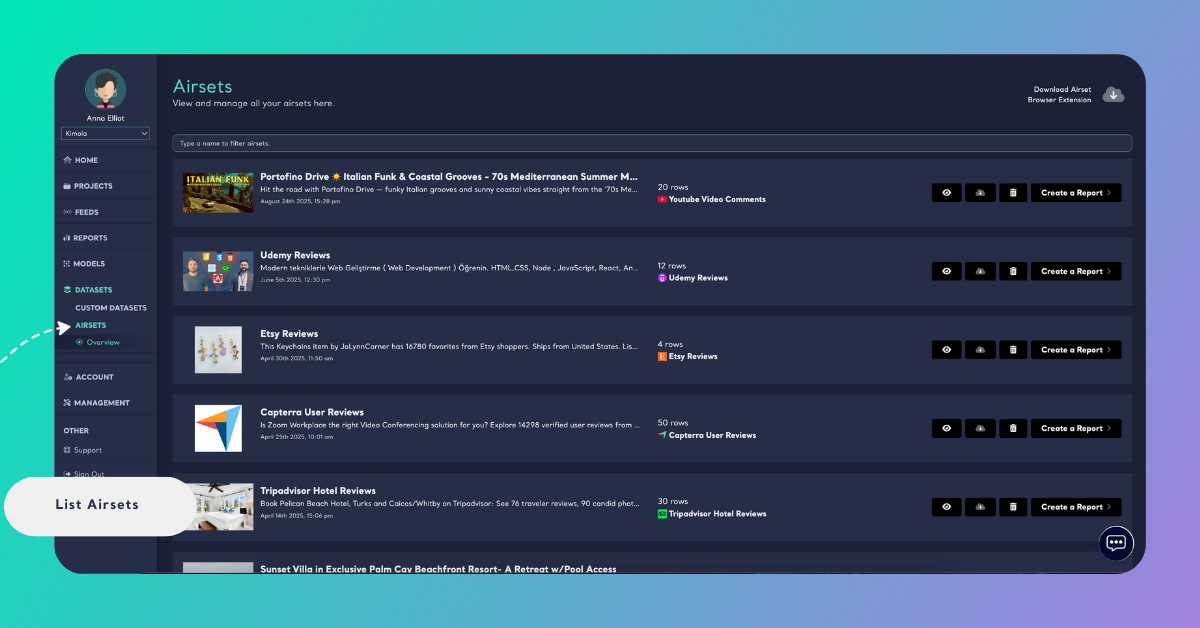
- Thumbnail: A preview image (e.g., a video or product image) from the source platform.
- Name: The title of the dataset, automatically taken from the scraped page.
- Description: A short text snippet or summary of the scraped source.
- Created Date: The time and date when the Airset was created.
- Rows: The total number of collected records (comments, reviews, or posts).
- Platform: The source channel where the data was collected.
Available Actions
Each Airset includes a set of action buttons on the right side of the page:
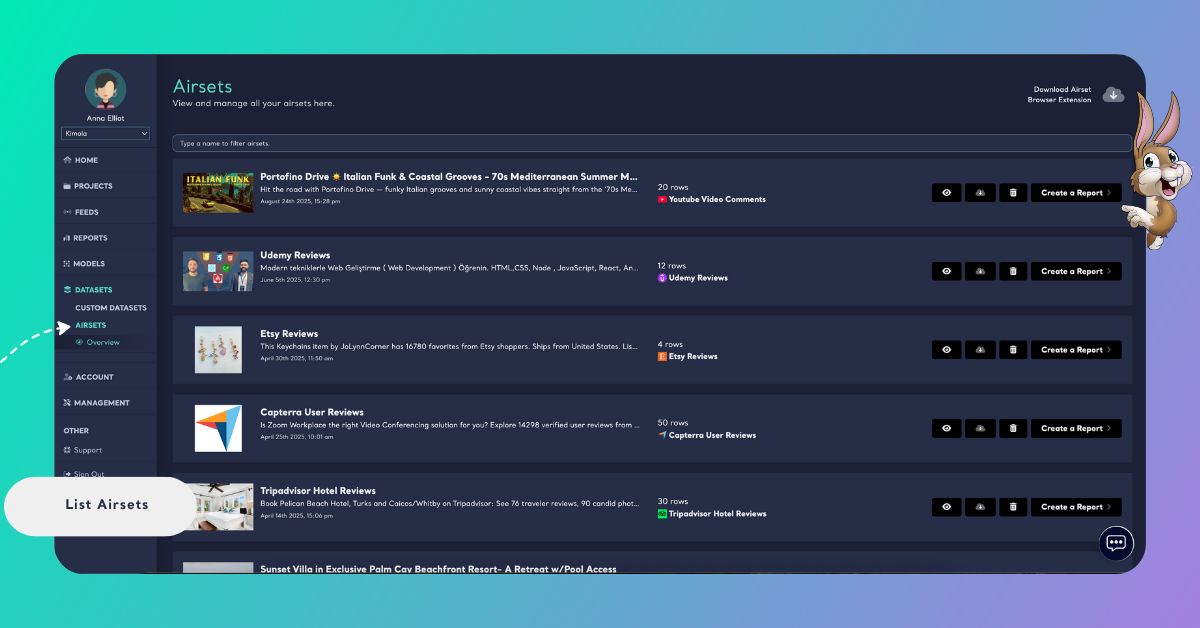
- View: Opens a preview of the collected data.
- Download: Exports the dataset as a
.xlsxfile. - Delete: Permanently removes the dataset from your account.
- Create a Report: Generates a report directly from the selected Airset to analyze data with Kimola’s pretrained AI models.
Search and Filter
Use the search bar at the top of the Airsets page to filter datasets by name. This feature helps you quickly find specific Airsets when you manage multiple data collections.