Add Interpretations to a Report
3 mins read - Created on Feb 20, 2025Unlock the full potential of your data with Kimola’s innovative interpretation feature. Through our GPT Add-On, we offer a sophisticated interpretation of your analysis results, allowing you to gain insights from a researcher’s perspective. These interpretations not only classify your data but also provide executive summaries on prominent topics, data-based positive and negative angles, buyer personas, insights, marketing suggestions, usage motivations, and much more( See all interpretations on the add-on page ).
The GPT Add-On is a seamless integration with OpenAI's technology, designed to augment your analytical capabilities. By harnessing the power of natural language processing, it enables you to distill complex information from customer reviews into actionable insights and compelling content.
Adding Interpretations
When setting up your analysis, you have the flexibility to add interpretations at two different stages, ensuring maximum convenience and adaptability:
Before Beginning Analysis:
As you load your dataset or scrape data from a link, you can choose your desired interpretations, tailoring your analysis to focus on specific areas of interest.
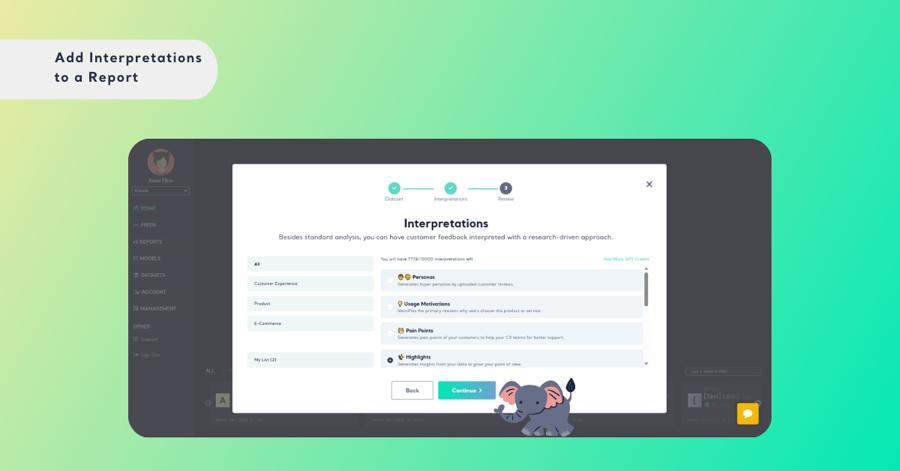
After Analysis Completion:
Didn't choose an interpretation at the beginning, or need to add more insights? No worries! You can enhance your report even after it's created. Simply go to the overview page.
Step 1: Once your analysis is complete, explore the interpretation options available on the slider at the top of the overview page.
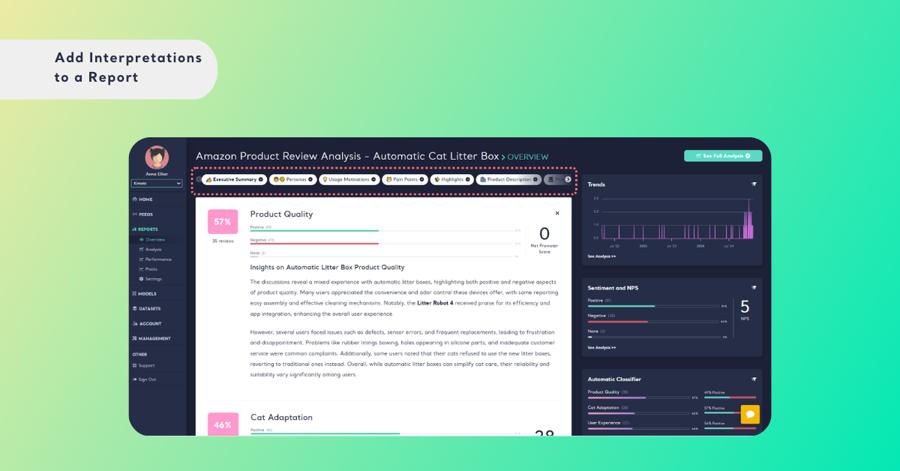
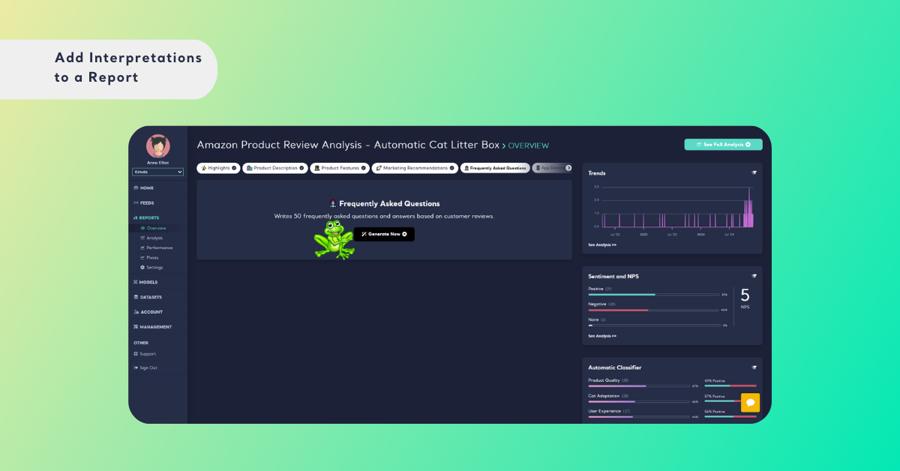
Step 2: Click on "Generate Now" to create detailed interpretations of your selected topics.
Step 3: If you want to dive even deeper, add more interpretations from the available list.
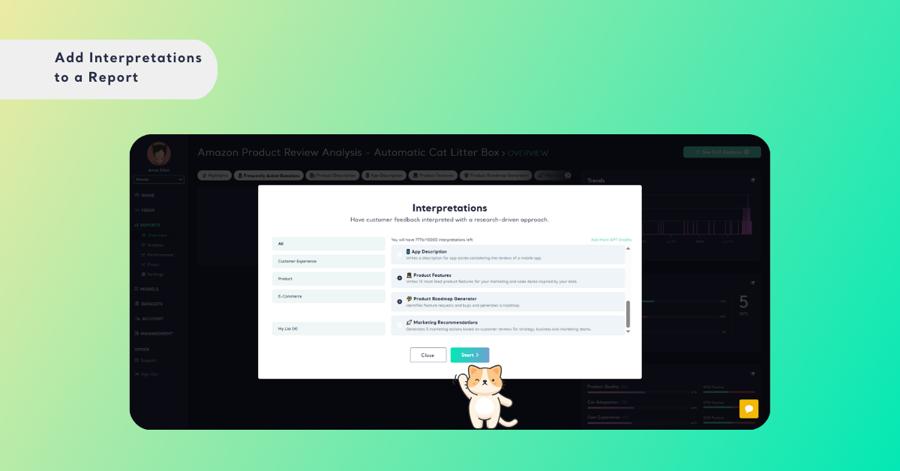
Step 4: Finalize by clicking the start button, and your enhanced data insights will be ready in seconds.
How are GPT Credits Calculated?
GPT credits serve as the currency for utilizing the capabilities of the GPT Add-On. Unlike traditional subscription models, GPT credits are consumed only when you choose to leverage the add-on's functionalities.
- Flexibility: GPT credits are not spent on a monthly basis; instead, you have the freedom to use them whenever the need arises.
- Query-based Consumption: Each interpretation counts as one query, deducting a corresponding amount of GPT credits from your balance.
- Credit Allocation: As a Kimola user, you are granted 5 GPT credits.
You can also earn extra GPT credits by submitting a review for Kimola on G2. Writing a review may grant you 20 GPT credits, enhancing your usage capabilities.
With Kimola, your data storytelling is not only rich and nuanced but also tailored to suit your strategic needs. Make informed decisions backed by comprehensive insights.