Language Options in Reports
3 mins read - Created on Feb 19, 2025Kimola allows you to select the output language of your reports so analysis results are clear, consistent, and ready to share with different teams or stakeholders. Language options affect how insights are written in the report, not how data is collected.
This article explains what report language means, when it can be selected, and how to choose the right option for your use case.
Sign in to your Kimola account and go to the Dashboard Home page.
What Report Language Controls
In Kimola, report language determines the language used for analysis outputs, including:
- Theme summaries and executive overviews
- Dimension results such as pain points, unmet needs and motivations
- GPT-powered insights and explanatory texts
Report language does not affect:
- The original language of collected records
- The underlying dataset (reviews, posts, comments remain unchanged)
In short, data is analyzed as collected, while insights are presented in the language you choose.
When You Select the Report Language
The report output language is selected during report creation, and the exact step depends on how the report is created:
- Reports from Feeds – selected while configuring report settings
- Reports from Links – selected after data collection and dimension steps
- Reports from Custom Datasets – selected during report configuration
- Reports from Integrations – selected as part of report setup
Once a report is created, its language cannot be changed. To view the same analysis in another language, you need to create a new report.
Supported Languages
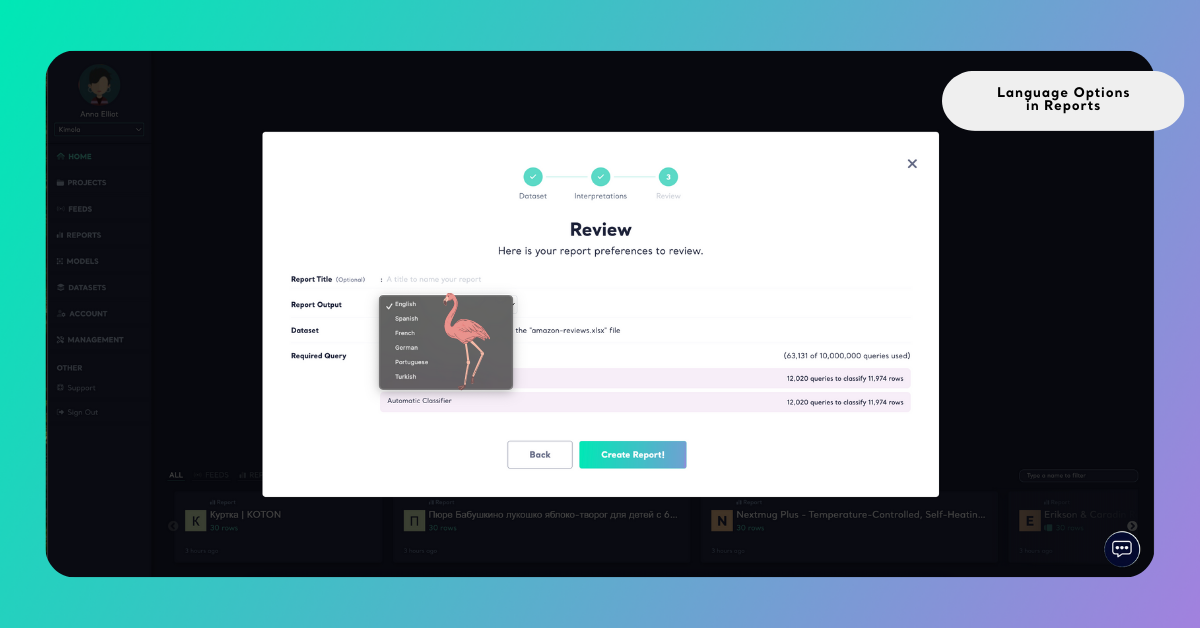
Kimola reports can be generated in the following output languages:
- English
- Turkish
- German
- French
- Spanish
- Portuguese
Best Practices for Choosing a Report Language
- Align with your audience - Choose the language your team or client works in to ensure clarity and usability.
- Separate data language from output language - Even if records are collected in multiple languages, report outputs can be generated in a single language.
- Use English for cross-market analysis - English is often preferred when working with global or multi-country datasets.
- Decide early - Since language is fixed at creation time, select it carefully before generating the report.
Why Language Options Matter
Language options help you adapt reports to different business needs, such as:
- Sharing insights with local or international teams
- Delivering client-ready reports without extra translation
- Preparing executive summaries in the preferred presentation language
- Reviewing insights more efficiently when working with multilingual data
By choosing the right output language, reports become immediately usable and easier to communicate.
If your feed collects reviews in multiple languages but your stakeholders expect insights in English, you can set the report language to English. Kimola will present summaries, dimensions, and insights in English while keeping the original reviews unchanged.