Understanding Query Usage for Reports
3 mins read - Created on Mar 26, 2025In Kimola, reports are where your data is analyzed and converted into structured results such as themes, sentiment distributions, and dimensions. During this analysis process, Kimola uses queries to process your data.
Understanding when and how queries are consumed helps you plan your reports more effectively, estimate usage in advance, and avoid unexpected limits.
This article explains how queries are consumed during report creation and analysis, and how you can review query usage before and after a report is generated.
How Queries Are Used in Reports
Queries in Kimola reports are used only for analysis operations. They are not related to navigation, viewing results, or interacting with an existing report. Queries are consumed when Kimola actively processes your data, such as:
- Applying sentiment analysis to records
- Running classification using:
Query usage depends on:
- The number of records included in the report
- The analysis options you enable during report creation
If no analysis is run, no queries are consumed.
Review Required Queries Before Creating a Report
Before a report is created, Kimola displays a Required Query summary on the final step of the report creation flow. This summary provides a clear overview of how many queries the report may consume and how those queries are allocated across different analysis operations, such as sentiment analysis and classification.
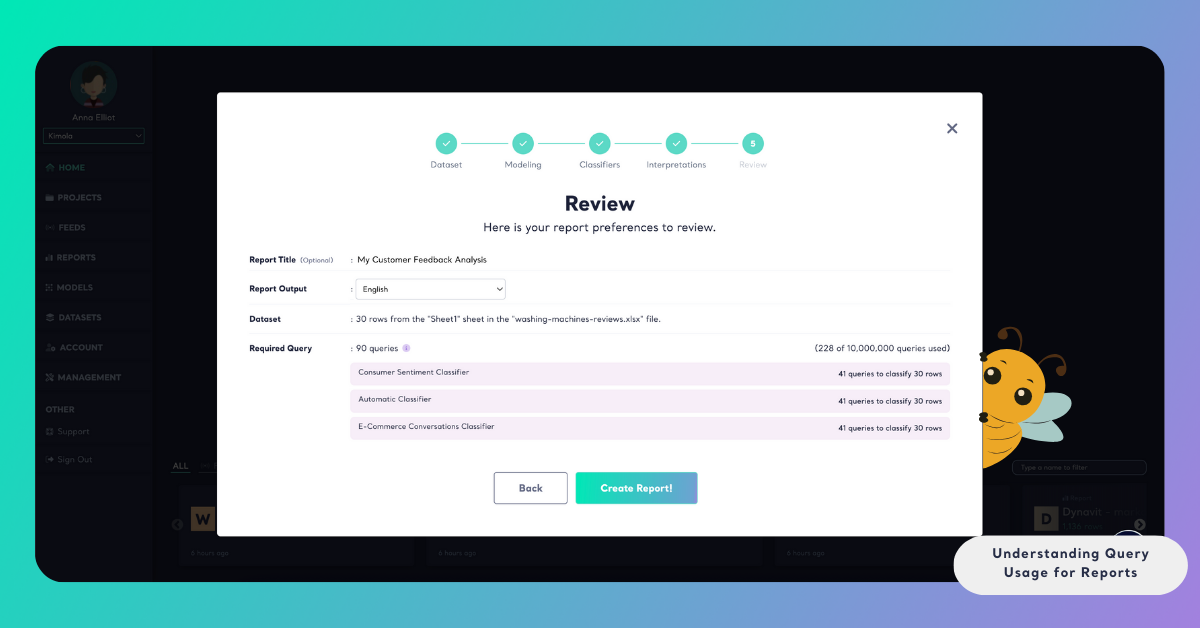
By reviewing this information in advance, you can make an informed decision before starting the analysis. If needed, you may choose to continue as planned, adjust analysis options, or reduce the size of the dataset to better fit your usage limits.
Query Usage After a Report Is Created
Once a report has been created and analysis is completed, queries are not consumed again when you:
- Open the report
- Browse or search records
- Apply filters
- Switch between report views
- Export report results
Queries are consumed again only if you create a new report or recreate a report with new data.
This ensures that exploring and reviewing insights does not affect your remaining query quota.
Monitor Query Usage
You can monitor your query usage at any time from the Usage page, which is available under the Account section in Kimola. This page provides a detailed overview of how your queries are being consumed across the platform.
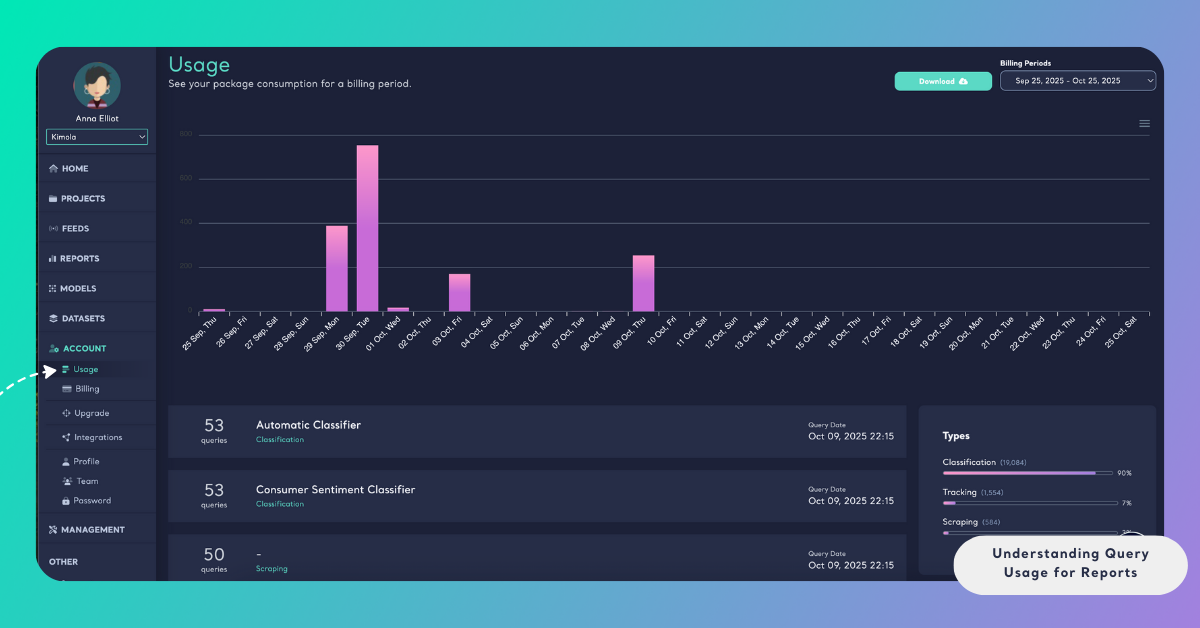
From the Usage page, you can see which reports, feeds, or analysis actions have used queries, along with the amount consumed by each. This visibility allows you to track usage in real time, understand where queries are being spent, and manage your plan more effectively when working with reports and analyses.
Understanding how queries are consumed at the report level helps you balance analysis depth with efficient usage of your plan.