How to Scrape and Analyze Trustpilot Reviews
10 mins read - Created on Jan 09, 2026Trustpilot reviews capture how customers perceive brands, services, and companies across a wide range of industries. Rather than focusing on individual products, Trustpilot feedback reflects end-to-end customer experience, including service quality, communication, trust, and long-term satisfaction. These reviews often provide valuable signals about brand reputation, loyalty drivers, and recurring service issues.
Kimola enables you to collect and analyze Trustpilot reviews without any technical setup. Whether your goal is to evaluate customer trust for a single brand or compare experience patterns across multiple companies, Kimola helps turn unstructured Trustpilot feedback into structured insights that support research, strategy, and decision-making.
You need to be signed in to your Kimola account or create a free account if you don’t have one yet to collect reviews and generate reports.
Kimola supports both automatic and manual methods for collecting Trustpilot reviews. This guide explains each approach step by step and shows how the collected data can be analyzed within Kimola. By the end of the tutorial, you will be able to select the most suitable method for your research needs and generate reports based on Trustpilot reviews.
Automatically Scrape Trustpilot Reviews
Automatic scraping allows you to analyze Trustpilot reviews by simply entering a company profile link, without manually collecting reviews or preparing a dataset in advance.
When a Trustpilot company URL is added, Kimola automatically detects the platform, collects publicly available reviews from the page, and builds a dataset in the background. The selected analyses are then applied to the data, and the report is generated through Kimola’s standard workflow. This approach is ideal when you want to quickly analyze customer feedback or compare multiple companies using the same methodology.
Step 1: Get the Trustpilot Company Link
Open the Trustpilot page of the company you want to analyze and copy the URL from your browser’s address bar. The link should point directly to a company profile page rather than a category, ranking, or comparison page.
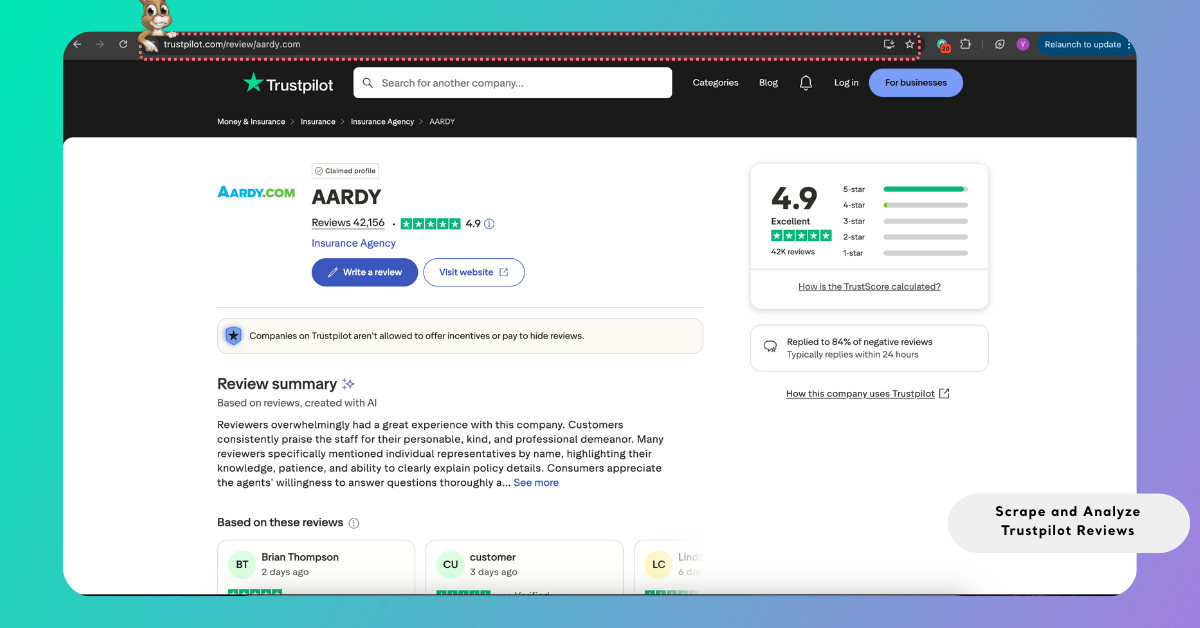
You can work with a single company to understand overall trust and customer satisfaction, or include multiple company links to compare experience patterns across competitors or brands within the same sector.
For a full list of supported platforms to create a report with auto-scraping, see Supported Platforms for Creating Reports from Links including platform-specific details.
Step 2: Enter the Link into Kimola
On the Kimola dashboard home page, locate the Create your report area and paste the Trustpilot link into the input field. After selecting Start, Kimola checks whether the link is supported and accessible.
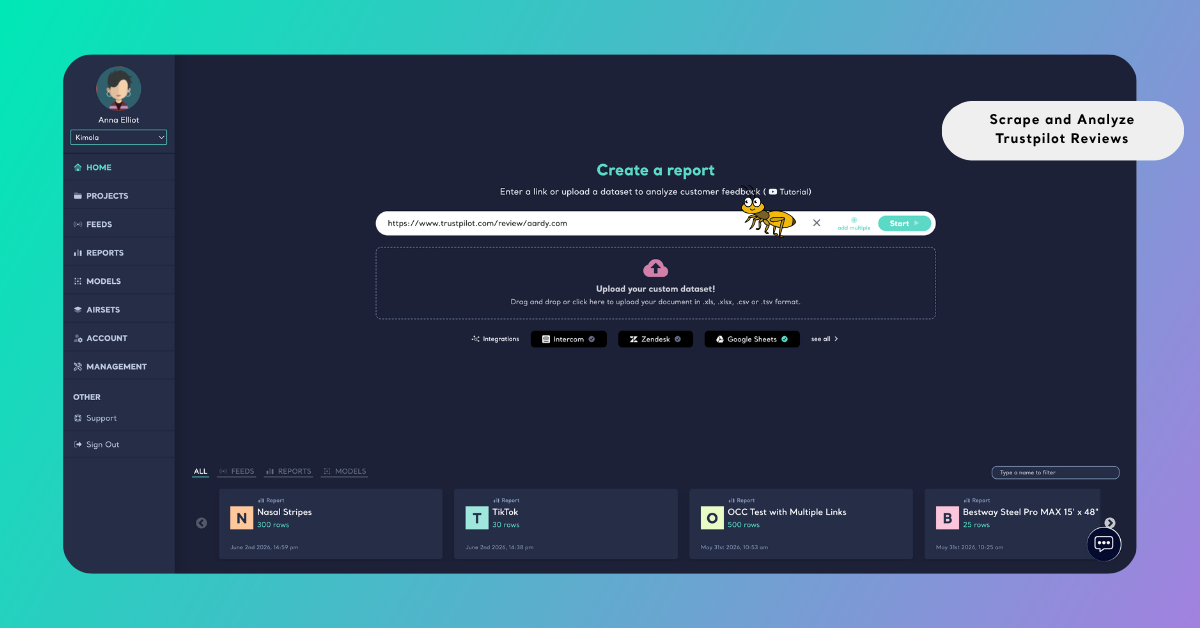
If your analysis requires more than one company, you can select Add Multiple and enter each Trustpilot link on a separate line. Once you continue, Kimola validates all submitted links. Any issues are clearly shown so that unsupported or incorrect URLs can be fixed or removed before proceeding.
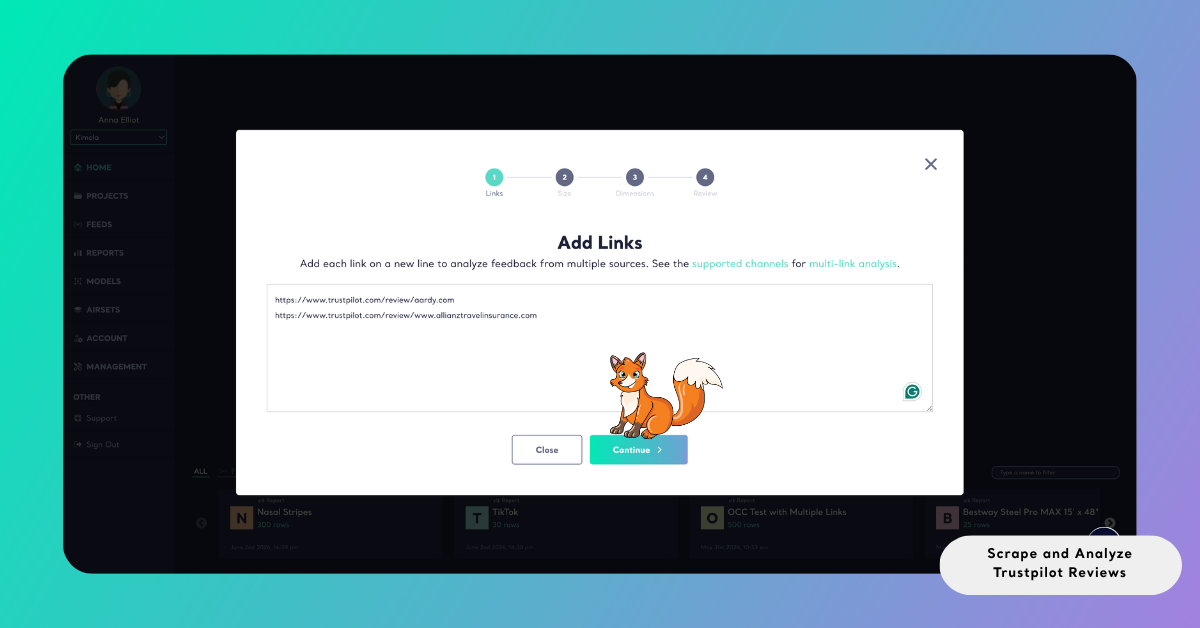
After validation is complete, all reviews collected from the selected links are combined into a single dataset and prepared for analysis.
Step 3: Select the Report Size
Kimola then prompts you to define how many Trustpilot reviews will be collected and analyzed. Using the slider, you can specify the target dataset size for the report.
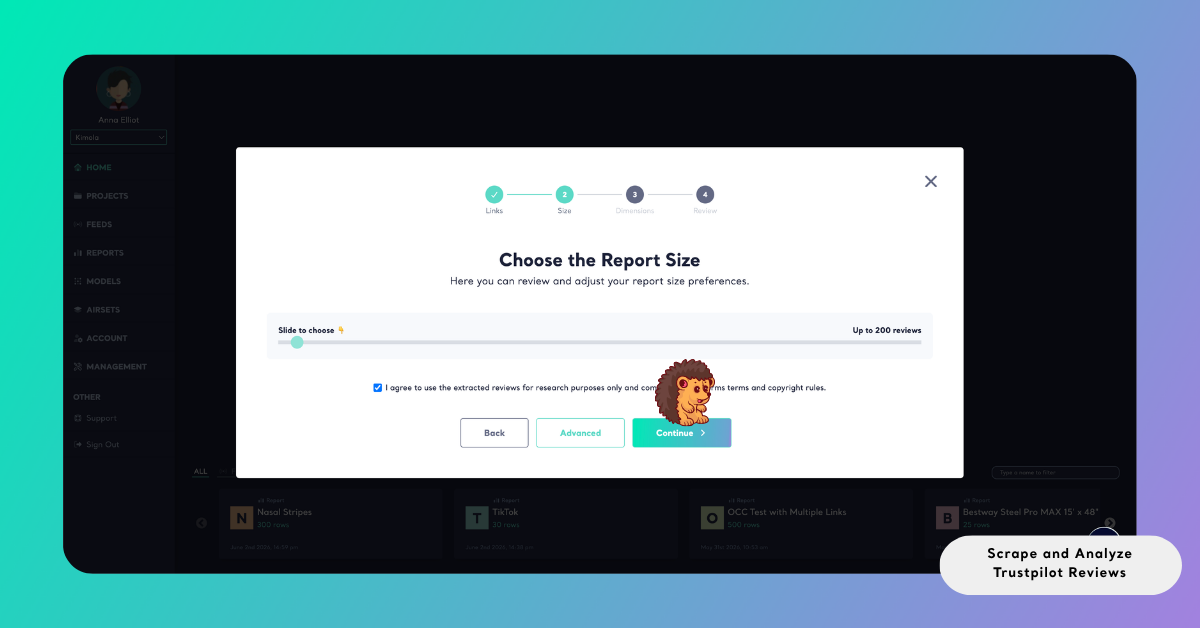
When multiple company links are included, the selected dataset size is distributed across all links. If one company contains fewer reviews than required, the remaining quota is automatically filled using reviews from the other companies. This ensures that the total dataset size is reached whenever sufficient data is available, while also helping you manage query usage efficiently.
After adding the link or links and selecting the dataset size, continue with the common report creation steps described below.
Understanding Trustpilot Review Data
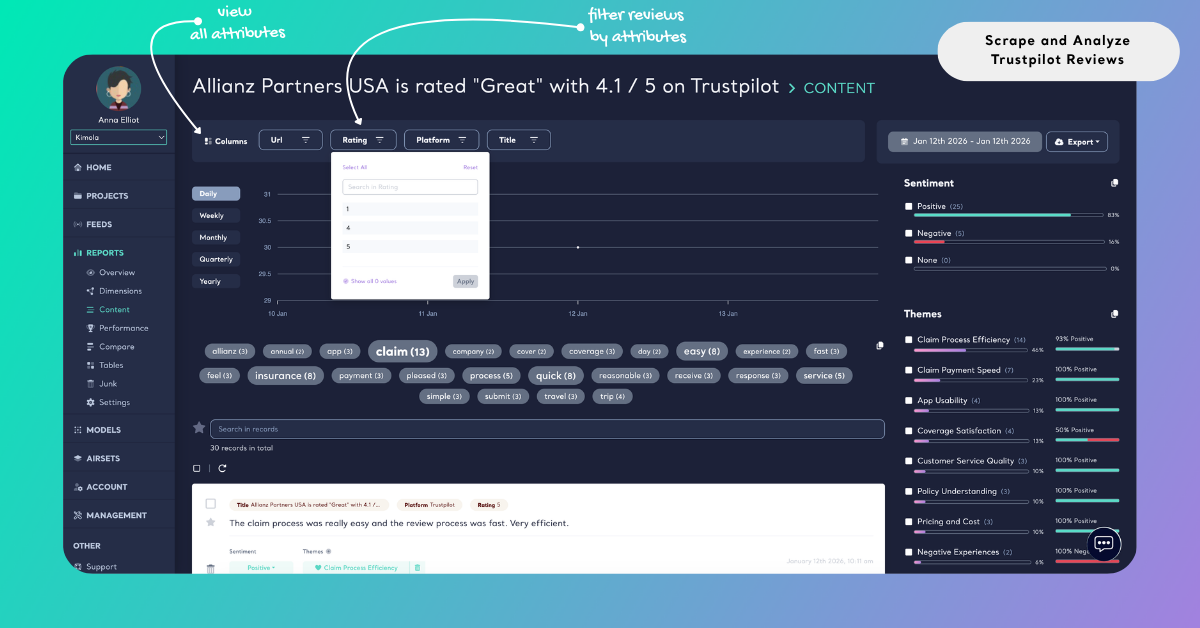
Trustpilot reviews typically include a star rating and a short written explanation that reflects the customer’s overall experience. These reviews often emphasize service quality, reliability, responsiveness, and trust, rather than detailed product features.
When Trustpilot reviews are collected automatically, Kimola captures all available fields displayed on the platform, such as review content, rating, date, and source URL. These fields can later be used to filter insights by rating level, analyze negative and positive experiences separately, or identify recurring issues that influence customer trust and satisfaction.
Manually Scrape Trustpilot Reviews
Manual scraping is an alternative way to collect Trustpilot reviews when you prefer to gather data through direct interaction with the platform. Instead of starting from a company link inside Kimola, reviews are captured while browsing Trustpilot company pages using Kimola’s browser extension, Airset Generator.
Before you begin, ensure that the Airset Generator browser extension is installed and set up, and that you are signed in to your Kimola account with your API Key connected. If the setup is not complete, follow the Set up the Airset Browser Extension guide.
Reviews collected through the extension are stored as Airsets in your Kimola account. An Airset represents a dataset that can be collected first and analyzed later. This workflow is useful when reviews are gathered across multiple sessions, from different companies, or as part of a longer research process. Once data collection is complete, you can create a report from the Airset and apply the same analysis workflow used for link-based reports.
Manual scraping through the Airset Generator does not consume queries from your plan. This allows customer feedback to be collected without query-based limits, including on the free plan.
Step 1: Open the Trustpilot Reviews Page
Navigate to the Trustpilot company profile you want to analyze and scroll to the reviews section so that the review list is visible on the page. The Airset Generator collects only the reviews that are currently loaded in the browser, so ensure that the page is fully loaded before starting.
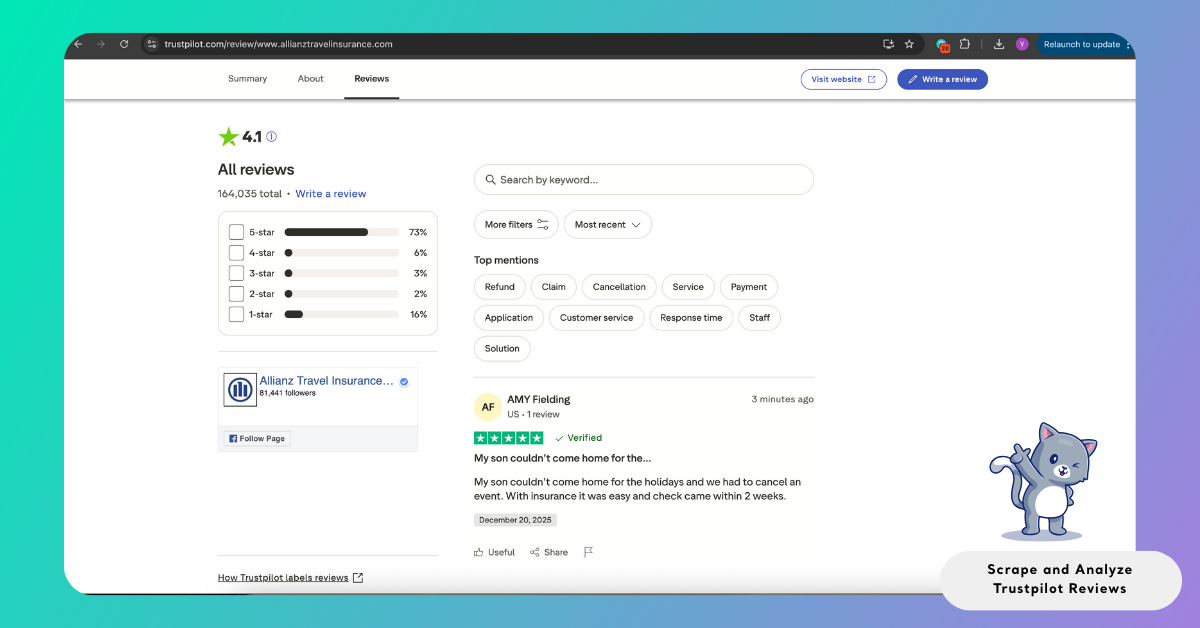
You can pin the Airset Generator to your browser toolbar for easier access. While browsing, the extension displays a small badge indicating how many reviews are available on the current page.
Step 2: Start Scraping Reviews
Once the page is ready, select the Airset Generator icon in your browser toolbar. The extension displays the detected company name for confirmation. After confirming, select Generate to begin capturing the visible reviews.
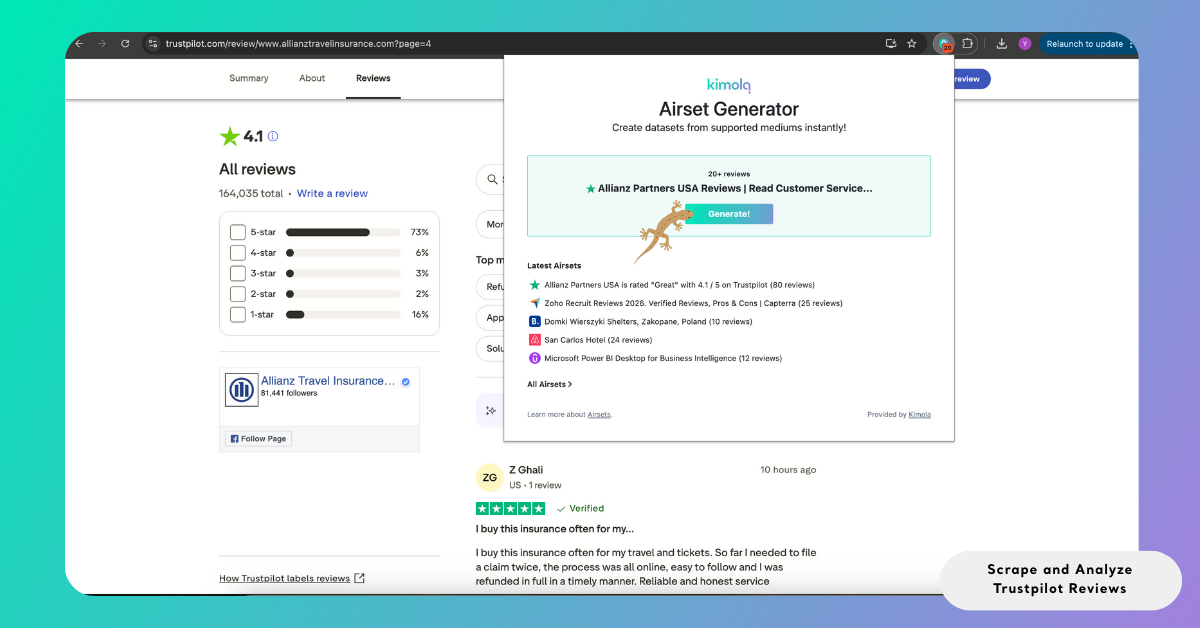
During the process, the extension may automatically move through additional review pages to collect more data. To avoid interruptions, keep the browser tab open until scraping is complete.
Step 3: Complete the Scraping
As the scraping process runs, the browser extension moves through available Trustpilot review pages to collect as many reviews as possible. If you need to pause or stop the process, you can do so at any time using the control shown (Continuing) in the extension.
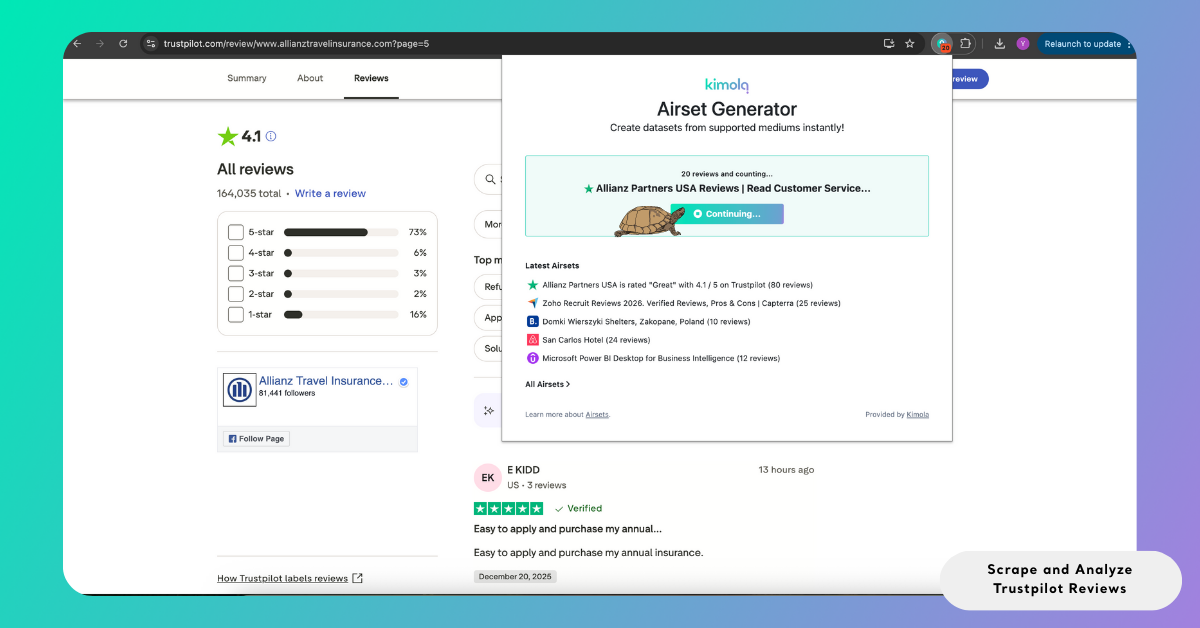
Once scraping finishes or is stopped manually, the collected reviews are saved as an Airset. The Airset appears in the extension menu together with your recent datasets. When you are signed in to your Kimola account, you can open the Airset directly from the extension to review the collected data or create a report for analysis.
The Airset Generator attempts to collect the maximum number of available customer reviews, but platform-specific limitations apply. For example, Trustpilot typically displays up to 1000 reviews per view.
Step 4: Create a Report from the Airset
To analyze an Airset, open the Kimola dashboard and navigate to Datasets in the left-hand menu, then select Airsets.
Locate the relevant dataset and choose Create a Report.
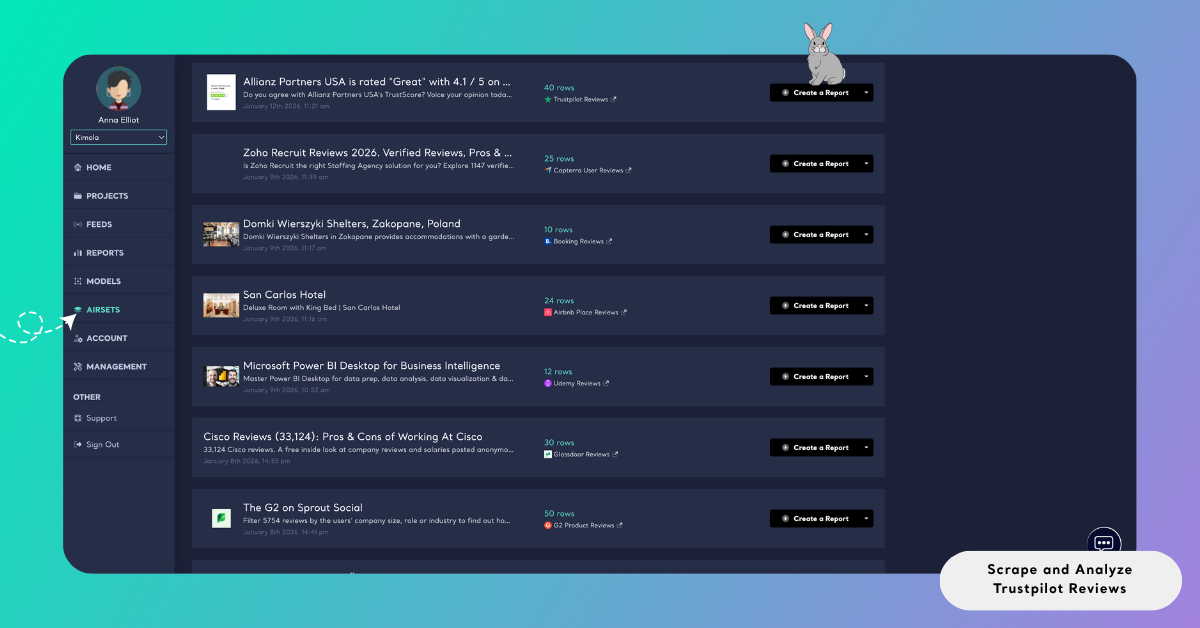
During report setup, select the column containing the main review text and optionally include date and URL columns if they are available. These selections define how the dataset will be structured for analysis.
Once the column selection is complete, follow the common report creation steps below to continue creating your report.
Analyze Trustpilot Reviews
Once Trustpilot reviews are collected, either automatically or manually, they can be analyzed to identify recurring experience themes, trust drivers, dissatisfaction signals, and emotional patterns in customer feedback.
Kimola applies a unified report creation workflow across all data collection methods. This ensures that analyses remain consistent, regardless of how the reviews were gathered.
In addition to one-time analysis, Trustpilot reviews can also be monitored over time by creating a Feed, which enables scheduled reports and alerts for ongoing brand or reputation tracking.
Choose Dimensions
Beyond standard sentiment analysis and classifications, Kimola allows you to apply higher-level dimensions to Trustpilot reviews. These dimensions help surface patterns such as customer pain points, experience gaps, loyalty indicators, and trust-related themes.
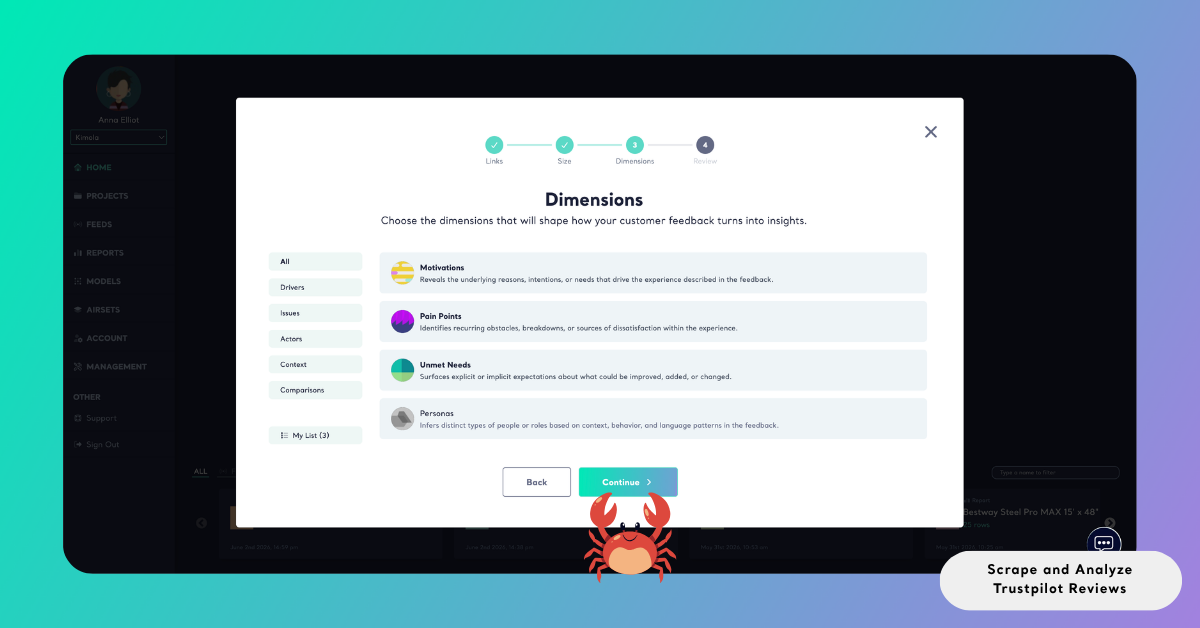
Selected dimensions appear under My List, where they can be reviewed and adjusted before creating the report.
Review Report Settings
After completing the dimension step, Kimola displays the Review screen as the final step before starting the analysis. This screen allows you to review key report settings and make any necessary adjustments before the report is created.
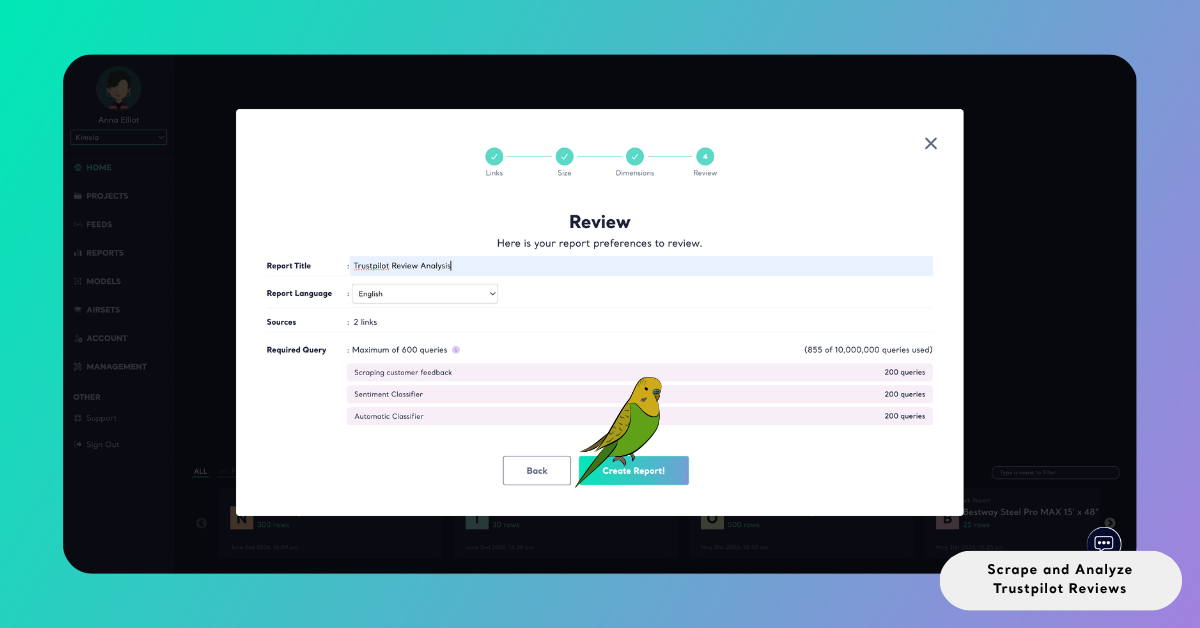
When a report is created from a single Trustpilot company link, the Report Title is generated automatically based on the source. This field cannot be left empty and usually does not require changes. If the report is created from multiple Trustpilot links or from an Airset, the report title must be entered manually before continuing.
The Source / Dataset field shows where the data used for the report comes from. For link-based reports, this field displays Trustpilot as the detected platform. For reports created from an Airset, it shows the name of the dataset used for analysis.
You can also select the output language for the report using the Report Output option. This setting determines the language of analysis results such as sentiment labels, themes, summaries, and dimension outputs.
The Required Query section provides a preview of how many queries will be used to generate the report. It shows how query usage is distributed across different analysis steps, including data collection, sentiment analysis, and any automatic or custom classifications applied through dimensions. The total number shown represents the maximum queries required for the report, helping you review plan usage in advance and understand how dataset size and selected dimensions affect your quota.
Create the Report
Select Create Report to start the analysis. Kimola collects the selected Trustpilot reviews, applies the configured analyses, and generates the report automatically based on your settings.
When the report is ready, it appears in the Reports section of the dashboard. From there, you can review the analysis results, group the report under a Project to keep related work organized, or prepare the outputs for sharing.
Reports can be exported in different formats depending on how the results will be used. You can export data to Excel for deeper analysis and custom reporting, generate PowerPoint or PDF files for presentations and stakeholder communication, or send reports via email for scheduled or on-demand distribution. This flexibility makes it easy to turn Trustpilot review insights into practical outputs that support research, reporting, and decision-making.
Conclusion
Kimola is designed to help teams make informed decisions based on authentic customer feedback. Because every research workflow starts with reliable data, the platform emphasizes flexible and transparent ways to collect and analyze reviews. By supporting both automatic and manual methods for gathering Trustpilot reviews, Kimola allows researchers to adapt their approach based on research scope, timing, and data availability.
When working with Trustpilot reviews, all data should be collected and analyzed strictly for internal research and decision-making purposes. Review content must not be redistributed, republished, or used in ways that violate Trustpilot’s terms of service or applicable copyright regulations. Users are responsible for ensuring compliance with all platform-specific policies.