Maze Alternatives & Competitors: 6 Tools Compared
Oct 27, 2026 - 14 minute read
If you are looking for a Maze alternative, the right choice depends on the kind of research you run. Lyssna is the closest all-in-one option for unmoderated tests, surveys and interviews with published pricing. UserTesting suits enterprise teams that want video-based testing with a large participant network, Optimal is strong for information architecture studies such as card sorting and tree testing, and Useberry is a lower-cost option for prototype and website testing. User Evaluation fits teams that want AI-moderated interviews priced per interview. If your question is less about testing a design and more about understanding what customers already say in reviews, surveys and support tickets, Kimola is built for that and works alongside any of these tools.
Maze is a user research platform that combines participant recruitment, usability testing and analysis. Teams usually look for an alternative because of how its plans are structured, because they need a research method Maze handles differently, or because their real question is one that a usability test is not designed to answer.
This guide is written by the Kimola team. Kimola is our product, so we explain where it fits and where it doesn't, and we describe every other tool based on its public documentation.
What Is Maze?
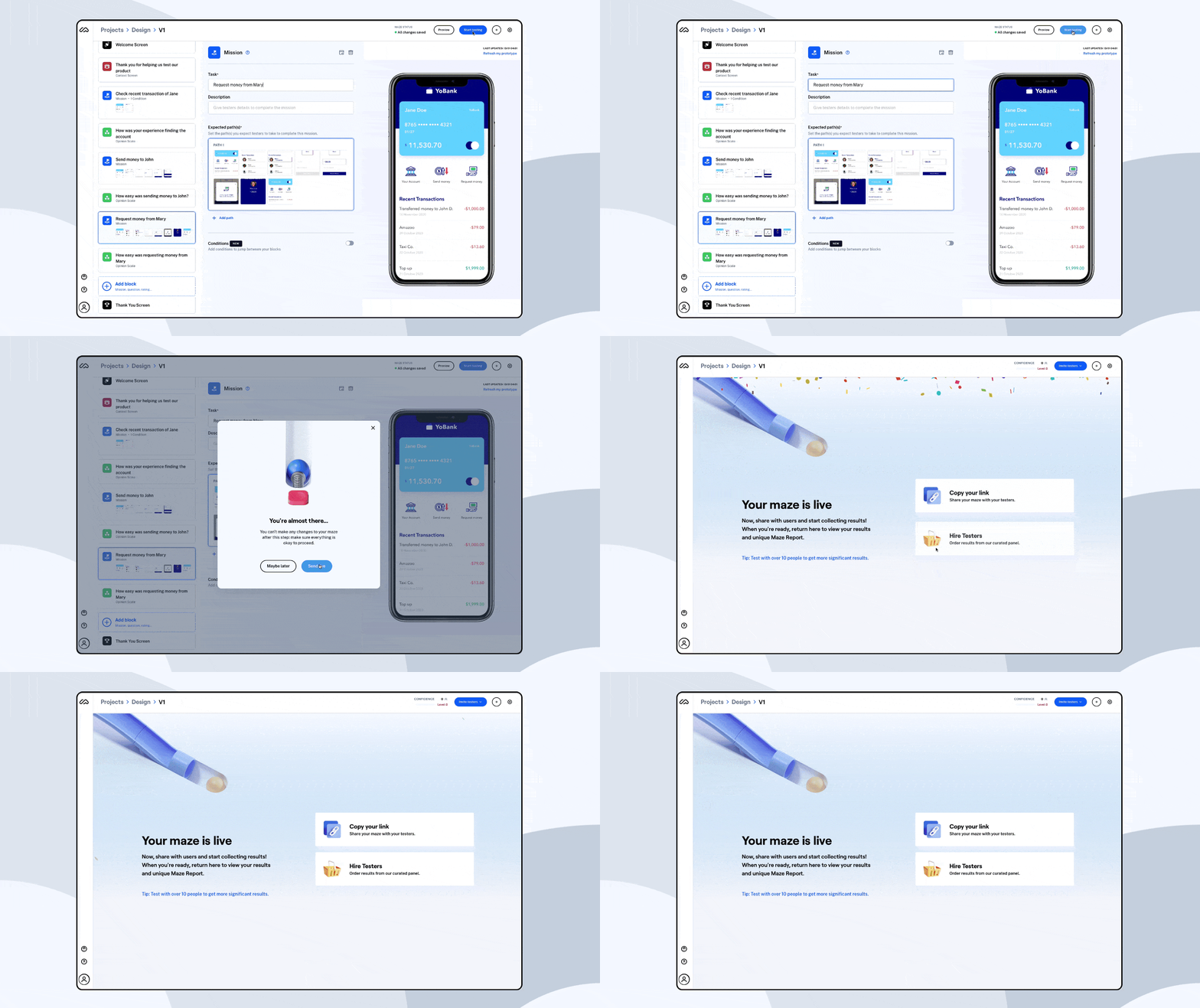
Maze describes itself as a user research platform that brings recruiting, testing and analysis together. Product designers, UX researchers and product managers use it to test ideas before they are built and to learn how people use live products.
Maze supports prototype testing with a Figma integration, live website and mobile app testing, surveys, card sorting and tree testing, moderated interviews and AI-moderated interviews run by its AI Moderator. Teams can recruit from a panel of more than 7 million participants or invite their own users for free, including through in-product prompts. Results come with automated reports, video clips and AI-assisted analysis that can be shared with stakeholders.
Why Teams Look for Maze Alternatives
The most common reason is plan structure. Maze offers two plans: a Free plan with one study per month and five seats, and an Enterprise plan with custom pricing. Live website and mobile app testing, moderated and AI-moderated interviews, interview transcription and theme analysis, and single sign-on are part of the Enterprise plan. A team that has outgrown one study a month but is not ready for an enterprise contract often looks for a tool with a self-service paid plan.
Method is another factor. Some teams run mostly information architecture studies and want deeper card sorting and tree testing; others want large volumes of recorded video sessions, or interviews run by an AI moderator and paid for one at a time. Each of these needs points to a different tool.
Finally, some teams realize their question is not a usability question. A usability test shows how a handful of participants complete a task in a specific flow. If the team wants to know which problems matter most across thousands of customers, or why customers of a competing product are unhappy, the answer is usually already in reviews, survey responses and support tickets rather than in a new test.
How We Compared These Tools
We looked at each tool through the same criteria: which research methods it supports, how participants are recruited, how results are analyzed and reported, how quickly a team can run its first study, and how easy the tool is to evaluate, including whether pricing is published and whether a free plan or trial is available. Product information comes from each vendor's own website.
1. Lyssna
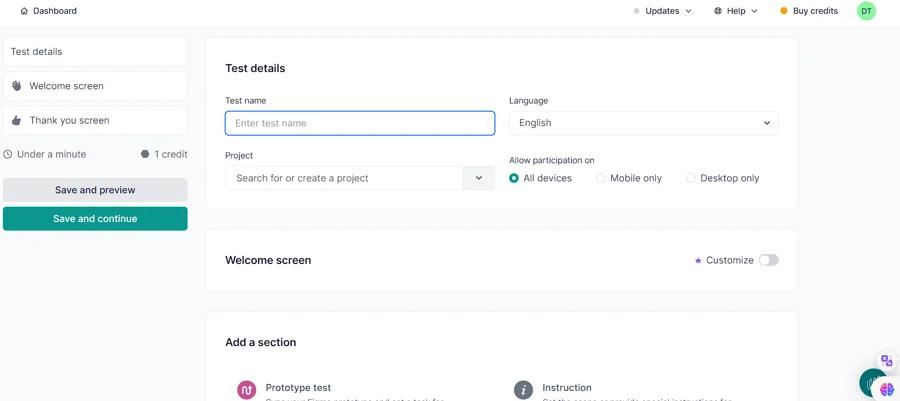
Lyssna is a user research and usability testing platform that brings most of the methods Maze covers into one tool. It is the closest like-for-like alternative for teams that want to keep their current way of working.
Strengths
Lyssna supports prototype testing, live website testing, first-click tests, five-second tests, preference tests, card sorting, tree testing, surveys, recordings and user interviews, with mobile testing in beta. Its research panel lists more than 690,000 participants with detailed demographic filters, and teams can also recruit their own users. It integrates with Figma, calendar and video conferencing tools, and offers SSO and SOC 2 compliance for larger teams. Short studies such as five-second and preference tests are quick to set up, which makes Lyssna practical for frequent design checks.
Limitations
Panel responses are priced separately on every plan, so teams that rely heavily on the panel should estimate participant costs in addition to the subscription. The free plan is limited to 15 self-recruited responses, so it is best used for trying the tool rather than for ongoing research.
Pricing
Lyssna has a Free plan with three seats and 15 self-recruited responses. The Growth plan is listed at $166 per month and includes five in-depth studies per month and five seats. Enterprise pricing is available from sales. Details are on the Lyssna pricing page.
Best For
Lyssna fits design and research teams that want a Maze-like mix of unmoderated tests, surveys and interviews with a self-service paid plan and published pricing.
2. UserTesting
UserTesting describes its product as a Human Insight Platform. It is built for organizations that run research at scale and want to see and hear real people as they use a product, website or prototype.
Strengths
UserTesting supports moderated and unmoderated tests with video recordings, transcripts, click maps and sentiment analysis. Its participant network covers more than 7 million authenticated participants across 34 countries. AI features summarize results, help create tests and surface patterns and themes, and AI moderation is available. Integrations with tools such as Slack, Jira and Figma connect findings to product workflows. Pricing is either test-based, with unlimited users, or team-based, with unlimited tests within an agreed scope, which suits organizations with many research stakeholders.
Limitations
UserTesting is designed for enterprise research programs, so a small team running a few studies a month may find it more than the job requires. Pricing is not published and is available on request, which means evaluation usually starts with a sales conversation.
Pricing
UserTesting offers Advanced, Ultimate and Ultimate+ editions under test-based or team-based plans. Pricing is not published and is available on request through the UserTesting plans page.
Best For
UserTesting fits larger organizations that want video-based usability research with a large participant network and a contract that covers many teams.
3. Optimal
Optimal, previously known as Optimal Workshop, is a user research platform with a long history in information architecture testing. It positions itself as a platform for enterprise research teams.
Strengths
Optimal's card sorting, tree testing and first-click testing are widely used to design and validate navigation and content structure. The platform also covers usability testing, live site testing, prototype testing, surveys and interviews, including an AI interviewer. Its AI features identify themes, pull out quotes and answer questions across study data with time-stamped citations. All tools and study types are available on every plan, and recruitment from a verified participant panel includes niche B2B audiences.
Limitations
Optimal's Starter plan is counted in studies per year rather than per month, so teams that launch many small tests may need extra study bundles or an Enterprise plan. There is a free trial but no ongoing free plan.
Pricing
The Starter plan is $199 per month, billed annually, and includes five studies per year with unlimited seats and responses. Enterprise pricing is custom. Details are on the Optimal pricing page.
Best For
Optimal fits teams whose research centers on information architecture, such as navigation, menus and content structure, and who want those methods alongside broader usability testing.
4. Useberry
Useberry is a remote user testing platform for moderated and unmoderated research. It focuses on testing prototypes and websites, with a pricing structure that starts lower than most tools in this list.
Strengths
Useberry imports prototypes from Figma, ProtoPie and Sketch, and tests live or staging websites by URL or with a code snippet. It supports card sorting, tree testing, first-click, five-second, preference, single-task and A/B tests, surveys and live interviews with calendar scheduling. Results include session recordings with highlights and tags, click tracking, user flows and metrics such as success rate and task time. Teams can recruit from Useberry's participant pool or share a link with their own users.
Limitations
Useberry's website does not describe AI-assisted analysis, so teams that want automated summaries or AI-moderated interviews may need another tool. The free plan is limited to 10 responses per month, one seat and one project.
Pricing
Useberry has a Free plan. Paid plans are priced in euros: Growth is €83 per month and Business is €659 per month, both billed yearly, with monthly billing also available. Enterprise pricing is custom. Details are on the Useberry pricing page.
Best For
Useberry fits design teams and agencies that mainly test Figma prototypes and websites and want a lower entry price than enterprise research platforms.
5. User Evaluation
User Evaluation runs AI-moderated voice interviews. An AI moderator interviews screened participants or your own users, asks follow-up questions and produces a study report in which each claim links to the interview clip it comes from.
Strengths
Interviews and transcripts run in 40 languages, and you can listen to an interview while it happens. Recruitment is included in the price of each interview, with separate rates for your own users, everyday consumers and professionals. Reports can be exported to PowerPoint, Word, PDF, Markdown or CSV. A feature called Swarm uses AI agents to try a product the way users would and records the sessions, and an API, webhooks and an MCP server connect results to other tools.
Limitations
User Evaluation is built around interviews rather than task-based usability tests, so it does not replace prototype testing, card sorting or tree testing. Teams that need click paths and task success metrics will need a testing tool alongside it.
Pricing
User Evaluation has a Free plan with three free interviews with your own participants. The Pro plan is $49 per month and the Team plan is $199 per month, with custom pricing for larger volumes. Each completed interview is charged separately: $10 with your own participants, $39 with everyday participants and $99 with professionals. Details are on the User Evaluation pricing page.
Best For
User Evaluation fits teams that want qualitative interviews at a faster pace and lower cost than scheduling human-moderated sessions, and that prefer to pay per interview.
6. Kimola
Kimola is an AI platform that turns customer feedback into enterprise-grade market research. It does not run usability tests or recruit participants. Instead, it analyzes the feedback a team already has, such as survey responses, support tickets, app reviews and call transcripts, and public reviews it collects from a link. For a Maze user, Kimola is a complement rather than a replacement: it shows which problems matter most across many customers, so the team knows what to test next.
Strengths
Feedback you already have, analyzed at scale. A usability test usually involves a few dozen participants at most. The same team often has thousands of open-ended survey answers, support tickets and app reviews that are never read in full. Kimola finds themes in the data itself, without predefined categories, and gives every theme mentioned in a comment its own sentiment. Columns in your file, such as app version, platform or customer segment, become part of the analysis. Kimola analyzes feedback in more than 30 languages within the same analysis.
Competitor reviews from a link. Kimola can collect public reviews when you paste a link to an app or product page on the App Store, Google Play, Amazon, Trustpilot and other platforms, and a browser extension covers more than 30 sources, including G2 and Reddit. A design team can learn what frustrates users of a competing app before planning its own tests, without recruiting anyone.
Research questions and tested findings. In Kimola, classifying topics is only the first step. It asks every comment research questions called Dimensions, such as Pain Points, Unmet Needs and Experience Stages, so a theme like "onboarding" is broken down into where in the journey users struggle and why. Kimola then tests combinations of themes, Dimensions, segments and time periods, and only statistically significant differences become Signals. If onboarding complaints are concentrated among Android users after a release, Kimola surfaces that as a Signal only if the difference is significant. Scores are deterministic, so the same data always produces the same ranking. Action Plans form hypotheses from the analysis, test each one against the feedback and keep only the actions the evidence supports.
Limitations
Kimola does not run usability tests, test prototypes, recruit participants, conduct interviews or send surveys, and it does not produce behavioral data such as click paths, task success or time on task. Teams that need those will still need one of the testing tools in this list. Spaces, which keep a growing feedback channel consistently classified over time, and related features such as Funnels, Customers and Tasks are available only on the Enterprise plan. The free Starter plan is limited to 150 queries per month.
Pricing
Every account starts on a free Starter plan with no credit card, paid plans start at $49 per month, and pricing is public on the pricing page. Usage is measured in queries. Smaller teams use Kimola self-service, while larger organizations work with an account manager to set up Spaces and custom models on the same platform.
Best For
Kimola fits product, UX research and design teams that want to understand product feedback at scale, from their own surveys, support tickets and app reviews or from competitors' reviews, and use those findings to decide what to test and build next.
How to Choose the Right Maze Alternative
If you want a tool that works much like Maze, with unmoderated tests, surveys and interviews and a self-service paid plan, Lyssna is the closest fit. If your organization runs research across many teams and wants recorded video sessions with a large participant network, UserTesting is built for that scale. If most of your studies are about navigation and content structure, Optimal's card sorting and tree testing are the strongest fit. If you mainly test Figma prototypes and websites on a tight budget, consider Useberry. If you want interviews more than task-based tests, User Evaluation runs them with an AI moderator and charges per interview.
If your question is which problems matter most to customers, or why users of a competing product are unhappy, a new test may not be the first step. Kimola analyzes the feedback you already have and public reviews you collect from a link, and many teams use it before or alongside a testing tool: the feedback shows where the problems are, and the test shows how to fix them.
Frequently Asked Questions
Is there a free alternative to Maze?
Several tools in this list have free plans. Lyssna's Free plan includes 15 self-recruited responses, Useberry's includes 10 responses per month, and User Evaluation includes three free interviews with your own participants. Kimola's Starter plan is free with no credit card and covers feedback analysis rather than testing.
Which Maze alternative is best for AI-moderated interviews?
User Evaluation is built specifically around AI-moderated voice interviews and publishes a per-interview price. Optimal and UserTesting also offer AI interviewing or moderation as part of broader platforms. In Maze, AI-moderated interviews are part of the Enterprise plan.
Can I learn what users struggle with without running a usability test?
Often, yes. Survey responses, support tickets and app store reviews already describe where users get stuck, and analyzing them at scale shows which problems are most common and which segments they affect. Kimola does this analysis, including for competitors' public reviews. A usability test is still the right tool for seeing exactly how users move through a specific flow.
Why not just use ChatGPT to analyze user feedback?
General AI assistants are useful for summarizing a small set of comments. Classifying thousands of records consistently, testing whether differences between segments are statistically significant, getting the same result from the same data every time and tracing every number back to its source require a different kind of infrastructure. That is the work Kimola is designed for.
Conclusion
Maze alternatives fall into two groups. Lyssna, UserTesting, Optimal, Useberry and User Evaluation collect new evidence through tests and interviews, and the right one depends on your methods, scale and budget. Kimola works from the feedback customers have already given and complements whichever testing tool you choose. If you want to see how Kimola handles your own data, you can start on the free Starter plan.