How to Scrape and Analyze Ekşi Sözlük Entries
7 mins read - Updated on Jun 05, 2026On Ekşi Sözlük, entries reflect how people discuss brands, products, and experiences in a more unfiltered and conversational way. Unlike traditional reviews, these entries often combine opinions, personal stories, and cultural context, making them a valuable source for understanding perception, sentiment, and emerging narratives.
When analyzed at scale, Ekşi Sözlük content reveals not only what people think, but how topics evolve over time and how different viewpoints interact within the same discussion.
With Kimola, you can turn Ekşi Sözlük topics into analyzable datasets without any manual effort. By entering a topic link, the platform automatically collects relevant entries, organizes them into a structured format, and runs the analysis as part of a single, streamlined process.
To begin, sign in to your Kimola account or create a free account if you don’t have one yet. Once inside the platform, no additional setup is required.
Automatically Scrape Ekşi Sözlük Entries
Collecting Ekşi Sözlük data starts with a topic link. Once the link is entered into Kimola, the platform automatically retrieves publicly available entries associated with that topic and organizes them into a structured dataset.
This process runs entirely in the background, eliminating the need to manually copy entries or prepare datasets. As a result, your data is ready for analysis immediately, allowing you to focus on extracting insights rather than preparing inputs.
Step 1: Get the Ekşi Sözlük Topic Link
Navigate to the Ekşi Sözlük topic you want to analyze and copy the URL from your browser. Make sure the link points to a topic page where entries are listed, rather than a single entry or unrelated page.
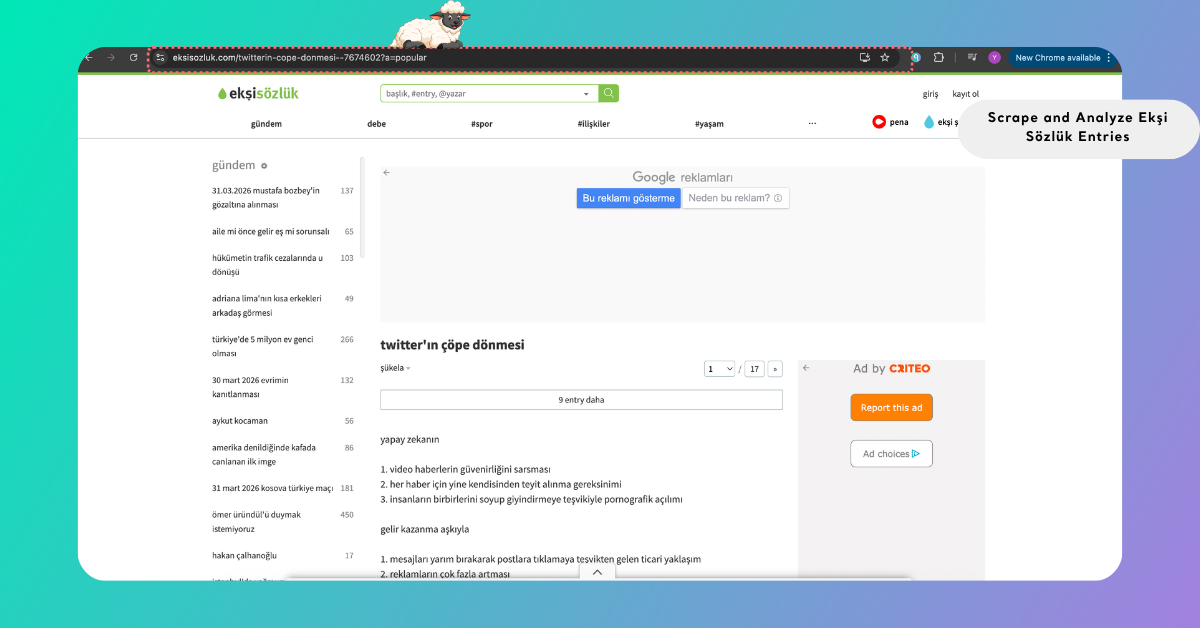
The topics you select define the scope of your analysis. You can focus on a single topic to understand detailed discussions or include multiple topics to compare different narratives.
To view all platforms that support auto-scraping, refer to Supported Platforms for Creating Reports from Links, where platform-specific details are also available.
Step 2: Enter the Link into Kimola
Go to the Kimola dashboard and locate the Create your report section. Paste the Ekşi Sözlük topic link into the input field and click Start.
Kimola automatically validates the link and prepares it for data collection. If the link is valid, the process continues seamlessly. If not, the platform highlights the issue so you can correct it before proceeding.
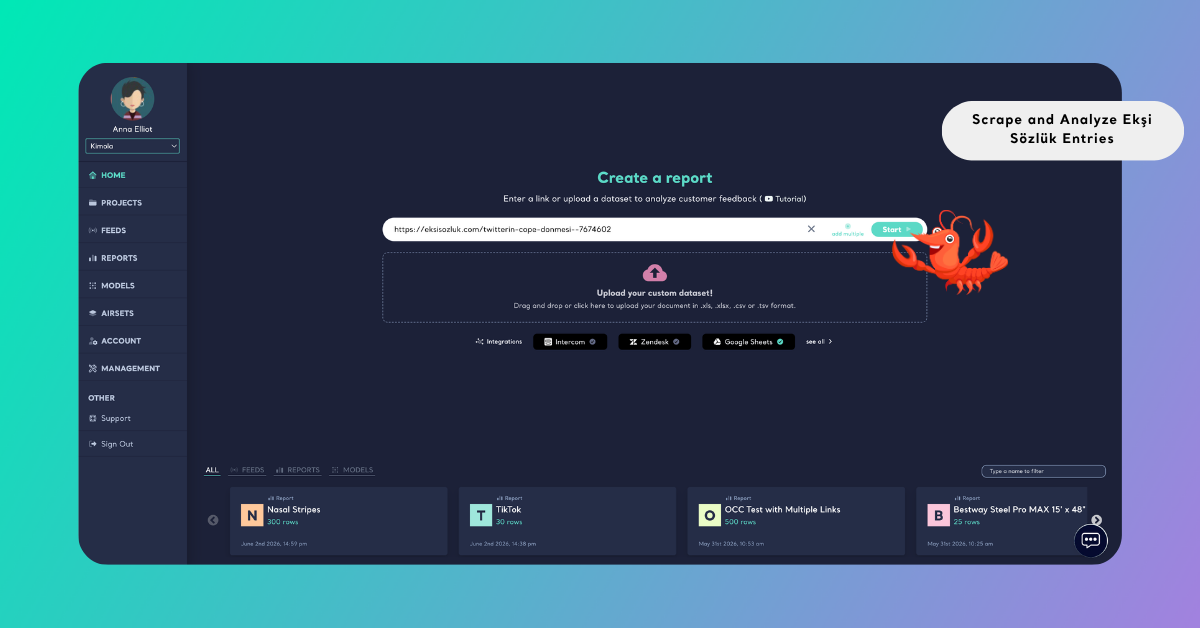
If you want to analyze multiple topics, select Add Multiple and enter each link on a separate line. Kimola validates all links and combines the collected entries into a single dataset, allowing you to compare discussions across topics.
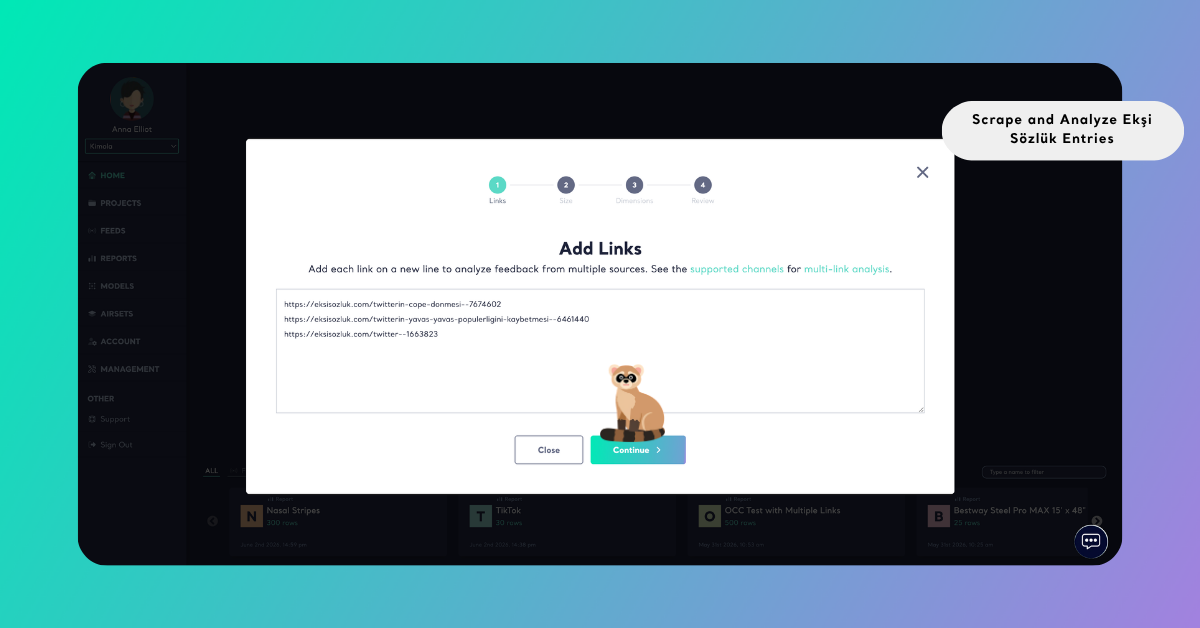
Step 3: Select the Report Size
After adding your link or links, you are taken to the dataset size selection screen. Here, you can define how many entries will be included in your analysis by adjusting the slider.
As you move the slider, the dataset size updates dynamically, allowing you to control the scope of your analysis. Smaller datasets are useful for quick exploration, while larger datasets provide a more comprehensive view of discussions and recurring narratives.
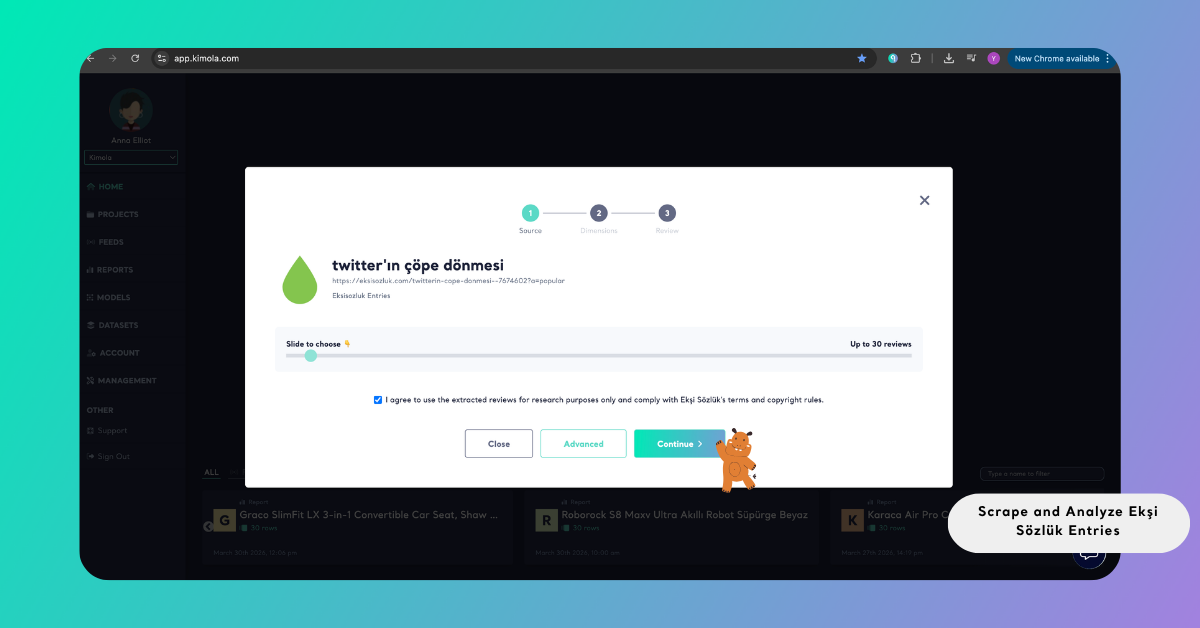
When multiple topic links are included, Kimola distributes the selected dataset size across them. If one topic contains fewer entries, the remaining portion is balanced using data from other topics.
Leveraging Attributes in Ekşi Sözlük Entries
While collecting Ekşi Sözlük entries, Kimola captures not only the entry text but also a set of structured attributes that add context to the data. These typically include fields such as rating, platform, date, title, entry URL, like count, and user name.
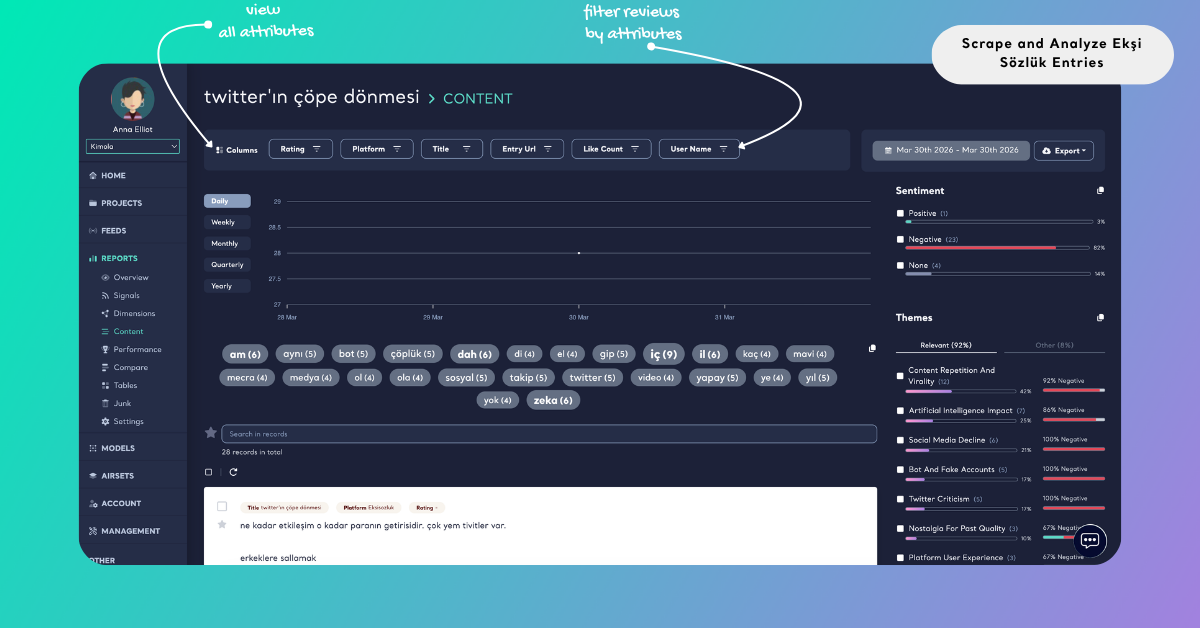
Once the report is generated, these attributes appear as filterable fields at the top of the report. You can use them to segment the dataset and explore discussions from different angles. For example, you can focus on highly liked entries to identify influential opinions, analyze specific titles to understand how conversations evolve, or examine user-level contributions to detect recurring perspectives.
Rather than treating entries as a single stream of text, these attributes allow you to structure and navigate the data more effectively. This makes it easier to uncover patterns in how opinions are expressed, which entries gain traction, and how discussions are shaped across different contributors.
Analyze Ekşi Sözlük Entries
Once the dataset is ready, entries can be analyzed systematically to identify recurring themes, sentiment patterns, dominant narratives, and underlying motivations.
Unlike traditional review platforms, Ekşi Sözlük content often includes layered opinions and conversational tone. By analyzing entries collectively, Kimola helps you detect patterns that would be difficult to identify manually, especially across large volumes of text.
Kimola applies a unified analysis workflow, transforming unstructured entries into structured insights that support research and strategic decision-making.
In addition to one-time analysis, you can continuously monitor Amazon product reviews by creating a Feed, which delivers regular reports and alerts within Kimola.
Choose Dimensions
To deepen the analysis, you can apply additional dimensions that organize entry data into more meaningful layers. These dimensions help you understand not only what is being said, but also the context, timing, and underlying drivers of discussions.
During report creation, you will be directed to the Dimensions step. Here, you can browse available dimension types and select the ones that match your research objective. As you make selections, they are added to the My List panel, where you can review, reorder, or remove them before continuing.
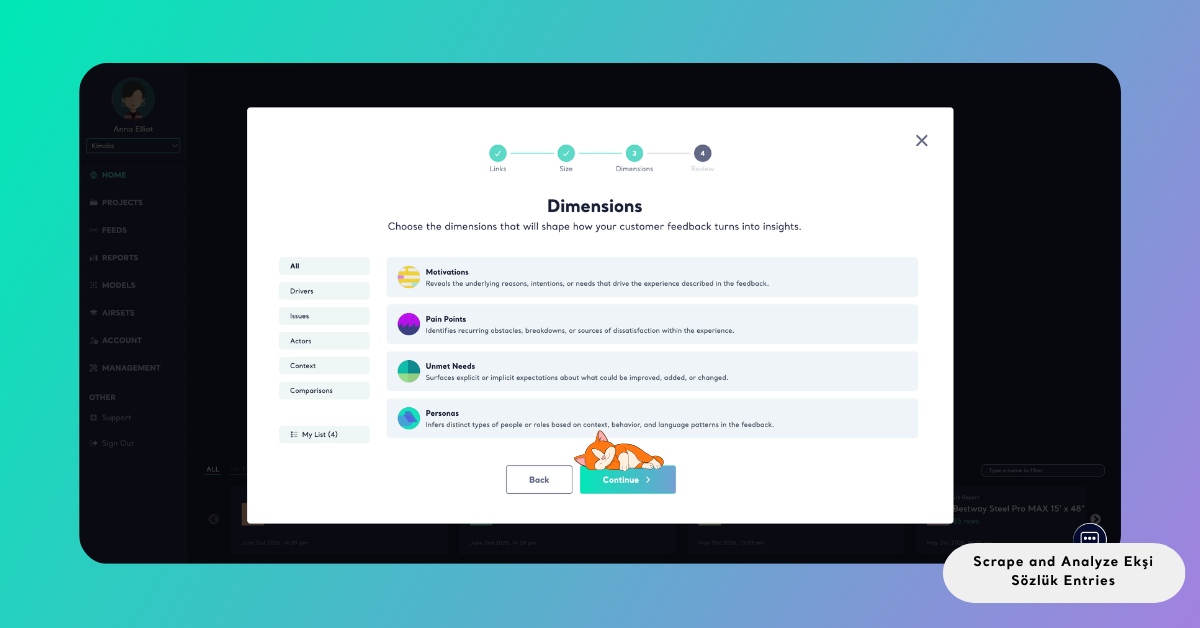
Once applied, these dimensions structure the dataset within the report, allowing you to explore relationships between topics, context, and sentiment.
Dimensions do not consume queries from your plan. Instead, they use GPT Credits, which are available as an add-on. These credits do not expire and can be purchased at any time as needed.
The free plan comes with 5 GPT Credits, which are automatically included when you create your account.
Review Report Settings
After completing the Dimensions step, you will be directed to the Review screen — the final stage before running the analysis.
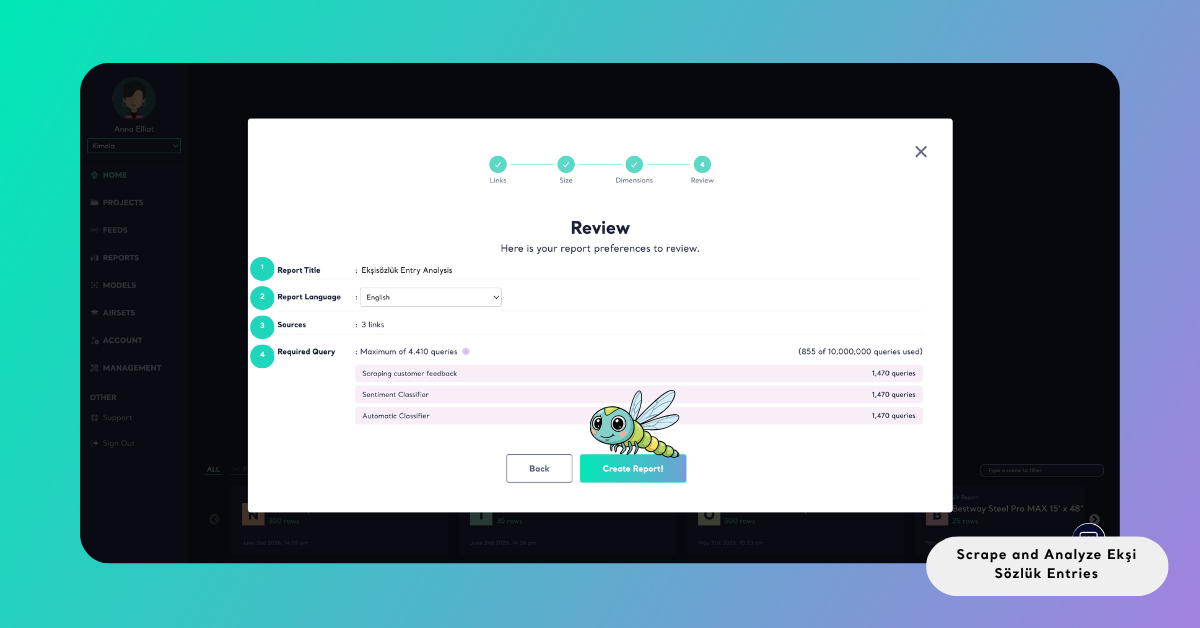
This screen presents a complete summary of your report configuration in a single view. You can verify the Report Title, adjust the Report Language, confirm the Source, and review how your queries will be used before starting the process.
The Required Query section provides a detailed breakdown of the total query usage. It shows how queries are distributed across different steps, such as data collection (scraping), sentiment classification, and additional analysis layers. This allows you to clearly understand the expected resource usage and how your selections impact your plan.
If anything needs to be changed, you can go back to previous steps and update your configuration. Once everything looks correct, you can proceed with confidence and generate the report.
Create the Report
To start the analysis, click Create Report. Kimola then runs the entire process in the background — collecting the selected entries, applying the configured analyses, and generating the report.
Once the report is ready, it appears under the Reports section. From there, you can explore the findings, organize reports under Projects, or export the results.
Reports can be exported as Excel files for deeper analysis, PowerPoint or PDF for presentations, or shared via email for easy distribution.
This allows you to turn unstructured discussions into structured insights that can be reused and shared across teams.
Conclusion
Ekşi Sözlük entries offer a unique view into how people express opinions, share experiences, and shape narratives in a more conversational environment.
By automating both data collection and analysis, Kimola enables you to move beyond individual entries and identify the broader patterns behind discussions. This makes it possible to transform scattered opinions into clear, actionable insights.x
As with any platform-based data, all collection and analysis should be conducted responsibly and in accordance with platform policies and applicable regulations.