Create a Report Using Multi-Label Classification
6 mins read - Created on Feb 19, 2025When analyzing customer feedback, it is common for a single comment to mention more than one topic. For example, a user may talk about ease of use, delivery experience, and customer support within the same piece of feedback. Kimola’s multi-label classification is designed to reflect this reality by identifying all relevant topics mentioned in each record.
In Kimola, a report is where collected feedback is analyzed and transformed into structured outputs such as themes, sentiment, and dimension results. Multi-label classification ensures that reports capture the full scope of each feedback item instead of forcing it into a single category.
This article explains how multi-label classification works in Kimola, how themes and sentiment are generated, and how this analysis can be used across reports.
What is Multi-Label Classification
Multi-label classification allows a single text record to be associated with multiple themes at the same time. This means one feedback item can contribute to several topics if more than one subject is discussed.
Kimola does not stop at assigning multiple themes. For each identified theme, sentiment is calculated separately. Sentiment is not limited to the overall record; it is evaluated at the theme level. This approach is commonly referred to as aspect-based sentiment analysis.
A single customer review can be analyzed as:
- Ease of Use → Positive
- Performance → Negative
- Customer Support → Neutral
All of these results come from the same record, without splitting the text into multiple entries. This allows you to understand what customers like or dislike about specific aspects, not just whether the overall comment is positive or negative.
How Multi-Label and Aspect-Based Sentiment Work Together
When a report is created, Kimola processes each record in two connected steps.
First, all relevant themes mentioned in the text are identified. A record may receive one theme or multiple themes depending on its content.
Next, sentiment is calculated independently for each theme. As a result, the same record can influence multiple themes, and each theme builds its own sentiment distribution based on all associated records.
This structure ensures that sentiment results reflect topic-specific opinions, rather than mixing unrelated issues into a single sentiment score. It allows you to analyze questions such as how sentiment differs for the same theme across products, time periods, or datasets.
How Themes and Sentiment Are Generated
In Kimola, multi-label classification is not limited to a single analysis method. The same multi-label and aspect-based sentiment analysis logic is applied consistently, regardless of how themes are generated in a report.
Themes and sentiment can be produced using different classification approaches available in Kimola, including automatic classifiers, pre-built models, or custom AI models. In all cases, multi-label classification remains active, allowing each record to be associated with one or more themes, with sentiment calculated separately for each theme.
When the Automatic Classifier is used, themes are generated dynamically during report analysis. This process does not require any training, data annotation, or manual labeling. Kimola analyzes the context of the dataset, identifies meaningful patterns, and groups related feedback under appropriate theme names. This approach is designed for unstructured qualitative data such as online reviews, open-ended survey responses, or social media content.
When pre-built models are used, themes are based on predefined classification structures designed for specific use cases or industries. Even though the labels are predefined, multi-label classification still applies. A single record can be associated with multiple relevant themes, and sentiment is calculated independently for each one.
When custom models are used, themes and labels are defined by the user based on specific business needs or KPIs. In this case, multi-label classification ensures that the same record can be evaluated against multiple custom labels, allowing consistent theme-level sentiment tracking across future reports.
Across all classification methods, sentiment is calculated at the theme level, not only at the overall record level. This ensures that topic-specific opinions are preserved and comparable, regardless of the classifier type used in the report.
When Multi-Label Classification Is Useful
Multi-label classification is most useful when feedback commonly touches on more than one topic. This includes scenarios such as product reviews, service evaluations, or survey responses where users discuss multiple aspects in a single response.
Not every record must receive multiple themes. If a piece of feedback discusses only one topic, it may receive a single theme. Multi-label classification ensures flexibility by assigning as many themes as needed, based on the content.
If multi-label classification is disabled, each record is limited to a single theme. In that case, secondary topics mentioned in the same feedback may be ignored or underrepresented.
Sign in to your Kimola account and go to the Dashboard Home page.
Create a Multi-Label Report
1. Add Your Data
To create a report with multi-label classification, start by adding your data to Kimola. You can do this in one of two ways:
- Upload a custom dataset in Excel or CSV format
- Add links from supported platforms to collect data directly
For a complete list of supported platforms and platform-specific details, see Supported Platforms for Creating Reports from Links.
2. Review Classification Settings
Multi-label classification is enabled by default for all reports in Kimola.
After you have uploaded a custom dataset or scraped your customer feedback, you can review advanced options by clicking Advanced. From there, you may disable multi-label classification if you want to work with a single-label structure.
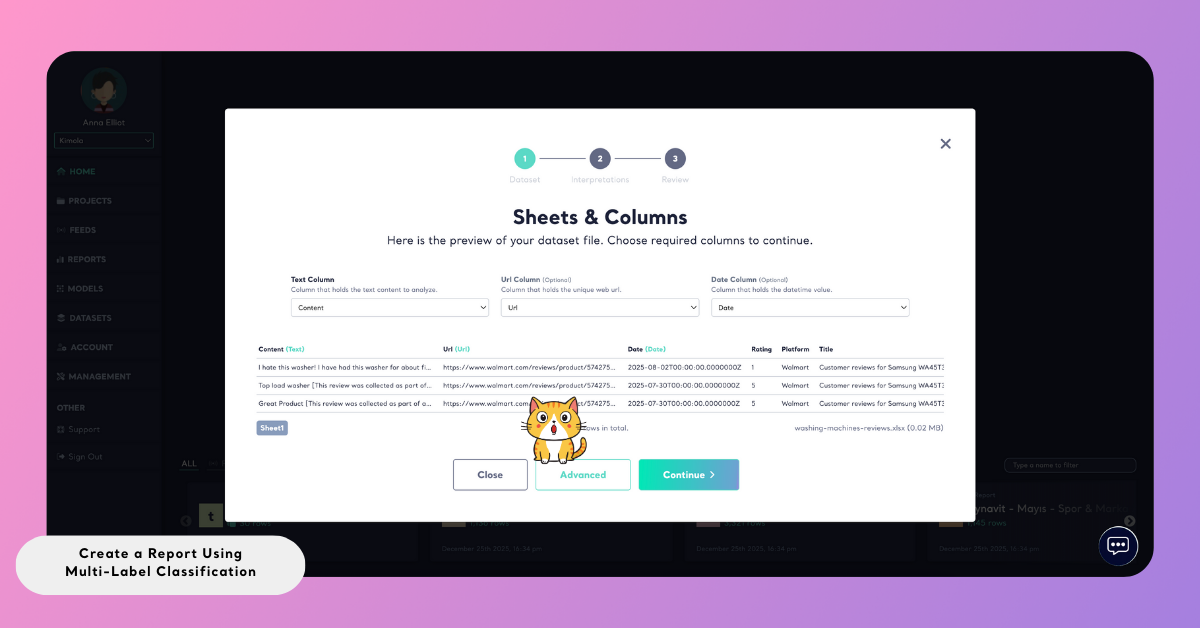
If no changes are made, Kimola applies multi-label classification together with aspect-based sentiment analysis automatically.
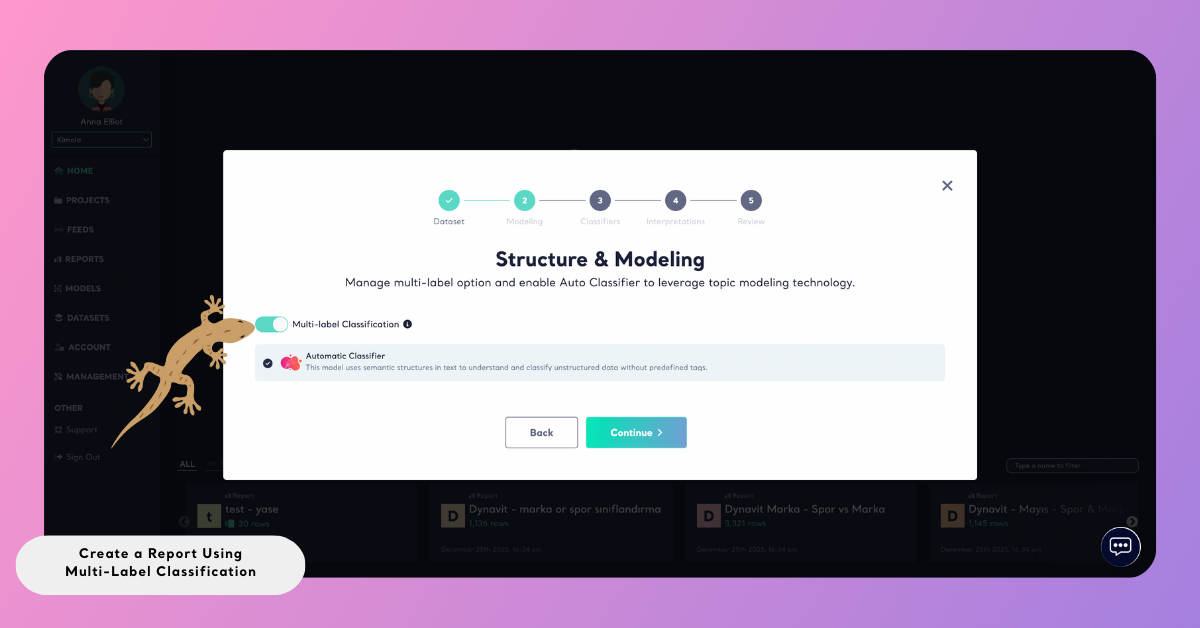
3. Create the Report
Once your data source and report settings are configured, click Create Report. Kimola processes the data automatically, identifies all relevant themes in each record, and calculates sentiment at the theme level.
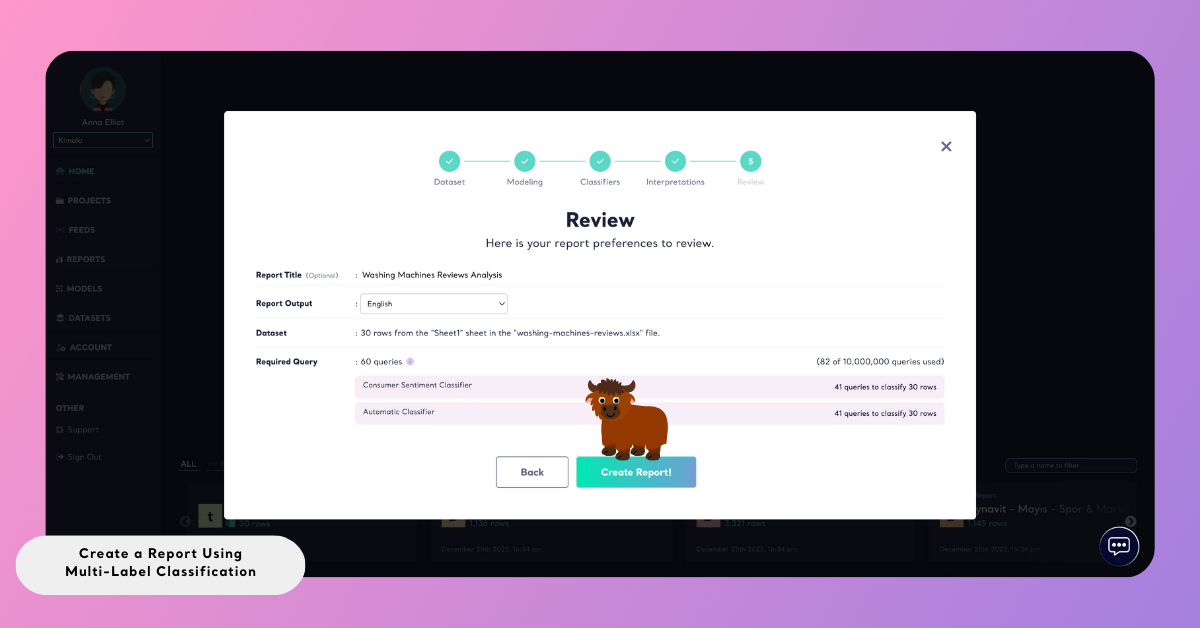
After analysis is completed, the report becomes available in the Reports section.
View Multi-Label Results in the Analysis Page
After a report is created, you can see multi-label classification results directly on the Analysis page.
In the Analysis view, each record is displayed as a single feedback entry. When multi-label classification is applied, all identified themes for that record are shown together. Each theme is listed separately and includes its own sentiment indicator. This allows you to see, at a glance, which topics are mentioned in the same feedback and how customers feel about each one individually.
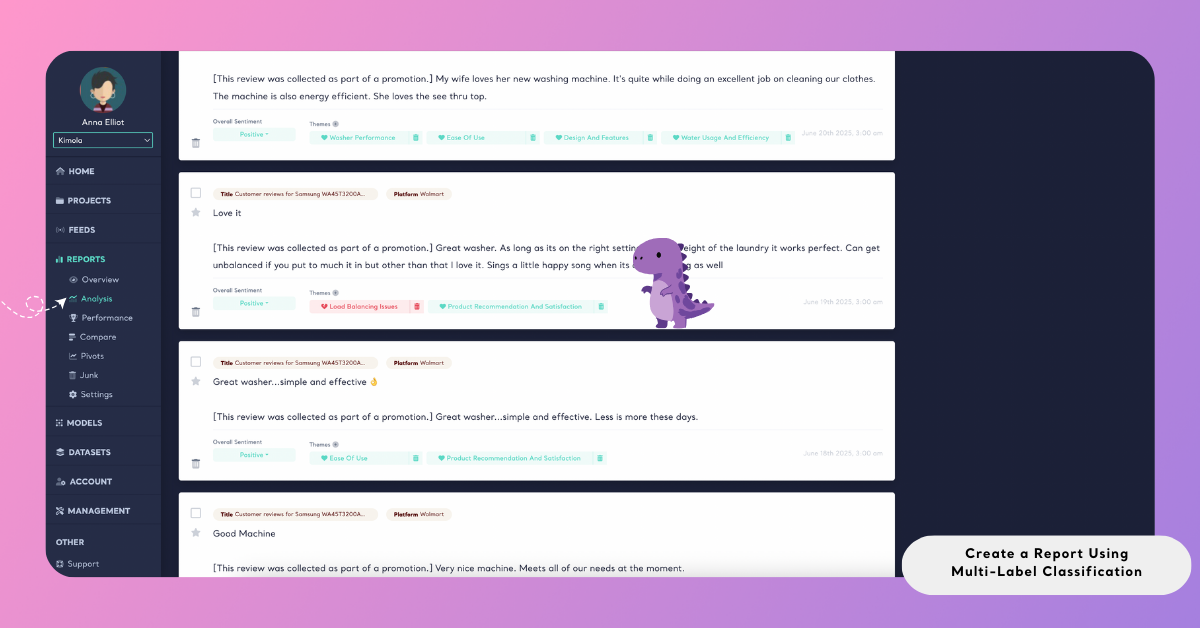
This view makes it clear how a single piece of feedback contributes to multiple themes without being split into separate records.