Multi-label vs Single-label Reports
4 mins read - Updated on Dec 30, 2025In Kimola, analysis is performed inside reports. A report represents the processed and analyzed view of your data after collection, and it is made up of individual records—each record corresponding to a single data entry, such as a customer review, survey response, or feedback item.
When analyzing customer feedback, not all datasets behave the same way. Some records focus on a single topic, while others naturally cover multiple themes within the same comment. Kimola supports both multi-label and single-label reporting structures, allowing you to choose the approach that best fits your analysis goals.
This article explains the difference between multi-label and single-label reports, how each option works in Kimola, and when to use one over the other.
Sign in to your Kimola account and go to the Dashboard Home page.
What Is a Multi-label and Single-label Report
In Kimola, reports can be structured as multi-label or single-label, depending on how records are associated with themes during analysis.
In a multi-label report, a single record can be linked to more than one theme at the same time. This reflects the natural structure of customer feedback, where one comment often touches on multiple topics. For example, a single review may mention product quality, delivery experience, and customer support in the same text. In this case, Kimola assigns all relevant themes to that record instead of forcing it into a single category.
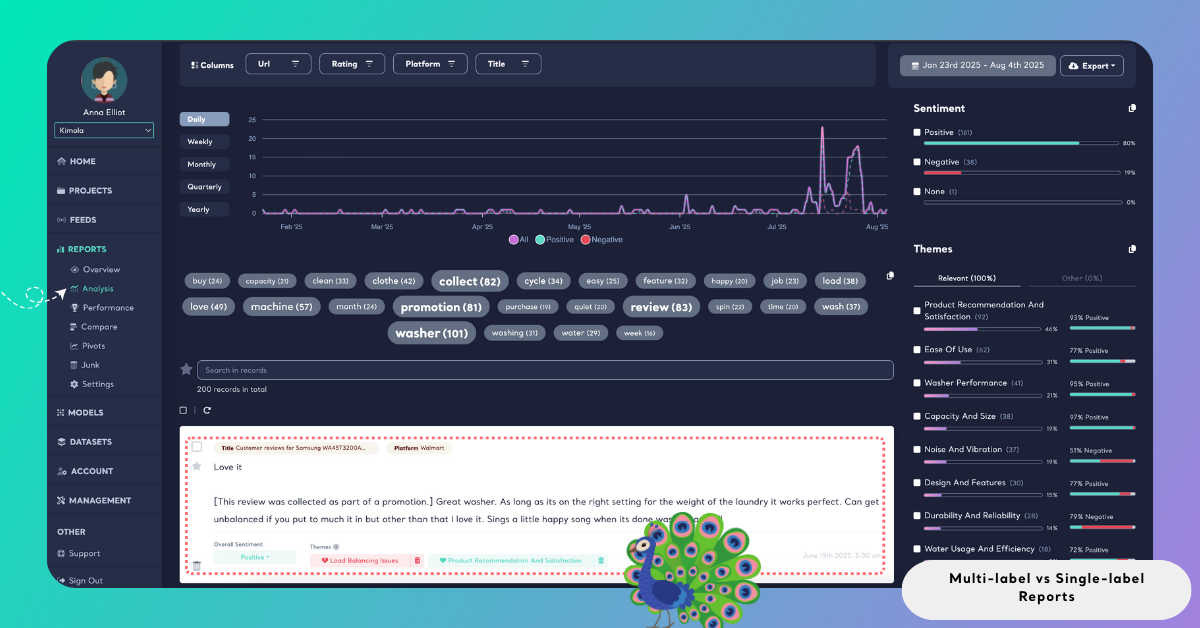
In addition to theme assignment, sentiment is calculated separately for each theme. This means the same record can contribute positive sentiment to one theme while contributing neutral or negative sentiment to another. This theme-level sentiment calculation is commonly referred to as aspect-based sentiment analysis and allows feedback to be represented more accurately.
In a single-label report, each record is assigned to only one theme. Even if multiple topics are mentioned, Kimola assigns only one category to each record. Sentiment is then calculated based on this single assignment. This results in a simpler structure where each record contributes to only one theme.
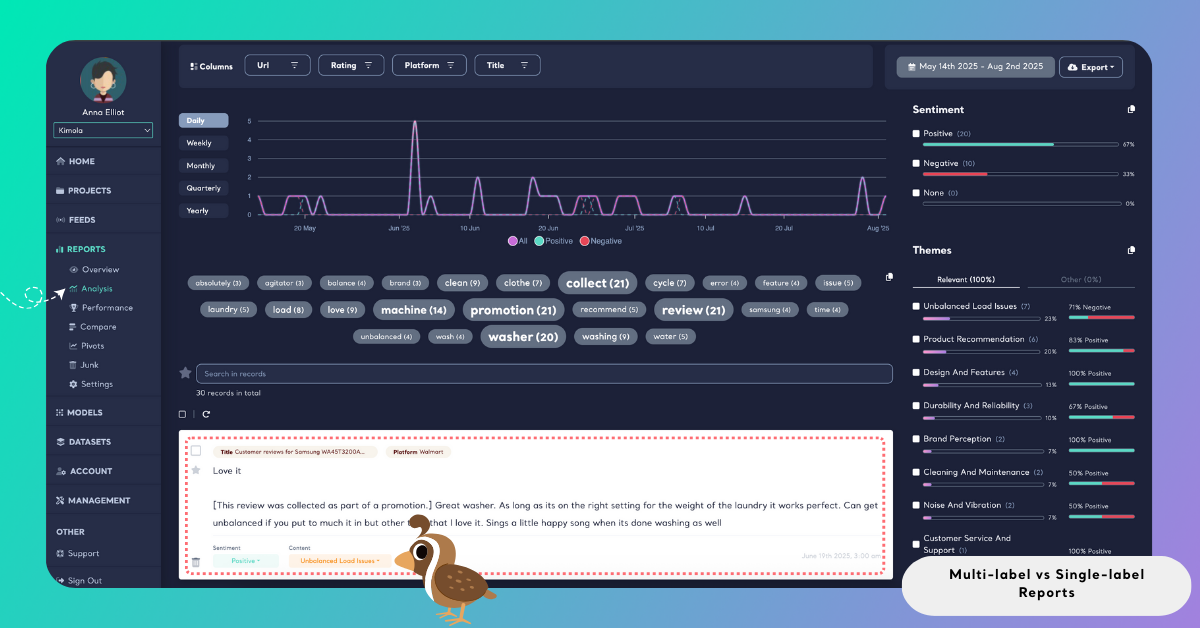
In short, multi-label reports allow one record to contribute to multiple themes with theme-level sentiment, while single-label reports limit each record to a single theme and a single sentiment context.
Impact on Analysis
The choice between multi-label and single-label reporting directly affects how insights are generated.
Multi-label reports help you capture all topics mentioned in complex feedback, analyze sentiment at the theme level with higher accuracy, and avoid losing secondary but important signals. They are well suited for deeper qualitative analysis.
Single-label reports help keep analysis simpler and easier to summarize. They focus on primary topics only and align well with strict KPI definitions or dashboard-driven reporting.
Compatibility with Classification Methods
Multi-label and single-label structures work independently of the classification method you choose in Kimola. Both structures are fully compatible with:
If multi-label classification is enabled, the selected classifier can assign multiple themes per record. If it is disabled, the same classifier assigns only one theme per record.
Enable or Disable Multi-label Classification
Multi-label classification is enabled by default when creating a report. During the report creation process, you can change this setting if needed. After uploading a custom dataset or collecting data from a source, click Advanced to review the classification options. From there, you can disable multi-label classification to create a single-label report instead. The classification structure you select applies to the entire report.
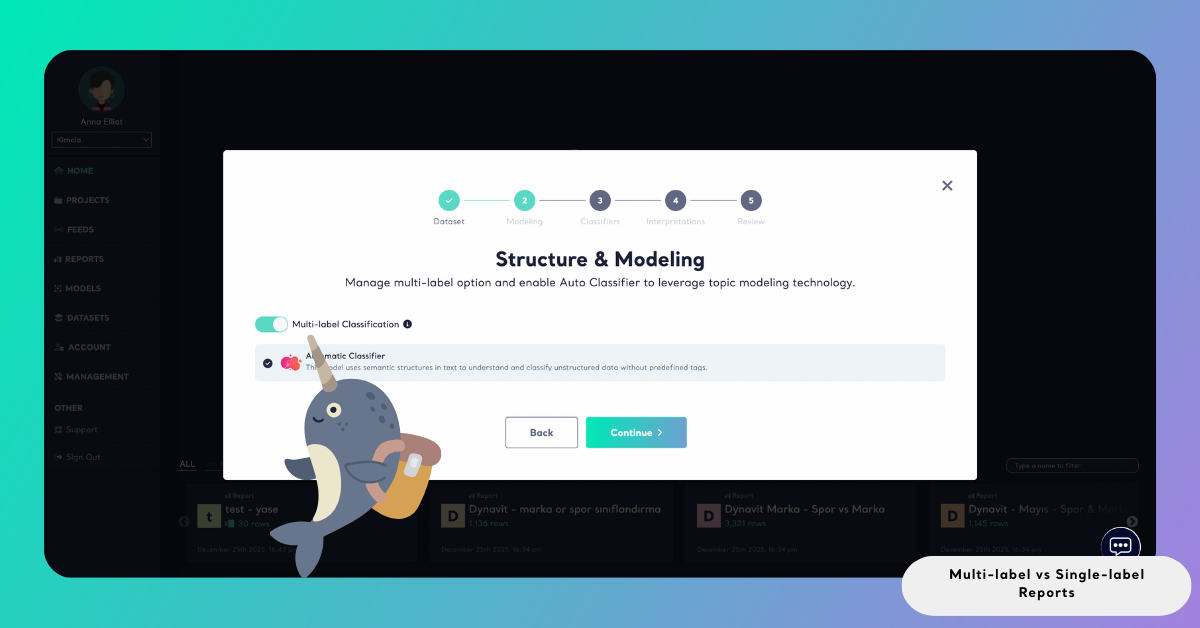
Once a report is created as single-label or multi-label, this structure cannot be changed afterward.
If you create a report as single-label and later want to switch to multi-label classification, you need to create a new report. This requires re-uploading your dataset or re-collecting data from the source, and running the analysis again.
For this reason, it’s recommended to decide on the classification structure before creating the report.
When to Use Each Approach
Use multi-label reports when feedback commonly includes more than one topic in a single record. This is typical for unstructured data such as product reviews, app store reviews, social media comments, and open-ended survey responses.
Use single-label reports when each record is expected to focus on one main topic, or when you need a simplified structure with no theme overlap. This approach is often preferred for structured surveys and strict KPI-based reporting.
There is no universally correct choice. Multi-label reports prioritize depth and realism, while single-label reports prioritize simplicity and clarity. Because Kimola allows this setting to be configured per report, you can choose the structure that best matches your analysis needs.