List Pretrained Models
2 mins read - Updated on Oct 28, 2025Pretrained models serve as a centralized hub where you can explore a variety of pre-built AI models tailored for diverse industries. These ready-to-use models are crafted by the Kimola team to address common business scenarios, saving you time and effort in developing your own solutions. Follow these easy steps to access and navigate the gallery.
To view pretrained models, sign in to your Kimola account and open your dashboard. From the left panel, click Models, then select the Pre-Built tab. This will open the page listing all pretrained models.
Explore Pretrained Models
This page displays all available pretrained models, each designed for a different use case or industry. Each model card includes:
- Model Name: The name and category (e.g., E-Commerce Conversations Classifier, Consumer Sentiment Classifier).
- Description: A brief summary of what the model does and which industry or data type it’s best suited for.
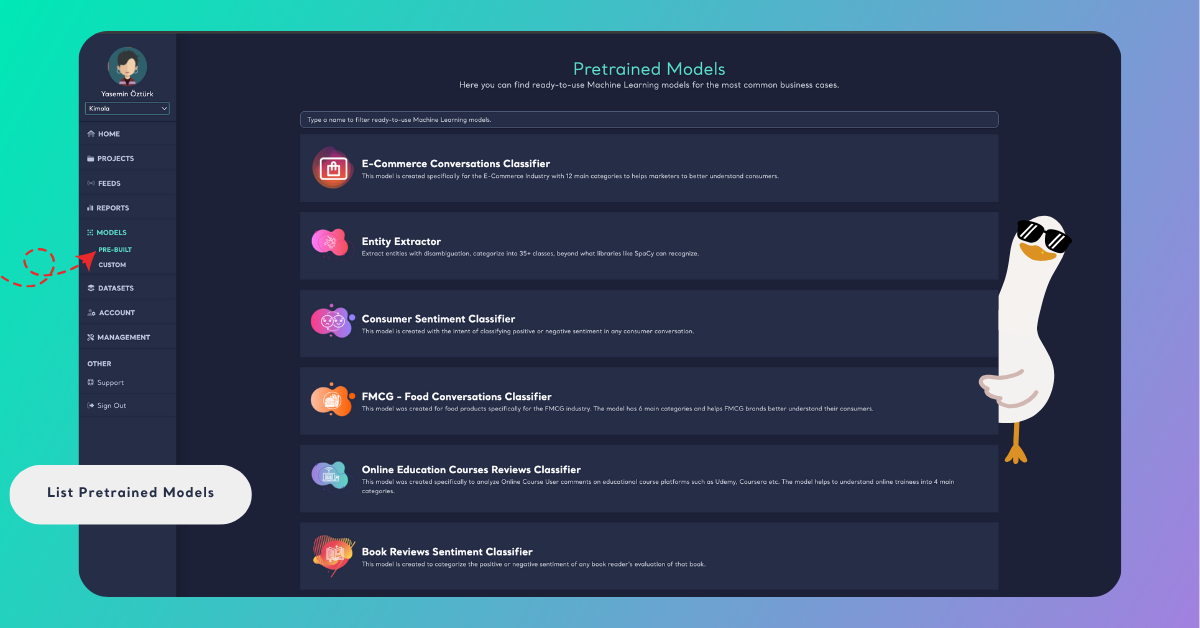
You can scroll through the list to explore classifiers like Banking Feedback Classifier, HoReCa Feedback Classifier, Hate Speech Detector, or Entity Extractor, each trained to analyze different kinds of text data.
Search for a Model
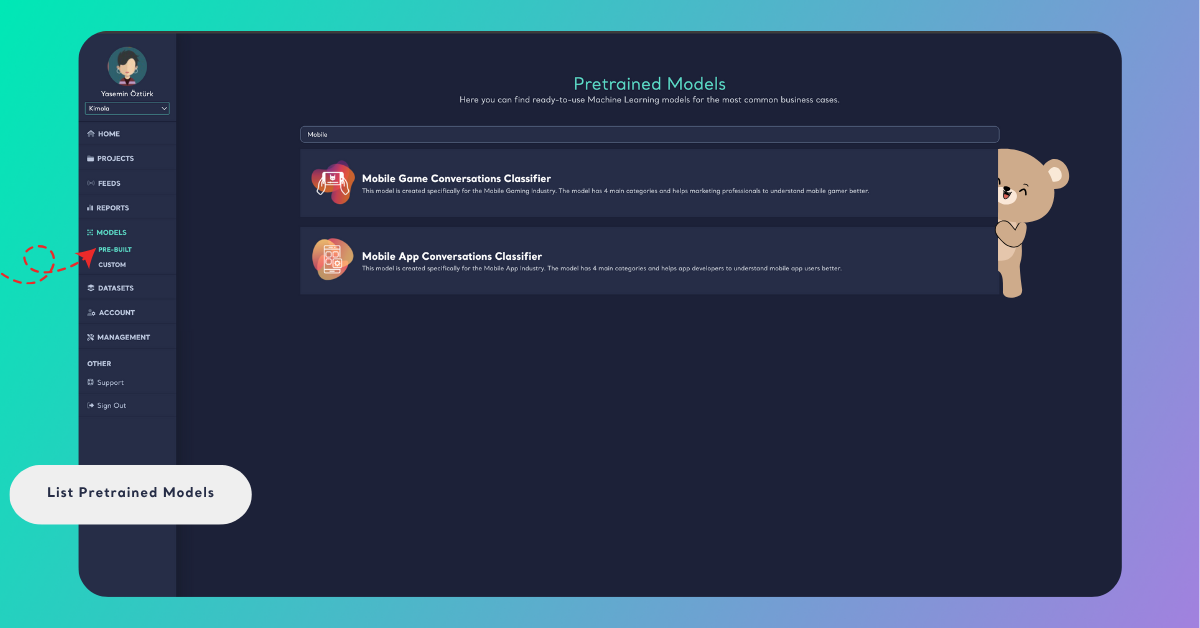
At the top of the page, use the search bar to filter pretrained models by name or keyword — perfect for quickly finding the right model for your analysis.
Typing “Mobile” will instantly display all pretrained models related to mobile products, such as Mobile App Feedback Classifier or Mobile Game Feedback Classifier.
Learn More About a Model
For detailed information about a specific pretrained model, click on its card on the page. This will open the model’s detail page, where you can explore:
- Industry focus: The sectors or use cases the model was designed for (e.g., e-commerce, banking, telecom).
- Model description: A short explanation of what the model does and how it helps analyze text data.
- Labels: The categories the model uses to classify text, along with definitions of what each label represents.
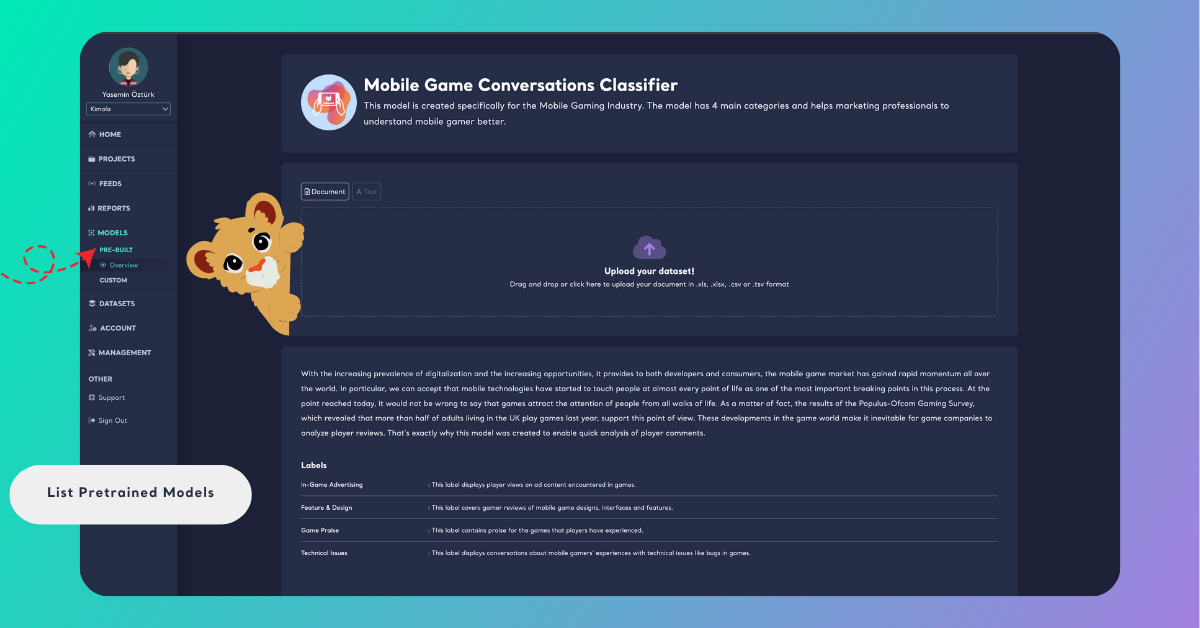
You can also test the model directly on this page by entering sample text or uploading a dataset to see how it classifies real feedback. This helps you understand the model’s scope, performance, and suitability before applying it to your own data.