Create a Report in Feeds
2 mins read - Updated on Oct 09, 2025After collecting data through your feeds, you can turn that information into actionable insights by creating a Report. Reports help you summarize the data gathered from your feeds in a structured and shareable format.
In Kimola, a report can generate directly from a Feed section and provides an overview of the data collected within a specific time period or from selected sources.
If your feed tracks reviews about “Vitamin Supplements,” a report can highlight which brands receive the most positive feedback, which topics dominate consumer discussions, and how these change monthly.
Why Create a Report
Reports are essential for turning raw data into meaningful stories.
They allow you to:
- Quickly understand key metrics such as sentiment balance.
- Identify recurring topics or trends across multiple sources.
- Share clear and visually structured results with your team or clients.
- Track how perception evolves over time based on data collected from feeds.
Sign in to your Kimola account, go to the Feeds tab, and select the feed for which you want to generate a report.
Follow these steps to create a report based on your feed data:
- Date Range: Choose the time period for the data you want to include (e.g., last 7 days, last month, or a custom range).
- Click “Create Report”: You’ll find this option in the top-right corner of the feed view.
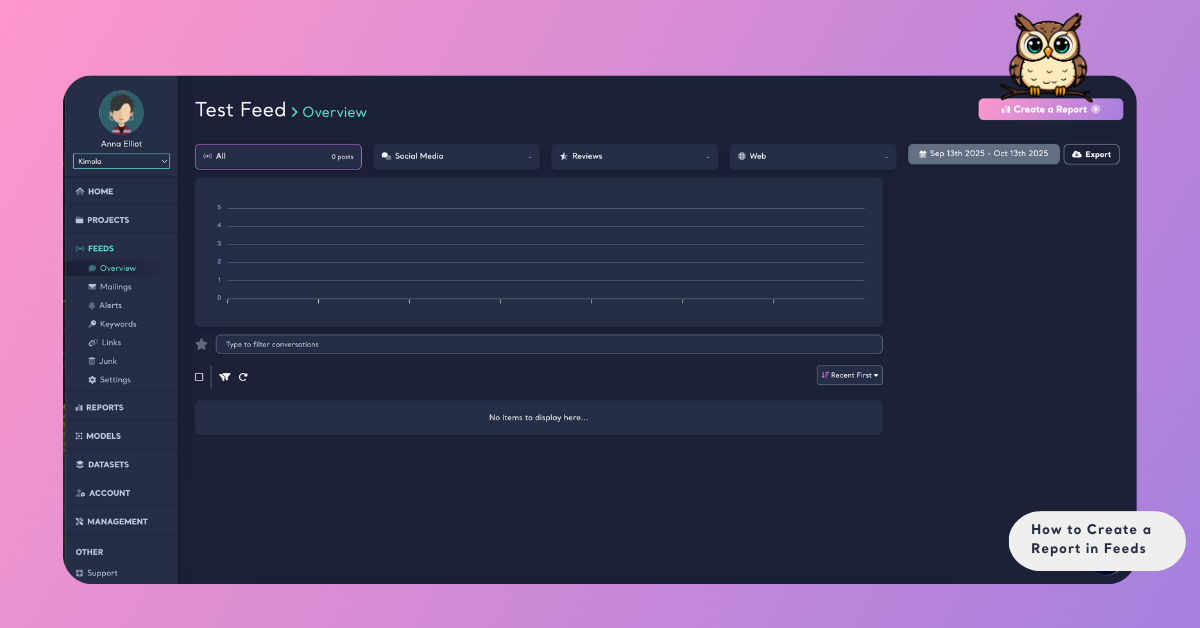
- Define Report Name: Enter a clear and descriptive name for your report.
- Create: Click “Create Report” to create your report. Kimola will process your feed’s data and list it instantly in your Reports dashboard.
You can generate multiple reports from the same feed.
Report Outputs and Sharing
Once generated, your report will appear under the Reports section in Kimola.
From there, you can:
- View summary and analysis outputs of your feed.
- Compare data in your feed.
- Export reports as Excel, CSV, PDF, PowerPoint, or e-mail presentations.
Creating reports in Kimola transforms collected data into clear, actionable insights. By summarizing trends, highlighting key metrics, and analyzing sentiment or topics, reports help you move from raw information to strategic decisions.