Use Pre-built AI Models in the Kimola Gallery
2 mins read - Created on Feb 27, 2025Enhancing your data analysis with pre-built AI models from the Kimola Gallery can simplify the integration of sophisticated algorithms into your workflow. These models are designed to address common business needs and can be combined with your datasets to yield powerful insights. Below is a detailed guide to efficiently utilize these pre-built AI models for your data analysis tasks within the Kimola environment.
Step-by-Step Guide to Using Pre-built ML Models
Step 1: Access the Kimola Dashboard
- Log into your Kimola account and upload your custom data. Opt for the "Advanced" option to initiate the process.
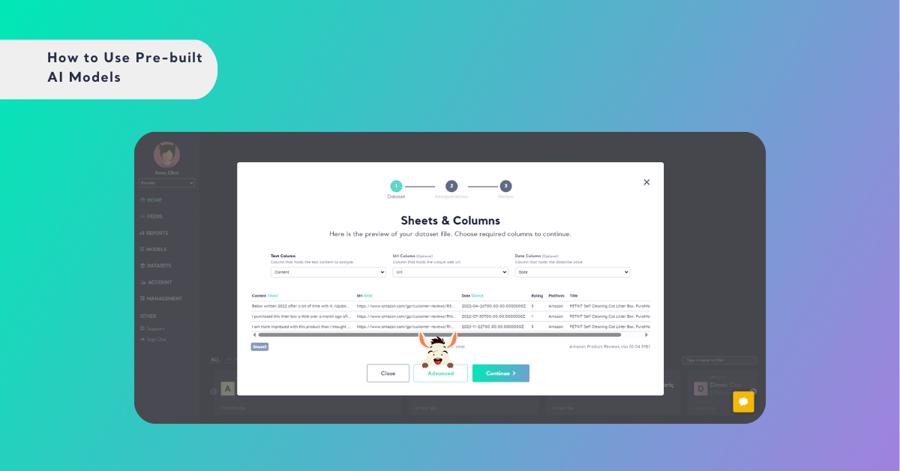
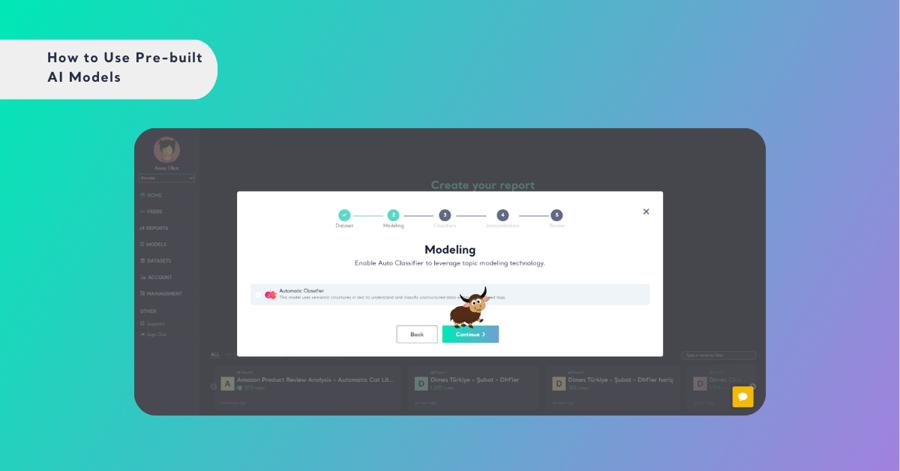
Step 2: Choose Model Usage
- Decide if you will utilize the pre-built model alone or in conjunction with automatic classification. This choice will depend on the complexity and requirements of your data analysis project. Enable Auto Classifier to leverage topic modeling technology.
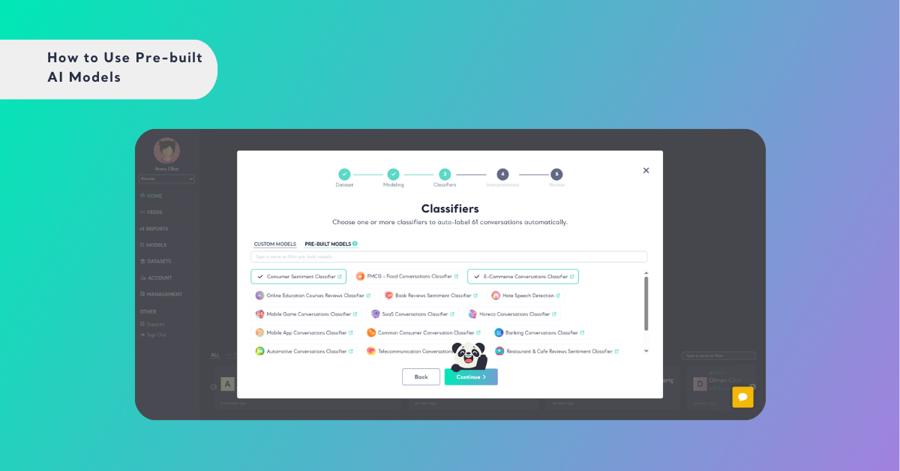
Step 3: Select Classifier Models
- At the Classifier selection step, choose the pre-built models that align best with your data’s goals and characteristics, ensuring optimal results.
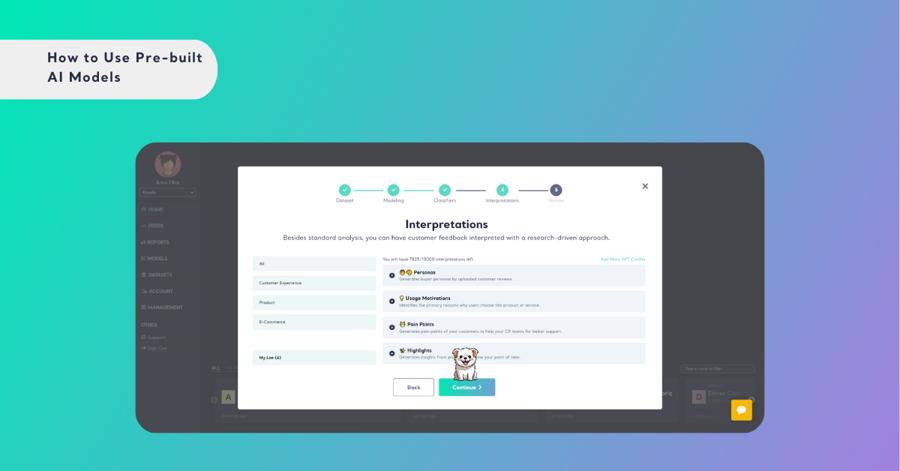
Step 4: Select Interpretations
- Choose the types of insightful interpretations you want to incorporate into your report, or proceed without them if you prefer a straightforward analysis.
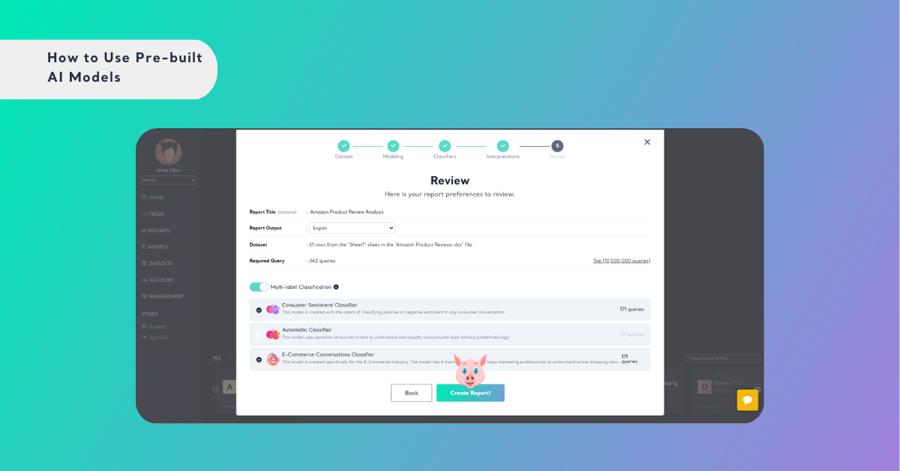
Step 5: Finalize Your Report Settings
- Name Your Report: Assign a concise and meaningful name that accurately reflects its focus or content, ensuring easy identification later.
- Utilize Multi-label Classification: If available in your subscription, activate this feature to categorize your data into multiple labels, providing a deeper analysis.
- Choose Output Language: Decide on the language for displaying your report results, tailoring them to your preferred settings or audience.
- Create Your Report: Finish the setup by clicking the ‘Create’ button, converting your raw data into actionable insights with the help of the selected pre-built models.
By following these steps, you can seamlessly incorporate Kimola Gallery's pre-built ML models into your data projects, enhancing your analytic capabilities and driving effective decision-making.